13. Cleaning
109
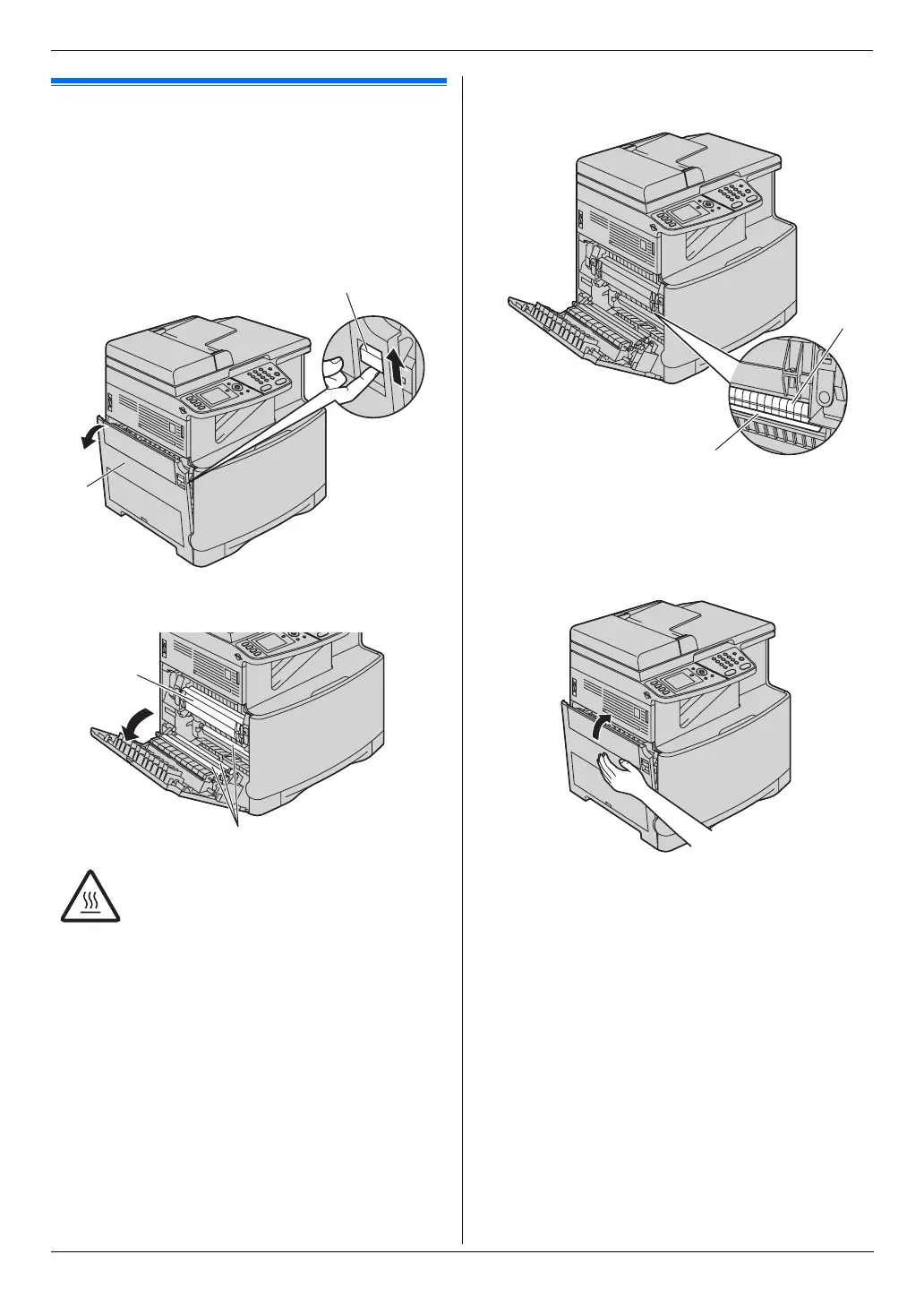
13.3 Cleaning the paper chute
Clean the paper chute inside the unit when a line or a
dirty pattern appears at the top or bottom of your
recording paper.
1 Turn the power switch OFF.
2 Push the left cover open lever (1) upward, then pull
open the left cover (2).
Note:
L Do not touch the rollers (4).
3 Clean the paper chute (5) with a dry paper towel or
tissue.
Note:
L Do not touch the black belt (6), or rub it strongly.
4 Close the left cover.
5 Turn the power switch ON.
Caution:
L During or immediately after printing,
the fuser unit (3) gets hot. Wait until
the fuser unit cools down before
cleaning the paper chute.
3
4
1
2
6
5












 To Next Page