13. Cleaning
107
13 Clean ingCleaning
13.1 Cleaning the white plates
and glass
Clean the white plates and glass when a black line, a
white line or a dirty pattern appears on:
– your recording paper,
– the original document,
– the scanned data, or
– the fax document received by the other party.
Caution:
L Do not use paper products, such as paper towels
or tissues for cleaning.
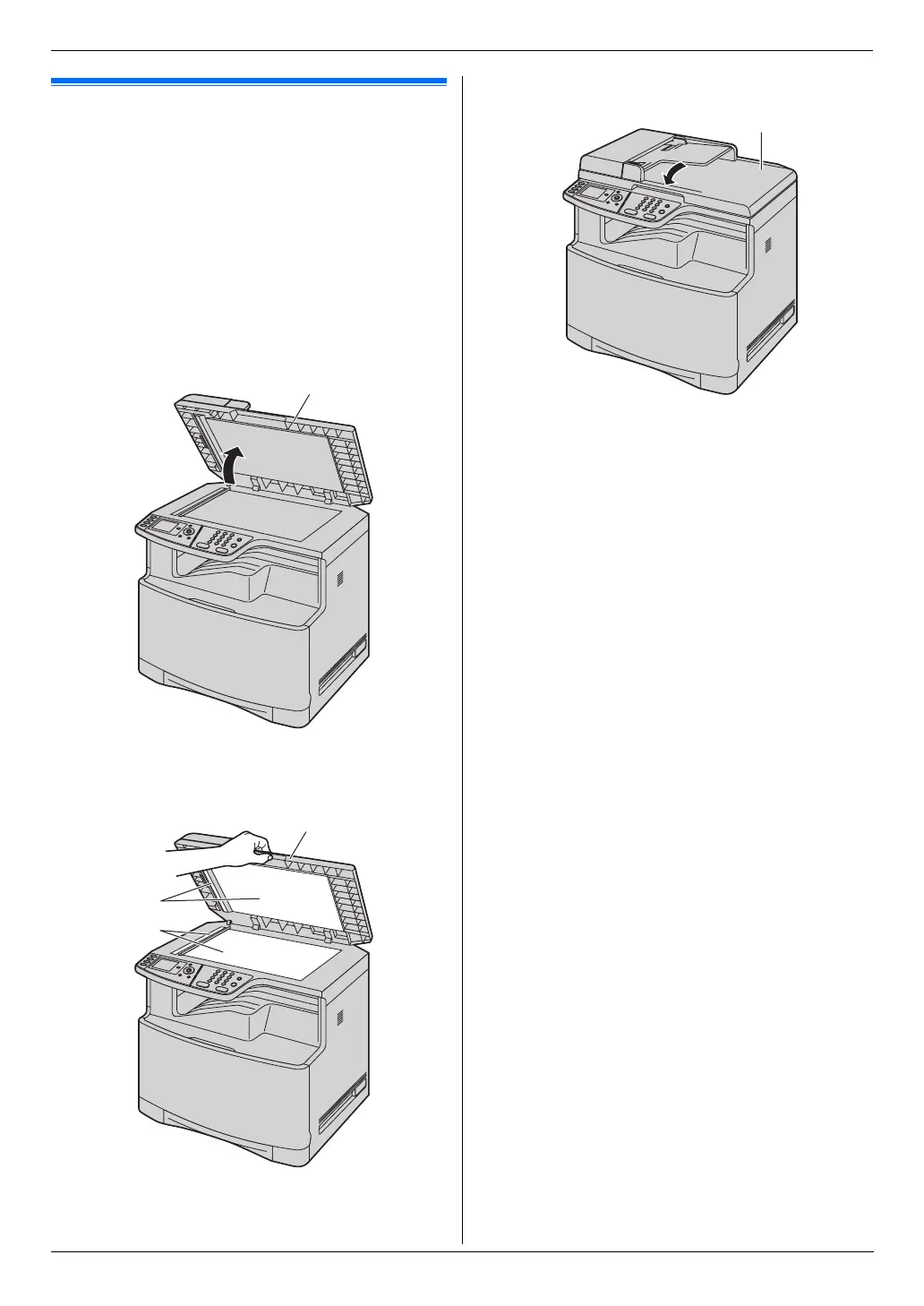
1 Open the document cover (1).
2 Hold the document cover (2) while cleaning the
white plates (3) and the scanner glass (4).
3 Close the document cover (5).
1
2
4
3
5












 To Next Page