12. Paper Jams
101
12 Paper JamsJams
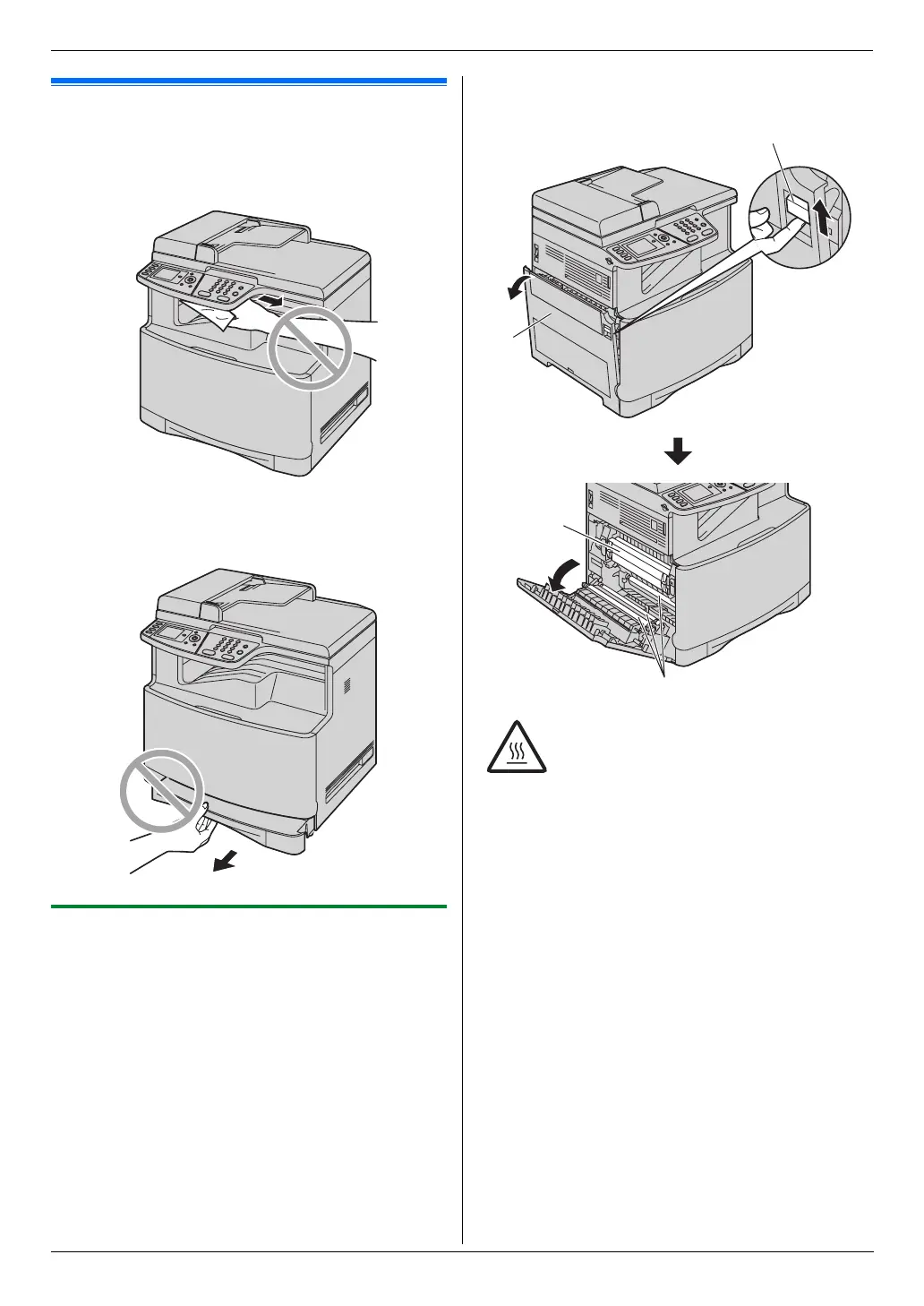
12.1 Recording paper jam
Caution:
L Do not pull out the jammed paper forcibly before
opening the left cover.
L Do not open the paper input tray as the jammed
paper may be pulled and the jam may get worse.
12.1.1 When the recording paper has
jammed inside of the unit
The display will show the following.
– “Paper Jammed”
“Open Left Cover”
“Hot Caution”
– “Paper Jammed”
b
“Open Left Cover Hot Caution”
1 Push the left cover open lever (1) upward, then pull
open the left cover (2).
Note:
L Do not touch the rollers (4).
Caution:
L During or immediately after printing,
the fuser unit (3) gets hot. Wait until
the fuser unit cools down before
removing the jammed paper.
3
4
2
1












 To Next Page