12. Paper Jams
102
2 Remove the jammed paper.
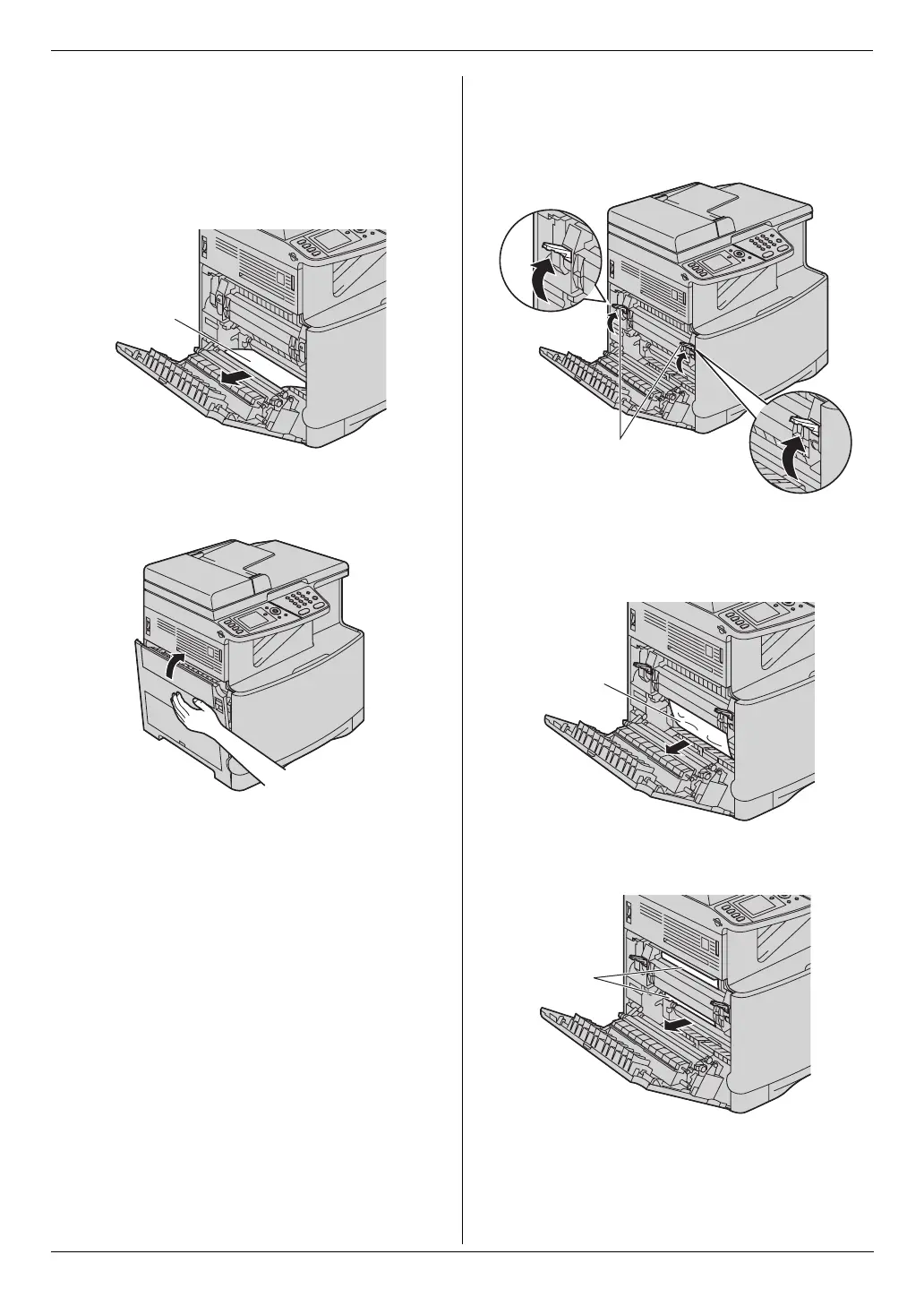
Case 1:
When the recording paper has jammed near the
rollers:
1. Remove the jammed paper (5) carefully by pulling it
toward you.
2. Close the left cover.
Case 2:
When the recording paper has jammed near the
fuser unit:
1. Lift both green levers (6) until they stop.
2. Remove the jammed paper (7) carefully by pulling it
toward you.
Example 1:
Example 2:
5
6
7
7












 To Next Page