12. Paper Jams
103
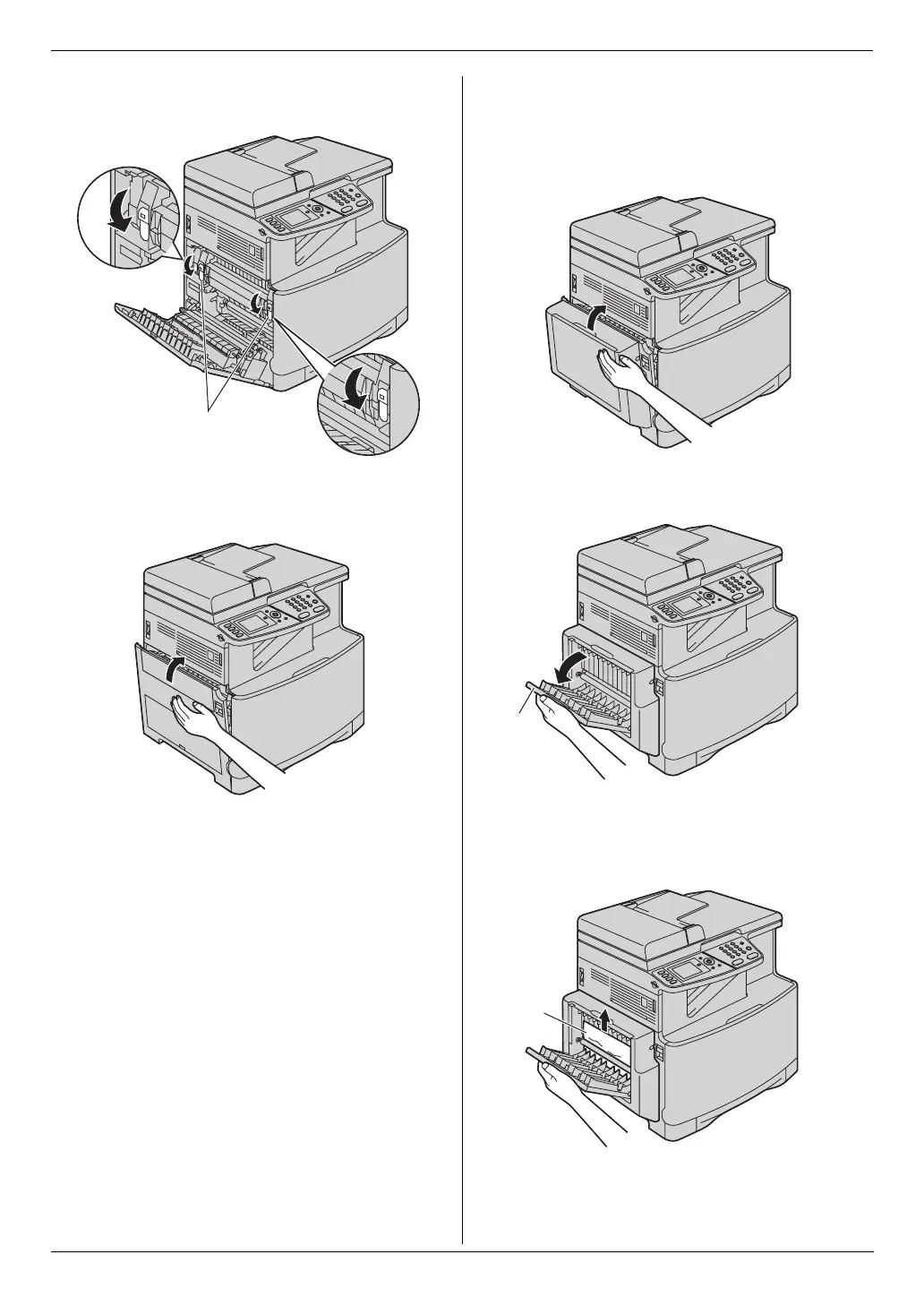
3. Push back the green levers (8) to their original
positions.
4. Close the left cover.
Case 3:
When the recording paper has jammed inside of the
optional automatic duplex unit:
1. Close the left cover.
2. Open the automatic duplex unit cover (9).
3. When the document has jammed near the roller:
Hold the automatic duplex unit cover and remove the
jammed paper (j) carefully by pulling it upward.
8
9
j












 To Next Page