1. Introduction and Installation
13
For assistance, please contact an authorized Panasonic dealer.
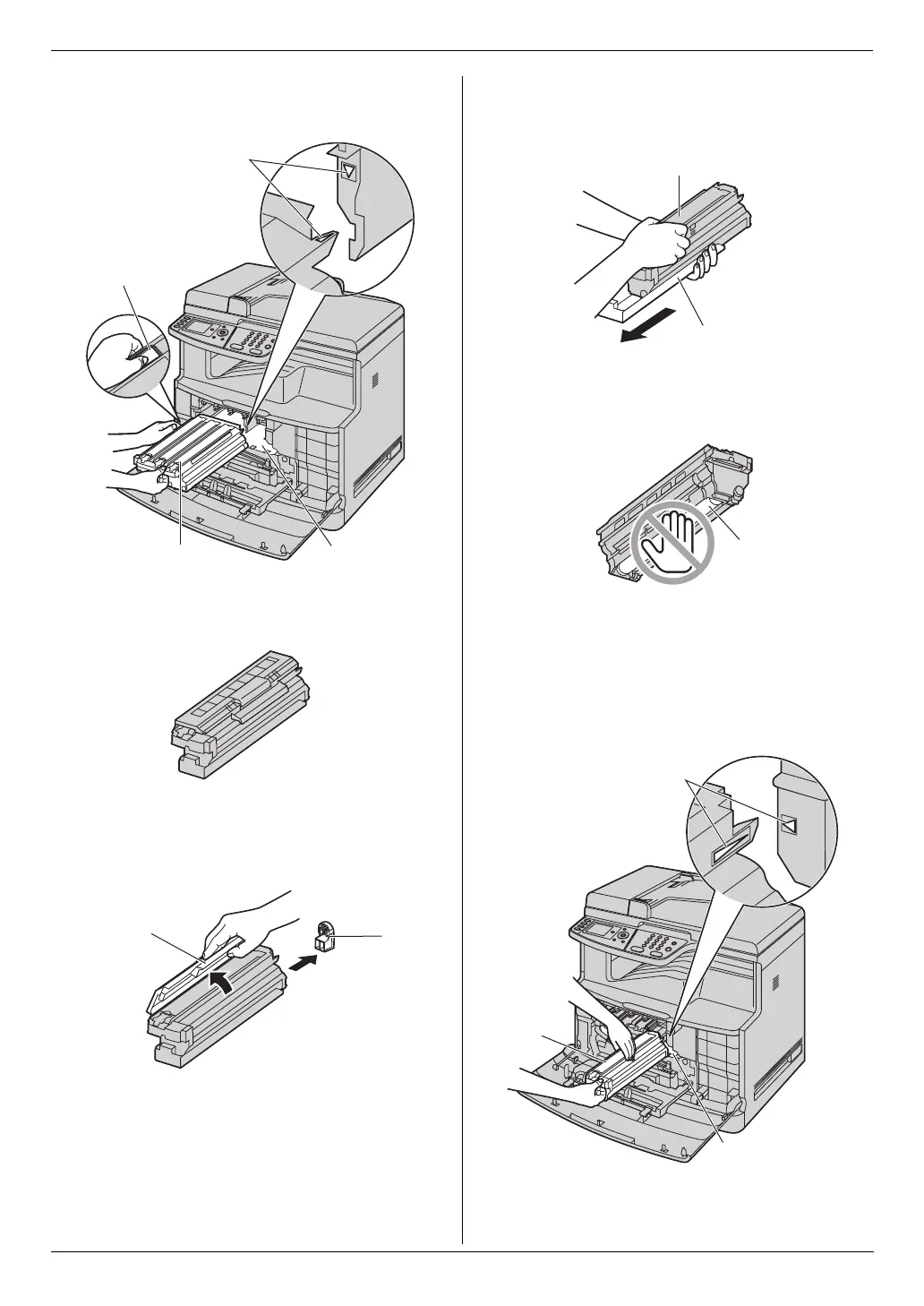
L Do not touch or scratch the accumulator unit
(n).
9 Remove the monochrome drum cartridge from the
protection bag.
L Remove the shipping tape.
10 Detach the protective cap (o), then detach the
upper seal cover by holding the tab (p).
11 Firmly grip the monochrome drum cartridge (q) and
remove the protective tray (r) by sliding it toward
you.
L Do not touch or scratch the green drum surface
(s) at the bottom of the drum cartridge.
12 Insert the monochrome drum cartridge (t) into the
right side of the unit.
L Make sure that the arrows (u) match to insert
the drum cartridge correctly.
L Do not touch or scratch the accumulator unit
(v).
l
m
n
k
o
p
r
q
s
u
v
t












 To Next Page