10. Useful Information
81
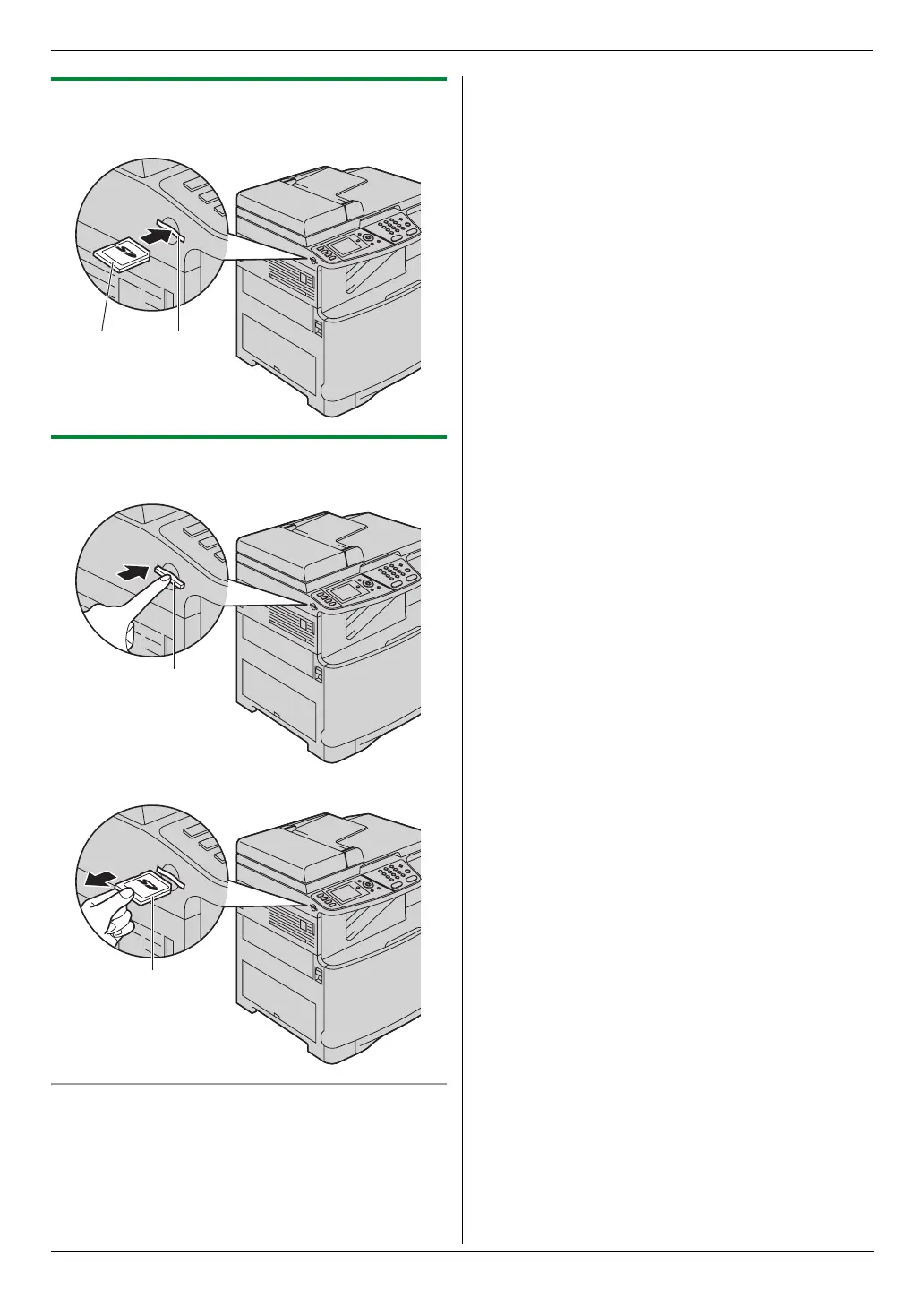
10.5.1 Inserting an SD card
Insert the SD card (1) with the labelled surface facing
upward into the SD card slot (2).
10.5.2 Removing an SD card
1
Push the SD card in (1).
2 Pull the SD card (2) straight out.
File folder in an SD card
When you save files into the SD card, the following folder
is made on the SD card.
SD:/PRIVATE/MEIGROUP/PCC/MFP/IMAGE/XXXXXX
(“XXXXXX” will vary depending on the unit.)
Note:
L Do not delete or change the folder name on your
computer.
L If you use the SD card with 2 or more units at the
same time, a different folder is made on the SD card
for each unit. To view data that was saved using a
different unit, you need to select the folder that was
created by the different unit.
1 2
1
2












 To Next Page