11
VQT3K06
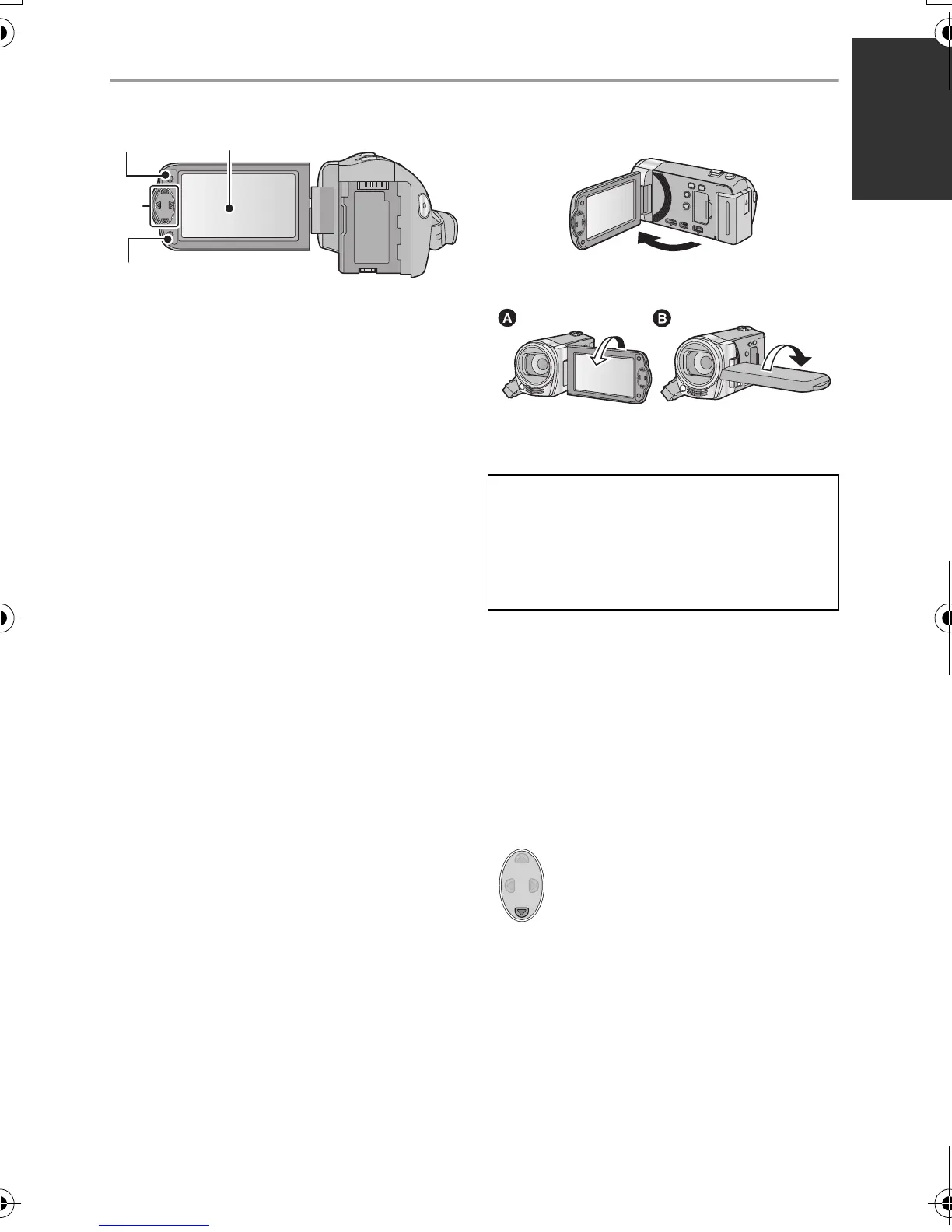
19 Menu button [MENU] (l 32)
20 LCD monitor (l 22)
≥ It can open up to 90o.
≥ It can rotate up to 180o A towards the lens
or 90o B towards the opposite direction.
21 cursor button (l 29, 32, 42)
≥ Use the cursor button to select the
recording functions and playback
operations, and to operate the menu
screen.
≥ In these operating instructions, the cursor
button is denoted as shown below or as
3/4/2/1.
Example: For pressing the (down) button
22 Enter button [ENTER] (l 29, 32, 42)
Due to limitations in LCD production
technology, there may be some tiny bright
or dark spots on the LCD monitor screen.
However, this is not a malfunction and
does not affect the recorded picture.
or Press 4
HDC-SD40&TM40EB-VQT3K06_mst.book 11 ページ 2011年2月8日 火曜日 午後6時8分















 To Next Page