12
VQT3K06
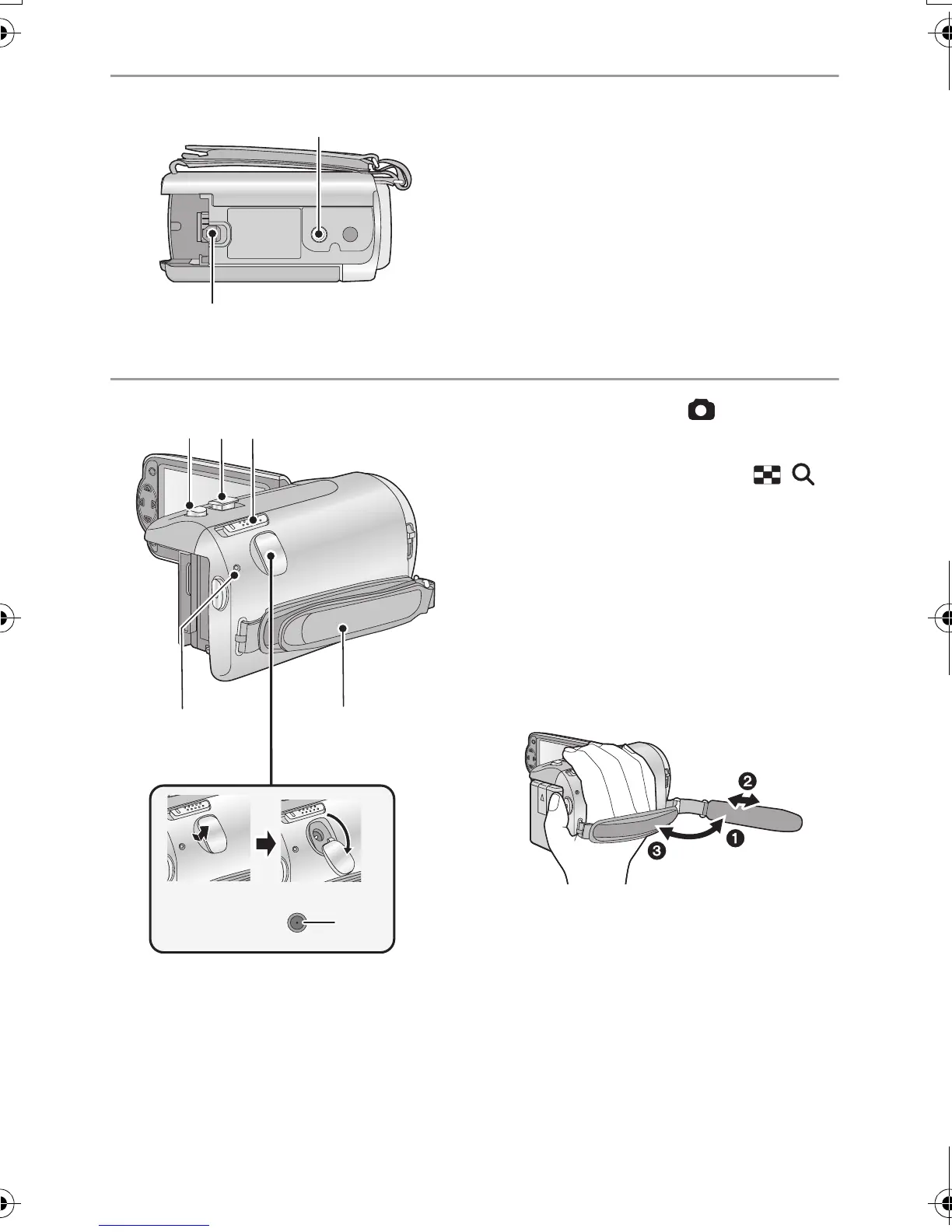
23 Tripod receptacle
≥ This unit may get damaged when a tripod
with a screw longer than 5.5 mm is
attached.
24 Battery release lever [BATT] (l 13)
25 Photoshot button [ ] (l 26)
26 Zoom lever [W/T] (In recording mode)
(l 40)
Thumbnail display switch [ / ]/
Volume lever [sVOLr] (In playback
mode) (l 30)
27 Mode switch (l 20)
28 Status indicator (l 19)
29 DC input terminal [DC IN] (l 14)
≥ Do not use any other AC adaptors except
the supplied one.
30 Grip belt
Adjust the length of the grip belt so that it fits
your hand.
1 Flip the belt.
2 Adjust the length.
3 Replace the belt.
HDC-SD40&TM40EB-VQT3K06_mst.book 12 ページ 2011年2月8日 火曜日 午後6時8分















 To Next Page