35
VQT3K06
This unit will resume recording pause mode about 0.6 seconds after the LCD monitor is
reopened.
≥
/
Quick start will not work if there is no SD card inserted.
≥
Quick start will not work if the [SD CARD] is selected in the [MEDIA SELECT], even if there
is no SD card inserted.
≥ Change the mode to .
1 Set [QUICK START] to [ON].
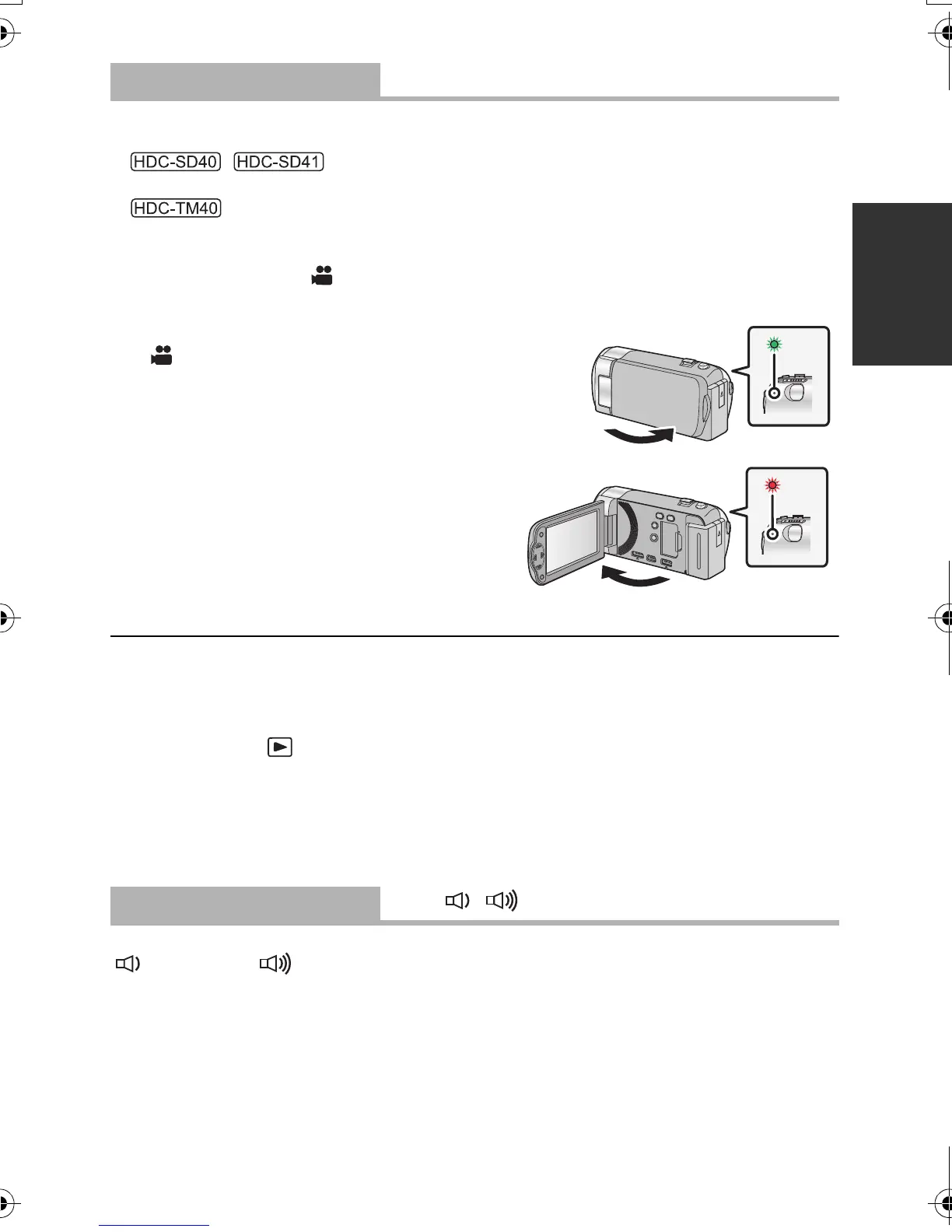
2 Close the LCD monitor while the mode is set to
.
The status indicator A flashes green and the unit goes
into quick start standby mode.
3 Open the LCD monitor.
The status indicator A lights red and the unit
is put into recording pause.
≥ When in quick start standby mode about 60% of the power used in recording pause
mode is being consumed, so the recording time will be reduced.
≥ Quick start standby mode is cancelled if
jabout 5 minutes elapsed
jmode is set to
≥ It may take some time for automatic white balance to adjust.
≥ In the quick start mode, the zoom magnification becomes 1k.
≥ If [ECONOMY] (l 34) is set to [5 MINUTES] and the unit automatically goes into quick
start standby mode, close the LCD monitor and then open it again.
≥ Turn the unit off using the power button.
Start and stop of recording and unit on/off can be confirmed with this sound.
(Volume low)/ (Volume high)
2 Beeps for 4 times
When an error occurs. Check the sentence displayed on the screen. (l 93)
[QUICK START]
[OFF]/[ON]
[ALERT SOUND]
[OFF]/ /
HDC-SD40&TM40EB-VQT3K06_mst.book 35 ページ 2011年2月8日 火曜日 午後6時8分















 To Next Page