36
VQT3K06
This makes it easier to view the LCD monitor in bright places including outdoors.
≥ These settings will not affect the images actually recorded.
(Makes even brighter)/ (Makes brighter)/ (Normal)/ (Makes less bright)
≥ When the AC adaptor is in use, the LCD monitor is set to automatically.
≥ When the LCD monitor is bright, the recordable time with the battery will be shorter.
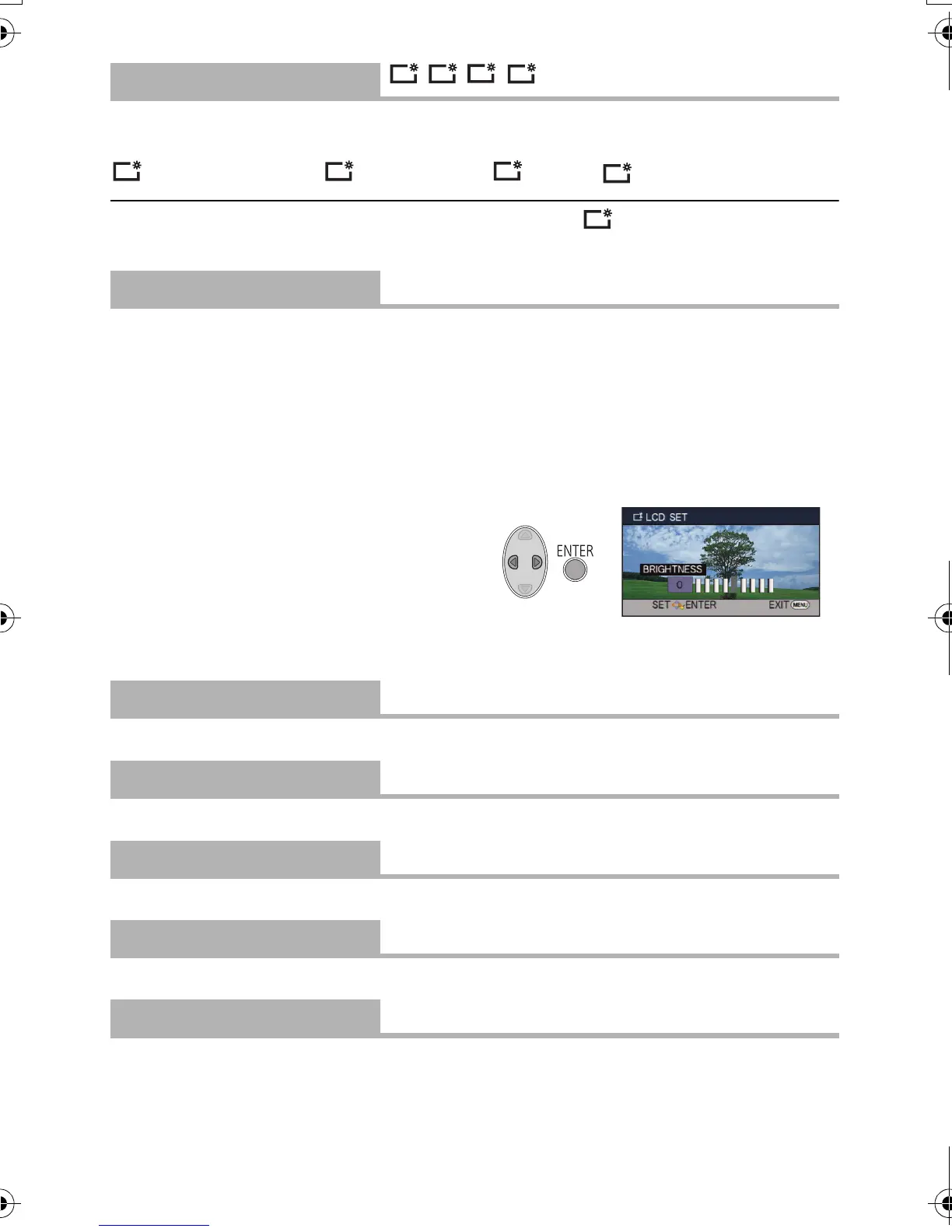
It adjusts brightness and colour density on the LCD monitor.
≥ These settings will not affect the images actually recorded.
1 Select [LCD SET] and press the ENTER button.
2 Select the item using 3/4, and press the ENTER button to set.
[BRIGHTNESS]:
Brightness of the LCD monitor
[COLOUR]:
Colour level of the LCD monitor
3 Press 2/1 to adjust, and press the
ENTER button.
≥ Press the MENU button to exit the menu
screen.
Please refer to page 69.
Please refer to page 69.
Please refer to page 69.
Please refer to page 70.
Please refer to page 68.
[POWER LCD]
///
[LCD SET]
[AV MULTI]
[COMPONENT]/[AV OUT]
[COMPONENT OUT]
[576i]/[1080i]
[HDMI RESOLUTION]
[AUTO]/[1080i]/[576p]
[VIERA Link]
[OFF]/[ON]
[TV ASPECT]
[16:9]/[4:3]
+1
0
HDC-SD40&TM40EB-VQT3K06_mst.book 36 ページ 2011年2月8日 火曜日 午後6時8分















 To Next Page