75
VQT3K06
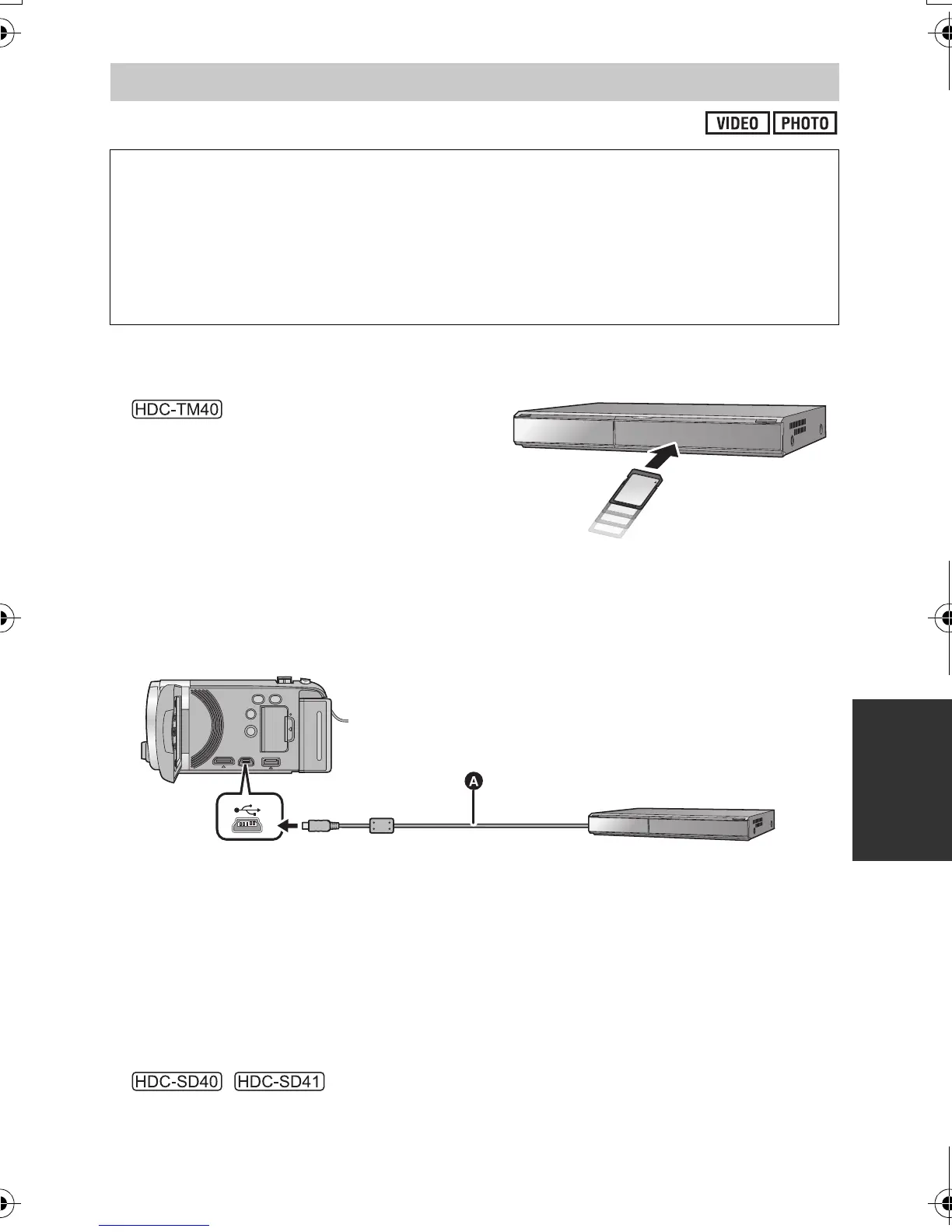
∫ To dub using equipment with an SD card slot
You can dub by directly inserting an SD card.
≥
The scenes and still pictures in the built-in
memory can be dubbed by copying them to an
SD card. (l 72)
∫ To dub using equipment with a USB terminal
You can dub by connecting a USB cable.
≥ Use the AC adaptor to free you from worrying about the battery running down.
≥ Turn on the unit (This function is available in all modes).
A USB cable (supplied)
≥ Insert the plugs as far as they will go.
1 Connect the unit to the Blu-ray disc recorder or high-definition
(AVCHD) compatible DVD recorder.
≥ The USB function selection screen will appear on the screen of the unit.
2 Select [RECORDER] using the cursor button on the unit and press
the ENTER button.
≥ When you select an option other than [RECORDER], reconnect the USB cable.
≥
/
When using the battery, the LCD monitor turns off after about 5 seconds. Press the cursor
button to turn the LCD monitor on.
Dubbing in high-definition picture quality
You can dub using a Panasonic Blu-ray disc recorder or high-definition (AVCHD)
compatible DVD recorder.
≥ Depending on the recorders or the media to be copied to, you may not be able to
copy in high-definition (AVCHD) picture quality. For further details, see the
operating instructions of your recorder.
≥ Note that the equipment described may not be available in certain countries and
regions.
HDC-SD40&TM40EB-VQT3K06_mst.book 75 ページ 2011年2月8日 火曜日 午後6時8分















 To Next Page