Installation
10
For fax advantage assistance, call 1-800-435-7329.
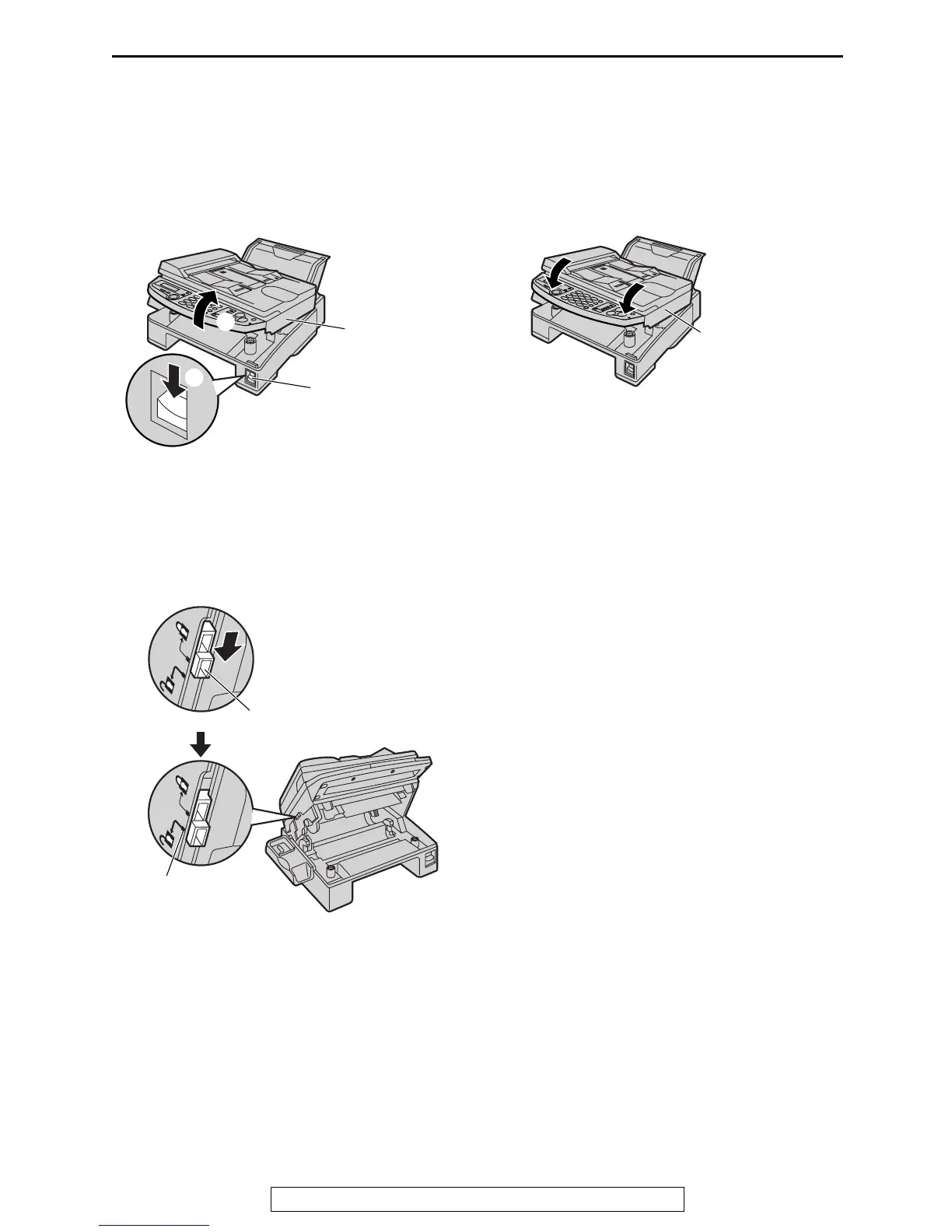
Unlocking the shipping lock
The shipping lock is to avoid damaging the scanner when it is being transported. Before using
the unit, unlock the shipping lock.
1
Press down the printer cover open button
(1). Open the printer cover (2).
2
Slide down the shipping lock to unlock
position.
L
LL
L The label for unlocking the shipping
lock is attached to the unit. Remove
and read it.
3
Close the printer cover by pushing down on
both sides until locked.
Caution:
L
LL
L Whenever transporting the unit, be sure
to slide up the shipping lock to lock it.
Printer cover
Printer cover
open button
1
2
Shipping
lock
Unlock
position
Printer cover











 To Next Page