Caller ID
38
Viewing and calling back using caller information
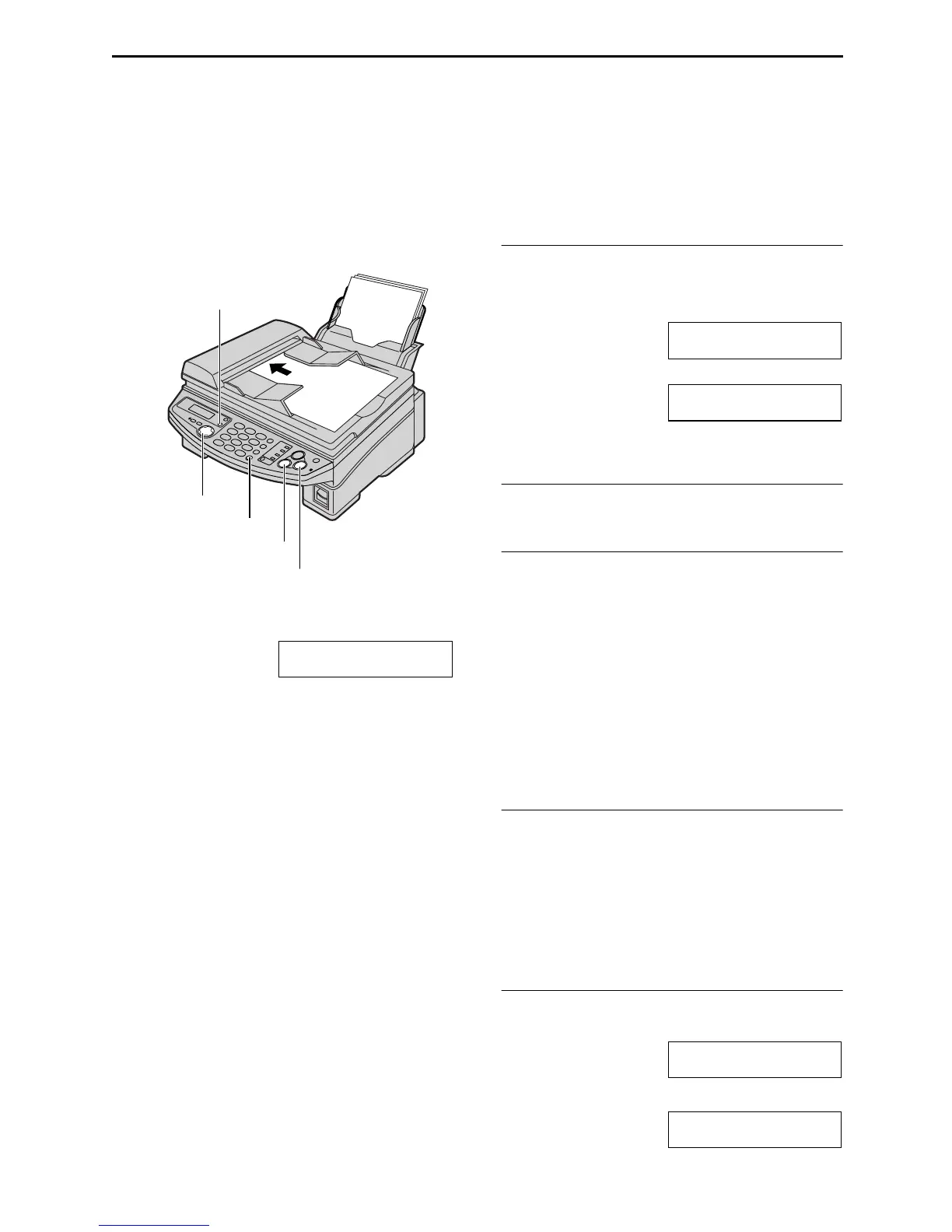
You can easily view caller information and call back.
Important:
L
LL
L Calling back will not be possible in the following cases:
– The telephone number includes data other than numbers (i.e. *
**
* or #).
– The caller information does not include a telephone number.
1
Press {
{{
{CALLER ID}
}}
}.
Example: 2 NEW CALLS
PRESS NAVI.[+ -]
2
Press {
{{
{+
++
+}
}}
} to search from the most recent
caller information.
Press {
{{
{-
--
-}
}}
} to search from the oldest caller
information.
3
Press {
{{
{MONITOR}
}}
} or lift the handset to call
back the displayed party.
L The unit will start dialing automatically.
L To send a fax using the auto document
feeder, insert the document FACE
DOWN into the feeder and press
{
{{
{FAX/START}
}}
}.
To change the display of the caller
information
Press {
{{
{CALLER ID}
}}
} repeatedly after step 2.
Example: SAM LEE
11:20AM Jul 20 ,
b
1345678901
11:20AM Jul 20 ,
L Check mark (,) on the display means the call
has already been viewed or answered.
To stop viewing
Press {
{{
{STOP}
}}
} after step 2.
To edit the telephone number for calling
back
Press {
{{
{*
**
*}
}}
} repeatedly after step 2. Each time
you press {
{{
{*
**
*}
}}
}, the telephone number will be
changed as follows:
1. 1 - Area code - Local telephone number (“1”
added)
2. Local telephone number (area code omitted)
3. Area code - Local telephone number
4. 1 - Local telephone number (“1” added and
area code omitted)
To send a fax using the scanner glass
1. Press {
{{
{CALLER ID}
}}
}.
2. Press {
{{
{+
++
+}
}}
} to search from the most recent
caller information. Press {
{{
{-
--
-}
}}
} to search from
the oldest caller information.
3. Follow steps 1-4 on page 43.
4. Press {
{{
{FAX/START}
}}
} 2 times.
Display while viewing
When the unit could not receive a name:
NO NAME RCVD
When no calls have been received:
NO CALLER DATA
FACE
DOWN
{STOP}
{FAX/START}
{CALLER ID}
{MONITOR}
{+} {-}











 To Next Page