Caller ID
40
Storing caller information into one-touch dial and
navigator directory
Important:
L
LL
L This feature is not available in the following cases:
– The telephone number includes data other than numbers (i.e. *
**
* or #).
– The caller information does not include a telephone number.
1
Press {
{{
{CALLER ID}
}}
}.
Example: 2 NEW CALLS
PRESS NAVI.[+ -]
2
Press {
{{
{+
++
+}
}}
} or {
{{
{-
--
-}
}}
} until the desired entry is
displayed.
Example: SAM LEE
11:50AM Apr 14
3
Press {
{{
{MENU}
}}
}.
Example: SAM LEE
PRESS STATION OR
b
SAM LEE
PRESS NAVI.
4
Select the station key or navigator
directory.
For station 1:
1. Press station 1.
STATION 1
DIAL MODE [±]
2. Press {
{{
{SET}
}}
}.
Example: NAME=SAM LEE
STORE:PRESS SET
3. Press {
{{
{SET}
}}
}.
Example: <S01>=134567
For stations 2 and 3:
1. Press the desired station key.
2. Press {
{{
{SET}
}}
}.
For stations 4–6:
1. Press {
{{
{LOWER}
}}
}, then press the
desired station key.
2. Press {
{{
{SET}
}}
}.
For navigator directory:
1. Press {
{{
{<
<<
<}
}}
} or {
{{
{>
>>
>}
}}
}.
Example: NAME=SAM LEE
STORE:PRESS SET
2. Press {
{{
{SET}
}}
}.
Example: NO.=134567
5
Press {
{{
{SET}
}}
}.
REGISTERED
Note:
L You can confirm the stored entries in the
telephone number list (page 79).
L The unit can only store a name of up to 10
characters long.
L To edit a name and number, see page 34.
L If you enter a new entry into a station key, the
previous entry will be replaced.
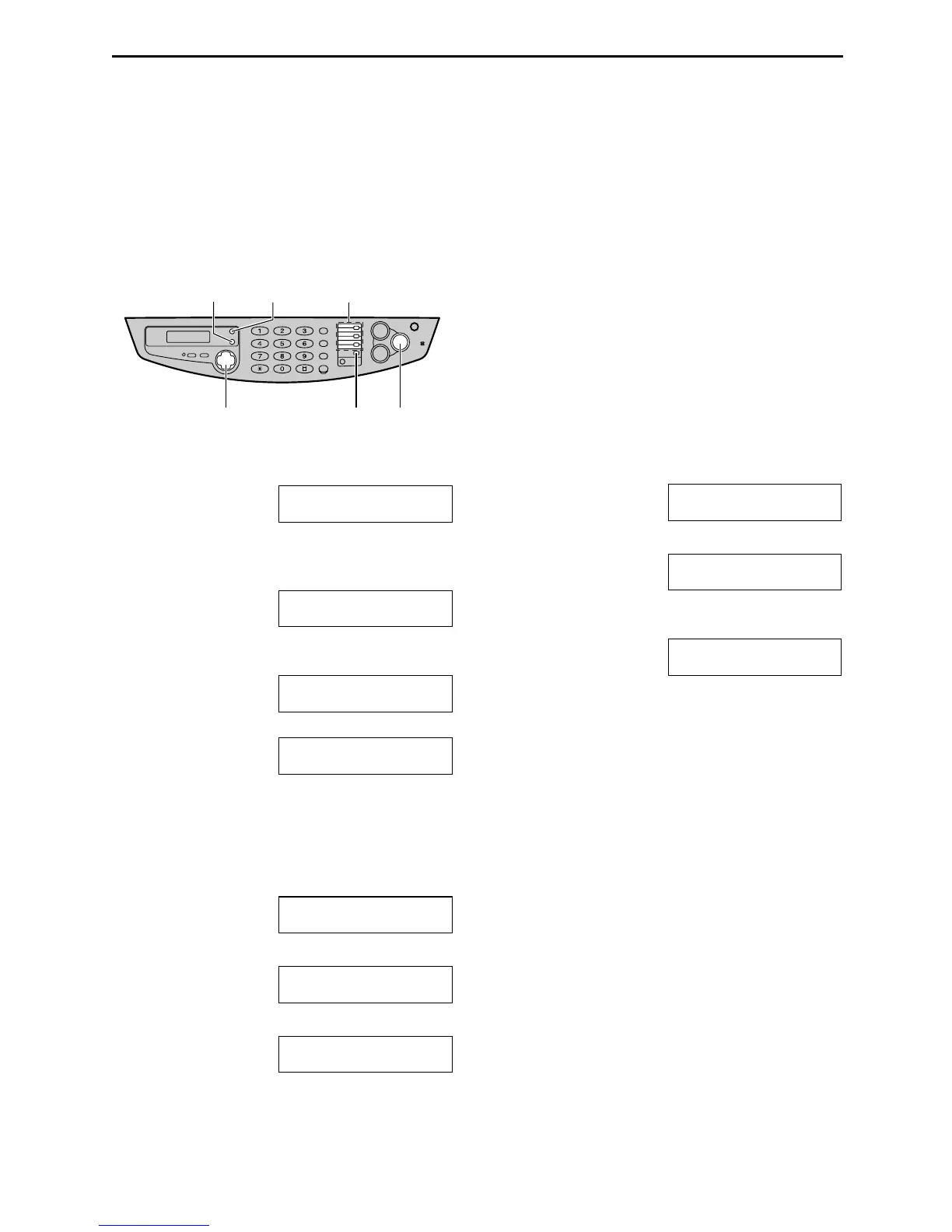
Station keys
{LOWER}
{CALLER ID}
{SET}
{<} {>} {+} {-}
{MENU}











 To Next Page