Installation
11
For fax advantage assistance, call 1-800-435-7329.
Ink film – installing / replacing
Install the included ink film or replace the used ink film with a new one.
Replacement film Model No. KX-FA94: prints about 400 letter-sized pages.
See page 6 for accessory information.
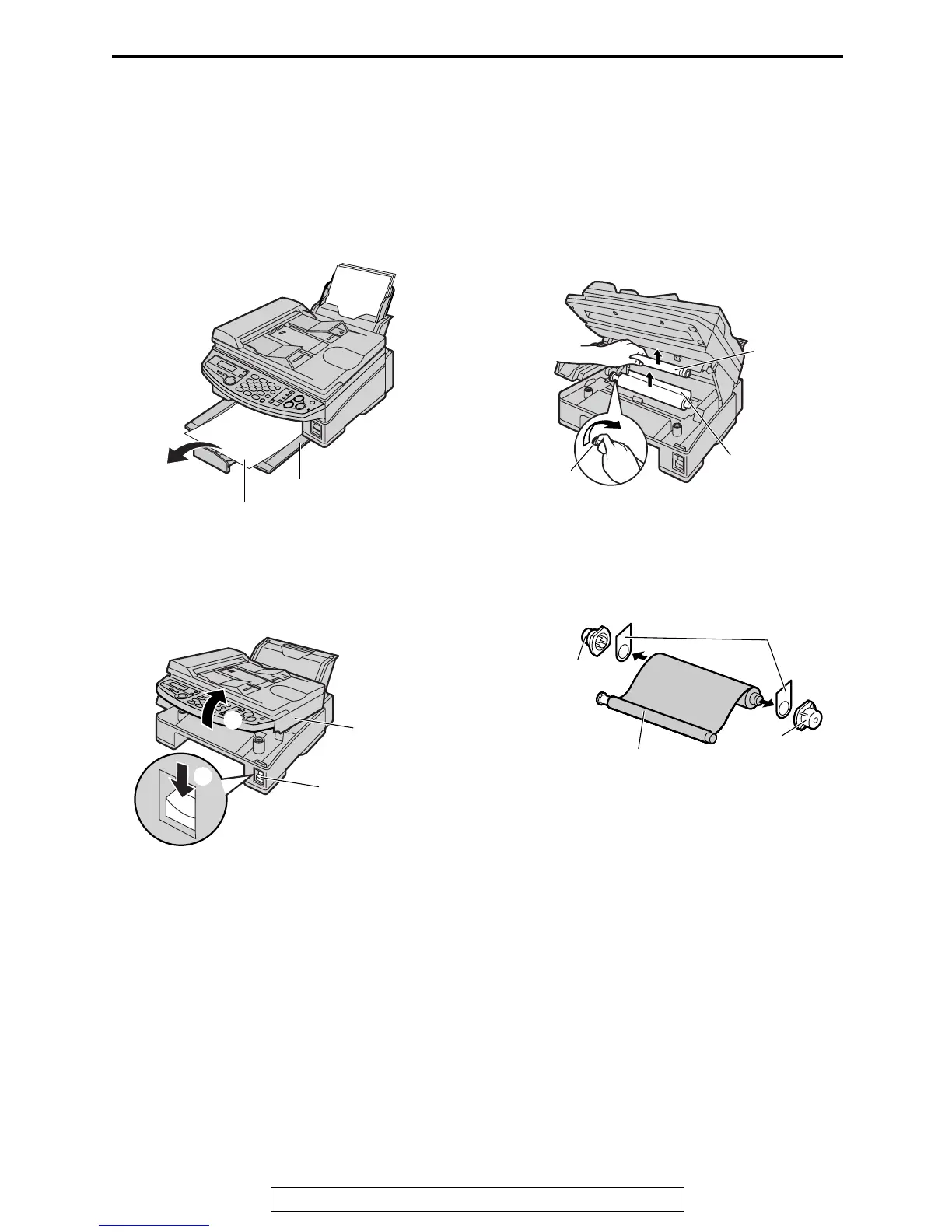
1
For replacement only:
If ejected paper is stacked on the paper
stacker, remove it.
2
Press down the printer cover open button
(1). Open the printer cover (2).
L For first time installation of the supplied
ink film, skip to step 5.
3
For replacement only:
Pull out the blue gear and remove the used
ink film. Remove the used core.
4
For replacement only:
Remove the stoppers and tags from the
new ink film.
Paper stacker
Ejected paper
Printer cover
Printer cover
open button
1
2
Used core
Used
ink film
Blue
gear
Tags
New ink film
Stopper
Stopper











 To Next Page