Jams
70
For fax advantage assistance, call 1-800-435-7329.
Jams
Recording paper jam
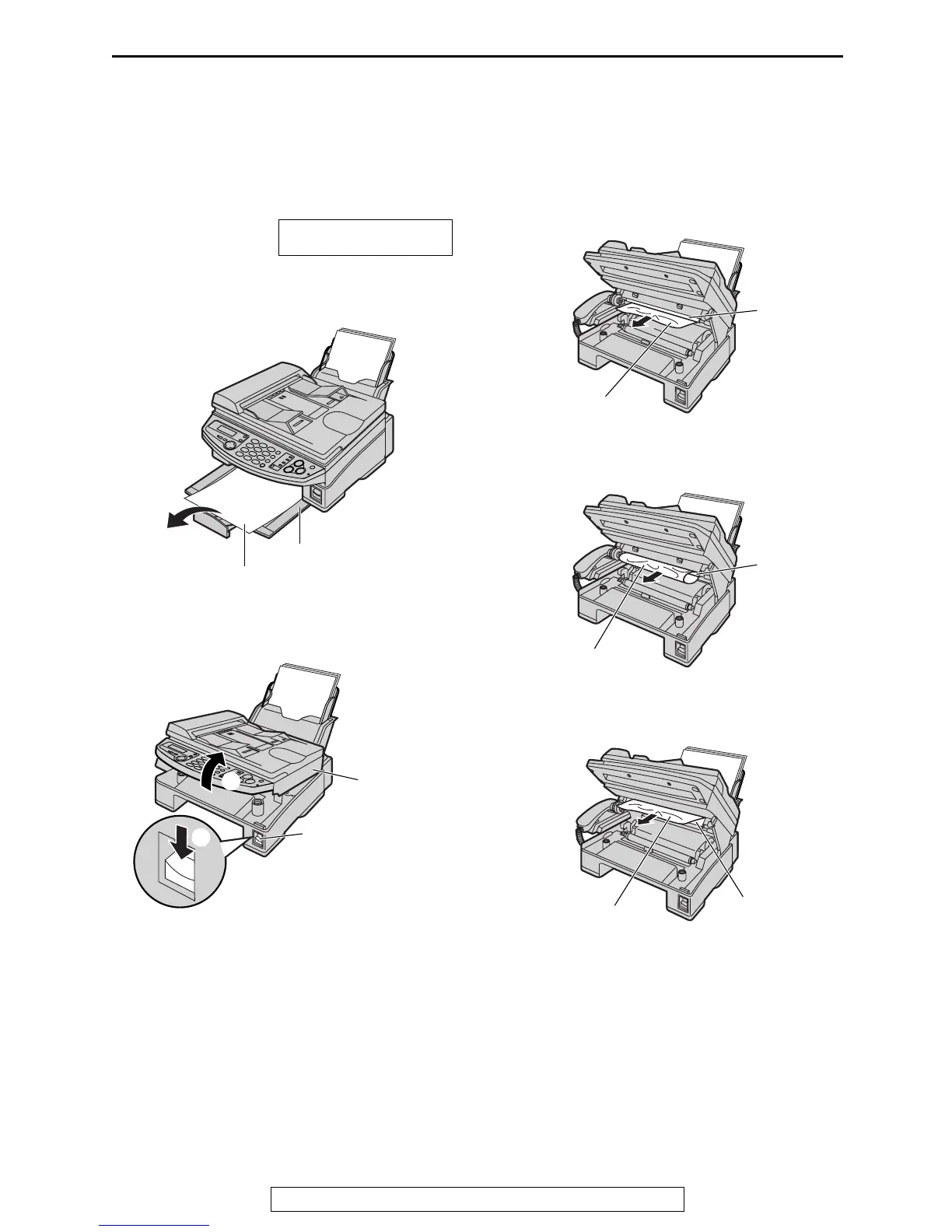
When the recording paper has
jammed in the unit
The display will show the following.
PAPER JAMMED
1
If ejected paper is stacked on the paper
stacker, remove it.
2
Press down the printer cover open button
(1). Open the printer cover (2).
3
Remove the jammed paper carefully by
pulling it toward you.
When the recording paper has jammed
under the roller:
When the recording paper has jammed
and wrapped around the roller:
When the recording paper has jammed
near the exit guide:
Paper stacker
Ejected paper
Printer
cover
Printer cover
open button
1
2
Jammed paper
Roller
Jammed paper
Roller
Jammed paper
Exit guide











 To Next Page