Installation
9
For fax advantage assistance, call 1-800-435-7329.
Installation
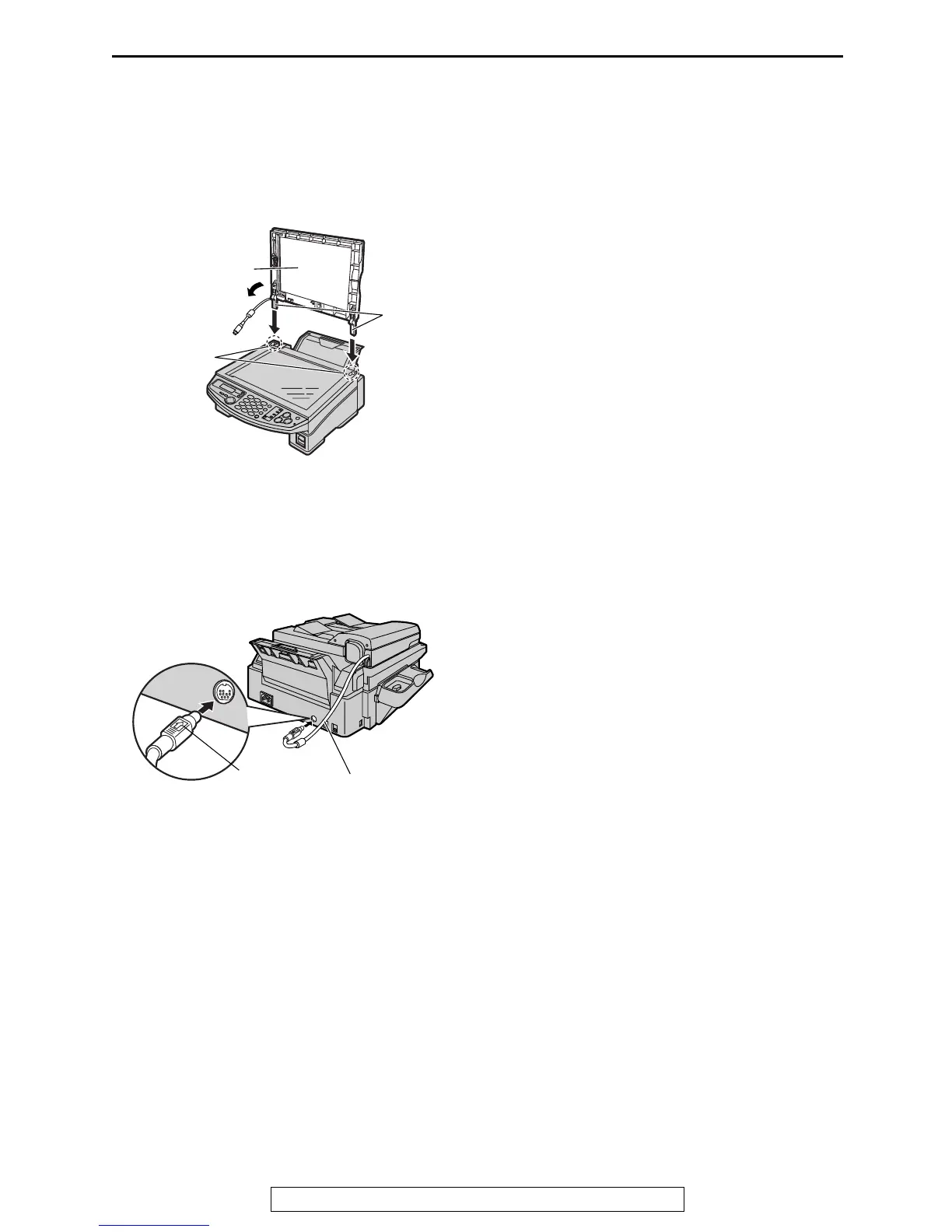
Connecting the document cover
1
Gently insert the two tabs on the document
cover into the slots on the unit (1), then
close the document cover (2).
2
Connect the ADF cable to the jack on the
back of the unit.
L The arrow (_) on the ADF cable must
be facing up.
1
2
Document
cover
Slots
Tabs
ADF cable
Arrow (_)











 To Next Page