Sending Faxes
41
Fax
Sending a fax manually using the auto document
feeder
1
Confirm that there are no documents on the
scanner glass.
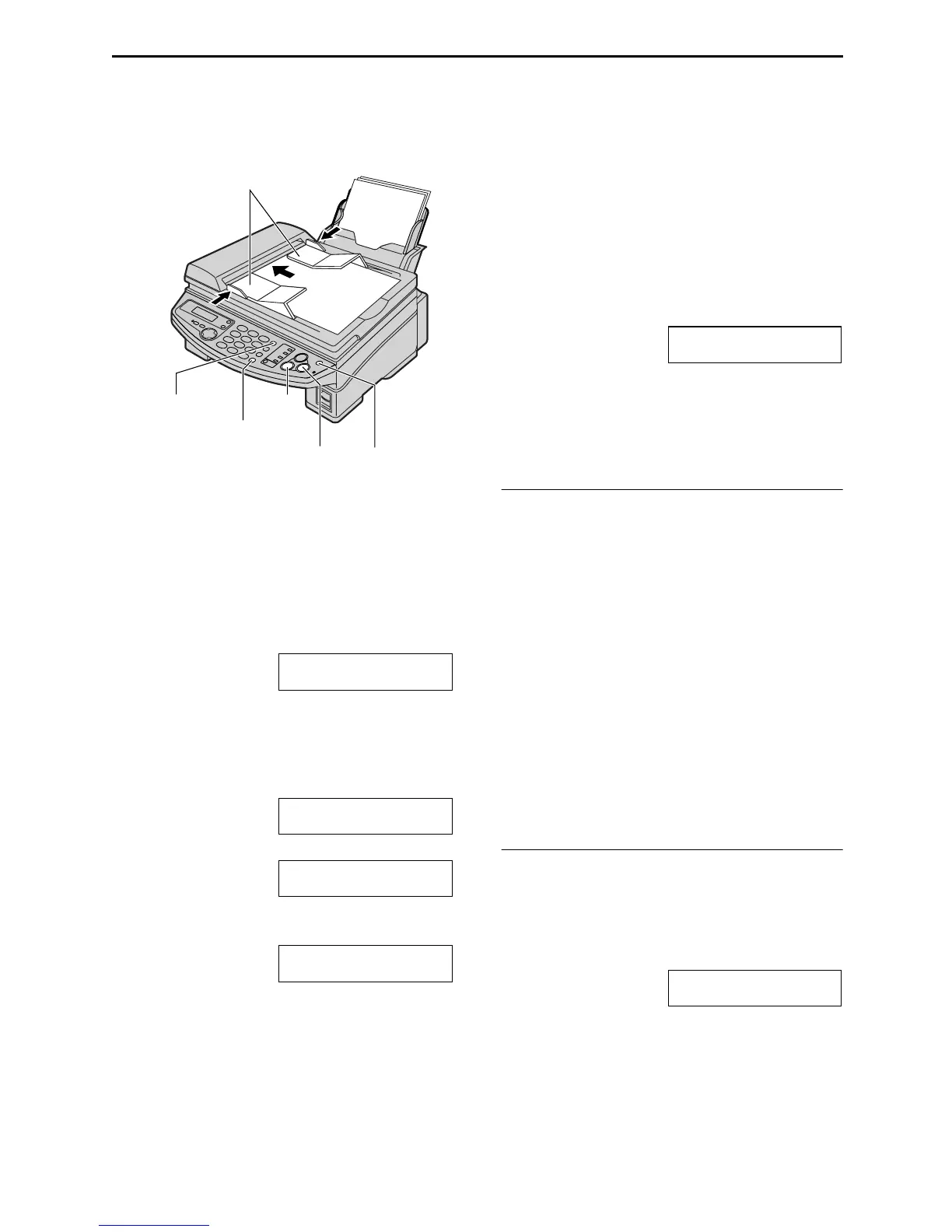
Adjust the width of the document guides to
the size of the document.
2
Insert the document (up to 15 pages) FACE
DOWN into the feeder until a single beep is
heard and the unit grasps the document.
STANDARD
3
If necessary, press {
{{
{RESOLUTION}
}}
}
repeatedly to select the desired resolution.
4
Press {
{{
{MONITOR}
}}
}.
TEL=
PRESS STATION OR
b
TEL=
PRESS NAVI. [ )]
5
Dial the fax number.
Example:
TEL=5678901
6
Start sending.
When a fax tone is heard:
Press {
{{
{FAX/START}
}}
}.
When the other party answers your call:
Lift the handset and ask them to press their
start button. When the fax tone is heard,
press {
{{
{FAX/START}
}}
}.
CONNECTING.....
STANDARD
L The document will be ejected on top of
the document guides.
Note:
L Do not open the document cover when
sending a fax with the auto document feeder.
To select the resolution
Select the desired resolution according to the
type of document.
– “STANDARD”: For printed or typewritten
originals with normal-sized characters.
– “FINE”: For originals with small printing.
– “SUPER FINE”: For originals with very small
printing. This setting only works with other
compatible fax machines.
– “PHOTO”: For originals containing
photographs, shaded drawings, etc.
L Using the “FINE”, “SUPER FINE” or
“PHOTO” setting will increase transmission
time.
L If the resolution setting is changed during
feeding, it will be effective from the next
sheet.
To redial the last number
Press {
{{
{REDIAL/PAUSE}
}}
}.
L If the line is busy, the unit will automatically
redial the number up to 2 times.
L During redial, the following will be displayed.
WAITING REDIAL
L To cancel redialing, press {
{{
{STOP}
}}
}.
FACE
DOWN
Document guides
{FAX/START}{RESOLUTION}
{MONITOR}
{REDIAL/PAUSE}
{STOP}











 To Next Page