3 SETTINGS
3.1. Connections
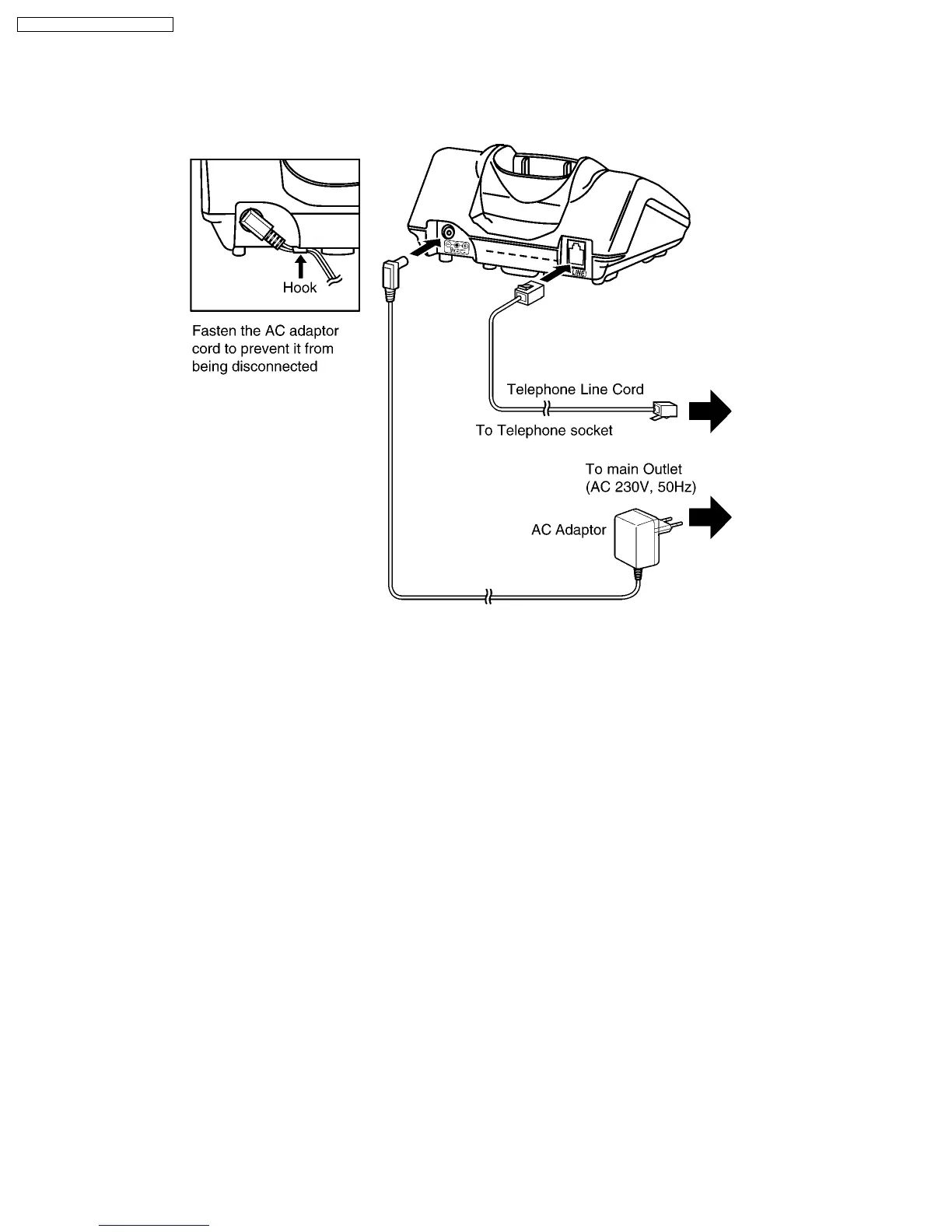
Plug in the AC Adaptor and the telephone line cord to the rear of the unit. Then connect the cord as shown.
USE ONLY WITH Panasonic AC ADAPTOR PQLVC1EZ.
• The AC Adaptor must remain connected at all times. (It is normal for the adaptor to feel warm during use.)
• This telephone has a single terminal which must be connected to an analog line with a RJ11 connector.
• If your unit is connected to a Telephone line or PBX which does not support Caller ID services, you cannot access those
services.
• The telephone will not work during a power failure. We therefore recommend you use a standard telephone and automatic
change-over switch to connect this Digital Cordless Phone to the line. Your Panasonic Sales Shop can offer you more
information about connection possibilities.
8
KX-TCD705RUM / KX-TCD705RUS










 To Next Page