Power Zoom / Backlight
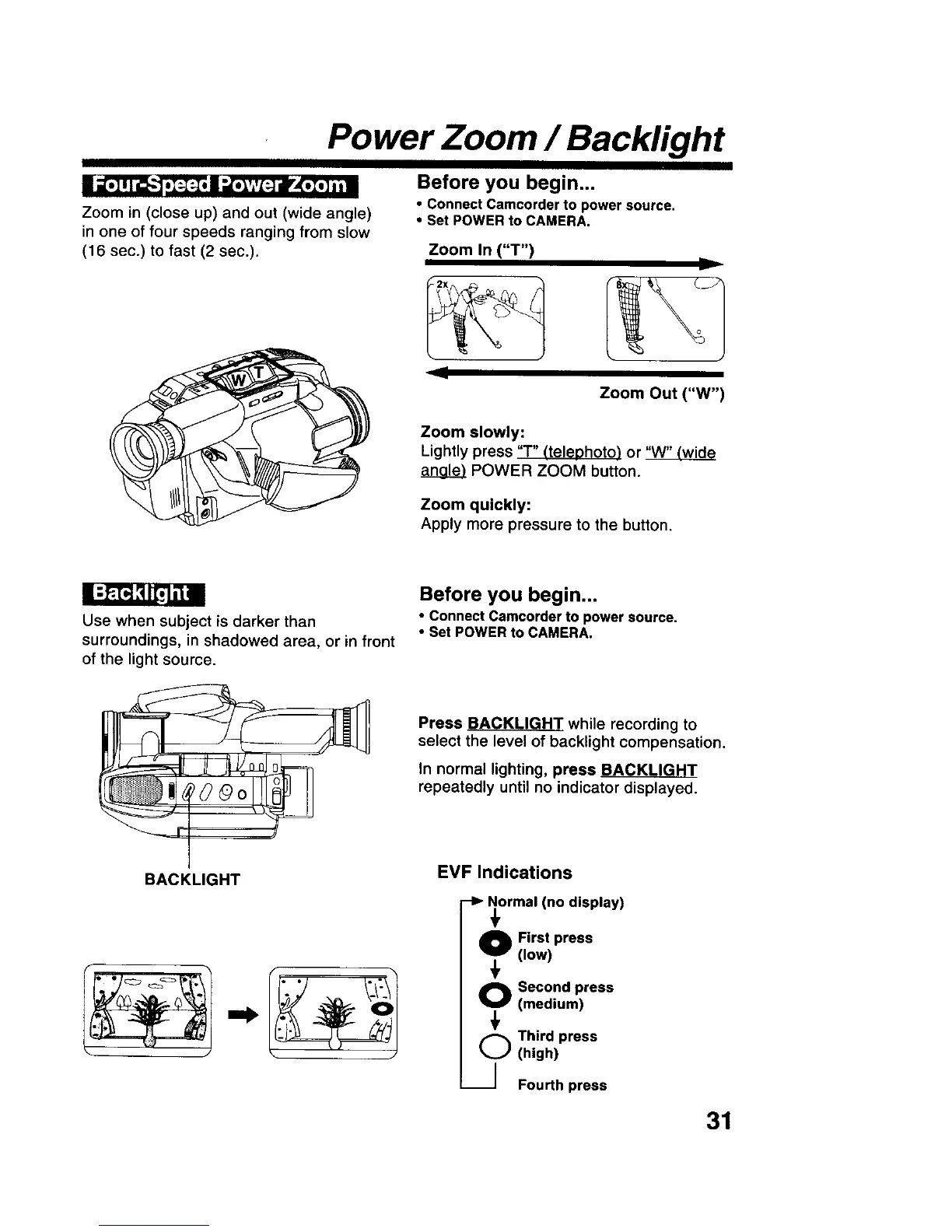
Zoom in (close up) and out (wide angle)
in one of four speeds ranging from slow
(16 sec.) to fast (2 sec.).
Before you begin...
• Connect Camcorder to power source.
• Set POWER to CAMERA.
Zoom In ("T")
Zoom Out ("W")
Zoom slowly:
Lightly press "r" _teleohoto) or
POWER ZOOM button.
Zoom quickly:
Apply more pressure to the button.
Use when subject is darker than
surroundings, in shadowed area, or in front
of the light source.
Before you begin...
• Connect Camcorder to power source.
• Set POWER to CAMERA.
Press BACKLIGHT while recording to
select the level of backlight compensation.
In normal lighting, press BACKLIGHT
repeatedly until no indicator displayed.
BACKLIGHT
EVF Indications
-I_ Normal (no display)
0 First press
(low)
O Second press
(medium)
(,_ Third press
(high)
----] Fourth press
31











 To Next Page