Security Mode
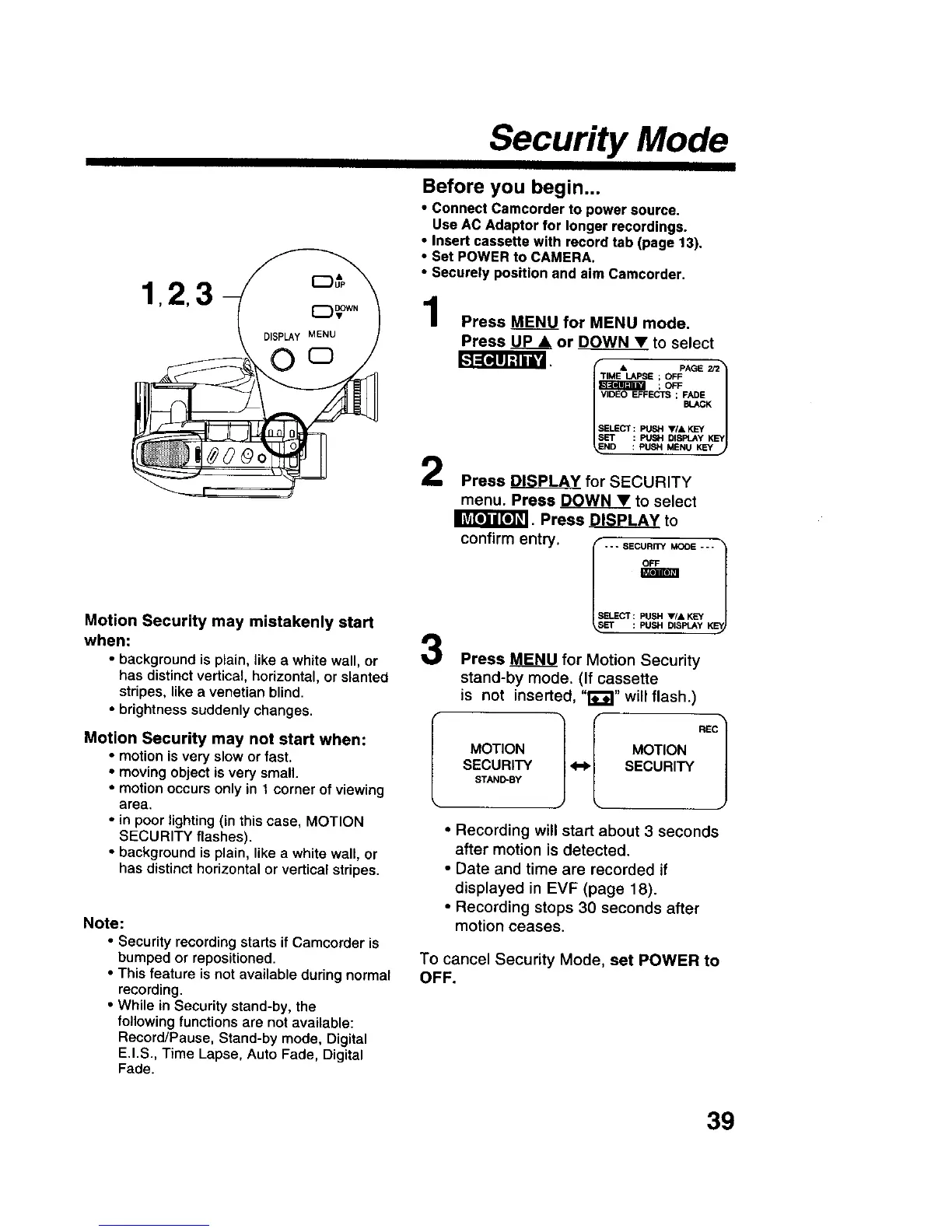
123
Motion Security may mistakenly start
when:
• background is plain, like a white wall, or
has distinct vertical, horizontal, or slanted
stripes, like a venetian blind.
• brightness suddenly changes.
Motion Security may not start when:
• motion is very slow or fast.
• moving object is very small.
• motion occurs only in 1 corner of viewing
area.
• in poor lighting (in this case, MOTION
SECURITY flashes).
• background is plain, like a white wall, or
has distinct horizontal or vertical stripes.
Note:
• Security recording starts if Camcorder is
bumped or repositioned.
• This feature is not available during normal
recording.
• While in Security stand-by, the
following functions are not available:
Record/Pause, Stand-by mode, Digital
E.I.S., Time Lapse, Auto Fade, Digital
Fade.
Before you begin...
• Connect Camcorder to power source.
Use AC Adaptor for longer recordings.
• Insert cassette with record tab (page 13),
• Set POWER to CAMERA.
• Securely position and aim Camcorder,
1
2
3
Press MENU for MENU mode.
Press _ or DOWN • to select
TIME LAPSE ; OFF
;OFF
VIDEO EFFECTS ; _&._K
SELECT: PUSH VIA K_Y
SET : PUSH DISPLAY KEY
ND : PUSH MENU KEY
Press _ for SECURITY
menu. Press _ to select
II_P_"_!I. Press _ to
confirm entry.
--- SECURITY MODE ---
SELECT : PUSH VIA KEY
_,_ET : _ DtSPLA _," KE
Press MENU for Motion Security
stand-by mode. (If cassette
is not inserted, "t_"_" will flash.)
MOTION MOTION
SECURITY <-_ SECURITY
STAND-BY
• Recording will start about 3 seconds
after motion is detected.
• Date and time are recorded if
displayed in EVF (page 18).
• Recording stops 30 seconds after
motion ceases.
To cancel Security Mode, set POWER to
OFF.
39











 To Next Page