Tally Lamp
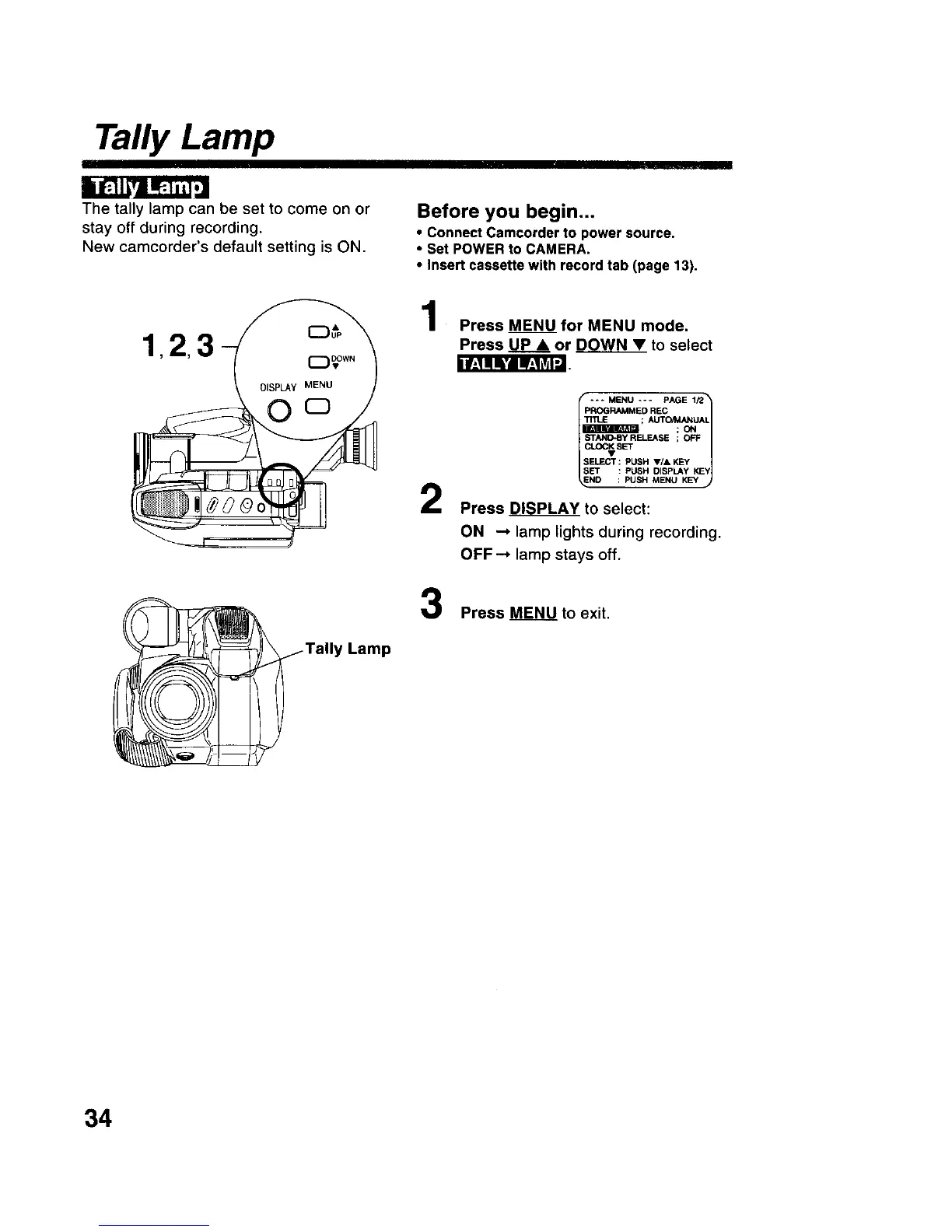
The tally lamp can be set to come on or
stay off during recording.
New camcorder's default setting is ON.
Before you begin...
• Connect Camcorder to power source.
• Set POWER to CAMERA.
• Insert cassette with record tab (page 13).
llf,__l_'lI.,1_l'J
Lamp
Press MENU for MENU mode.
Press U_p_• or DOWN • to select
2
3
--- MENU --- PAGE 1/2_
PROGRAMMED REC
LI
; AUTO/_UAL
;ON
C_SET
EFFECT : PUSH V/& KEY
SET : PUSH DISPLAY KEY
ND : PUSH MENU KEY
Press p_L__PLAY to select:
ON _ lamp lights during recording.
OFF--* lamp stays off.
Press MENU to exit.
34











 To Next Page