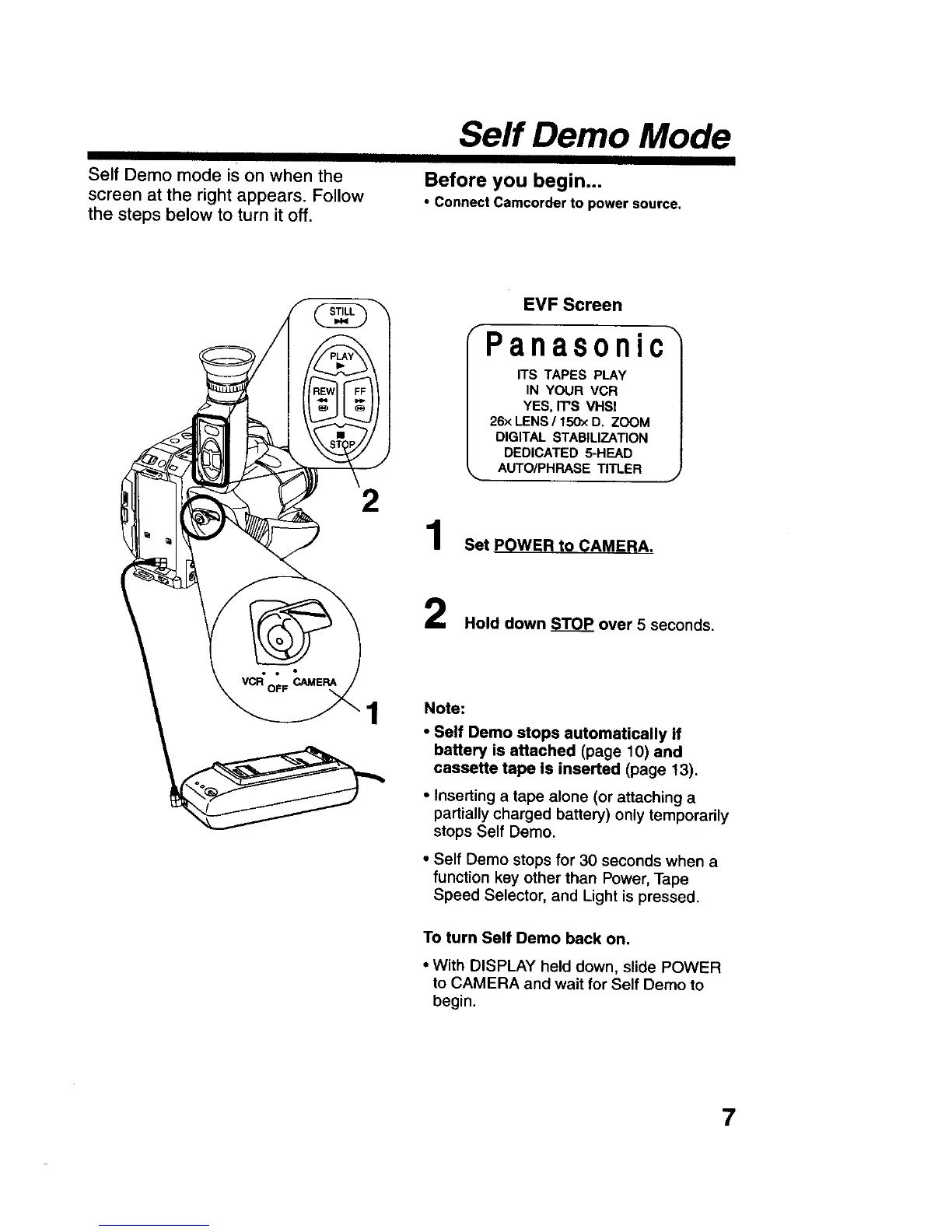
Self Demo mode is on when the
screen at the right appears. Follow
the steps below to turn it off.
Serf Demo Mode
Before you begin,.,
• Connect Camcorder to power source.
2
1
EVF Screen
Panasonic
ITS TAPES PLAY
IN YOUR VCR
YES, IT'S VHS!
26x LENS / 150>:D. ZOOM
DIGITAL STABILIZATION
DEDICATED 5-HEAD
AUTO/PHRASE TITLER
Set POWER to_AMERA.
Hold down _TOP over 5 seconds.
Note:
• Self Demo stops automatically if
battery is attached (page 10) and
cassette tape is inserted (page 13),
• Inserting a tape alone (or attaching a
partially charged battery) only temporarily
stops Self Demo.
• Self Demo stops for 30 seconds when a
function key other than Power, Tape
Speed Selector, and Light is pressed.
To turn Self Demo back on.
• With DISPLAY held down, slide POWER
to CAMERA and wait for Self Demo to
begin.
7











 To Next Page