Viewfinder/L CD Monitor Indications
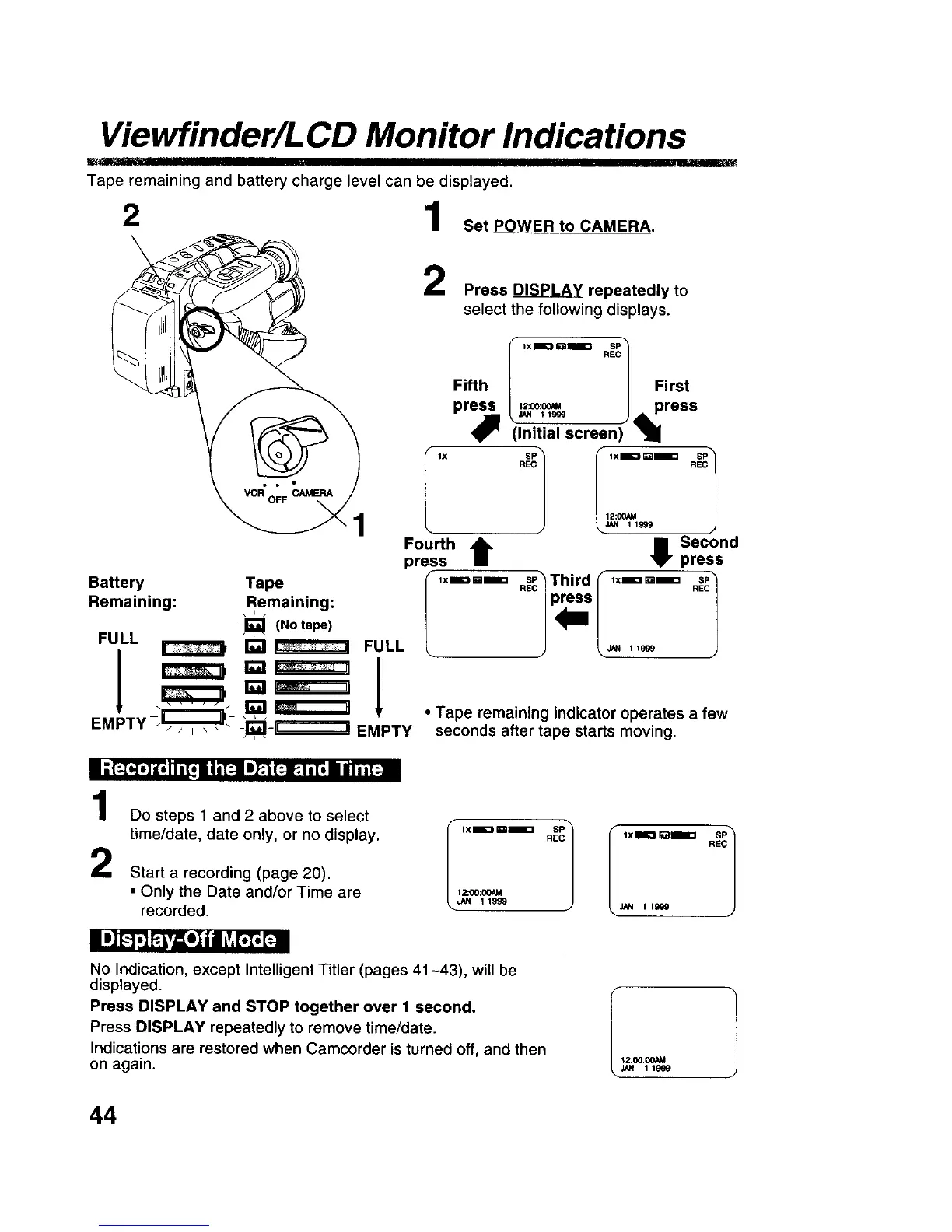
Tape remaining and battery charge level can be displayed.
2 1 Set POWER to CAMERA.
\
1
Press DISPLAY repeatedly to
select the following displays.
lX
Fifth First
pr_ _J_.112:°°:°G_ I press
(Initial screen) "1
R REC
12:00AU
JAN 1 1999
Fou.hIt e Sec°ndpress
press
,xm:==mm ._Third _ ,x=D=_= .ESc.1
Battery Tape
Remaining: Remaining:
j_ (No tape)
FULL _ _ _ FULL
I _'__ !
EMPTY/_. i1_i__,=-_ EMPTY
• Tape remaining indicator operates a few
seconds after tape starts moving.
i ;(;_.] l,q I n[,_n i _'FJIm__(:!: t.[, el / i ih[:-ai
1
2
Do steps 1 and 2 above to select
time/date, date only, or no display.
Start a recording (page 20).
• Only the Date and/or Time are
recorded.
I ,.===E "_;1
12:00:OOAM
JAN 11999
i B]_-_,]P.u=e]|nLv,_t; [_i
No Indication, except Intelligent Titler (pages 41-43), will be
displayed.
Press DISPLAY and STOP together over I second.
Press DISPLAY repeatedly to remove time/date.
Indications are restored when Camcorder is turned off, and then
on again.
JAN 119G0
12:CO:(X)AM
JAN 11999
44











 To Next Page