Before Requesting Service
If a problem arises, you may be able to correct it yourself.
See Symptom and Correction list below.
Symptom Correction
No picturein EVF ... • Connect Power Source. (pp. 10, 12)
• Set POWERto VCR or CAMERA. (pp. 20, 25)
• Check for Dew Indication. (p. 46)
• Use fully charged Battery. (p. 10)
• Firmlyconnect all needed cables. (p. 28)
Video cassette cannot be inserted ... • Connect Power Source. (pp. 10, 12)
• Insertcassette, window side facing out. (p. 13)
Video cassette cannot be removed .... Connect PowerSource. (pp. 10, 12)
Operation buttonsdo not work .... Check for Dew Indication. (p. 46)
Recording cannot be done ... • Make sure recordtab is intact. (p. 13)
AutoFocus doesnotoperate ...
Sound from mLcrophonecan't be monitored ...
Camera picture is too dark ...
No playback picture,or the playback
picture is noisy or contains streaks ...
Playbackpicture isfast, and there is no
sound ...
"Panasonic ITS TAPES PLAY IN YOUR VCR ..."
appears in EVF and LCD Monitor ...
Top of playback picture waves back and forth
excessively ...
• Check Battery Indicator. (p. 44)
• Checkfor Dew Indication. (p. 46)
• Set FOCUSto AUTO. (p. 32)
• Set POWERto CAMERA. (p. 20)
• Set unit to REC or Record/Pause mode.
• Turn HIGH SPEED SHUTTER off. (p. 33)
• Press UP A/DOWN • button during playback (Tracking
Control). (p.27)
• SetTIME LAPSEto OFF in Menu mode. (p. 40)
• Set POWERto CAMERA, then hold down STOP over
5 secondsto exit Demo mode. (p. 7)
• A playback signal is not as stable as an off the air TV
signal, sothe topof your TV screen may appear bent
or unstable during playback. This is called, "Horizontal
AFC time constant change." To correct, slowly turn the
TV horizontal hold control. If you TV does not have this
control, or adjusting it does not help, contact your TV
service center. (Some nominal service charges may be
required.)
Ikv t, [ t,lli[; m
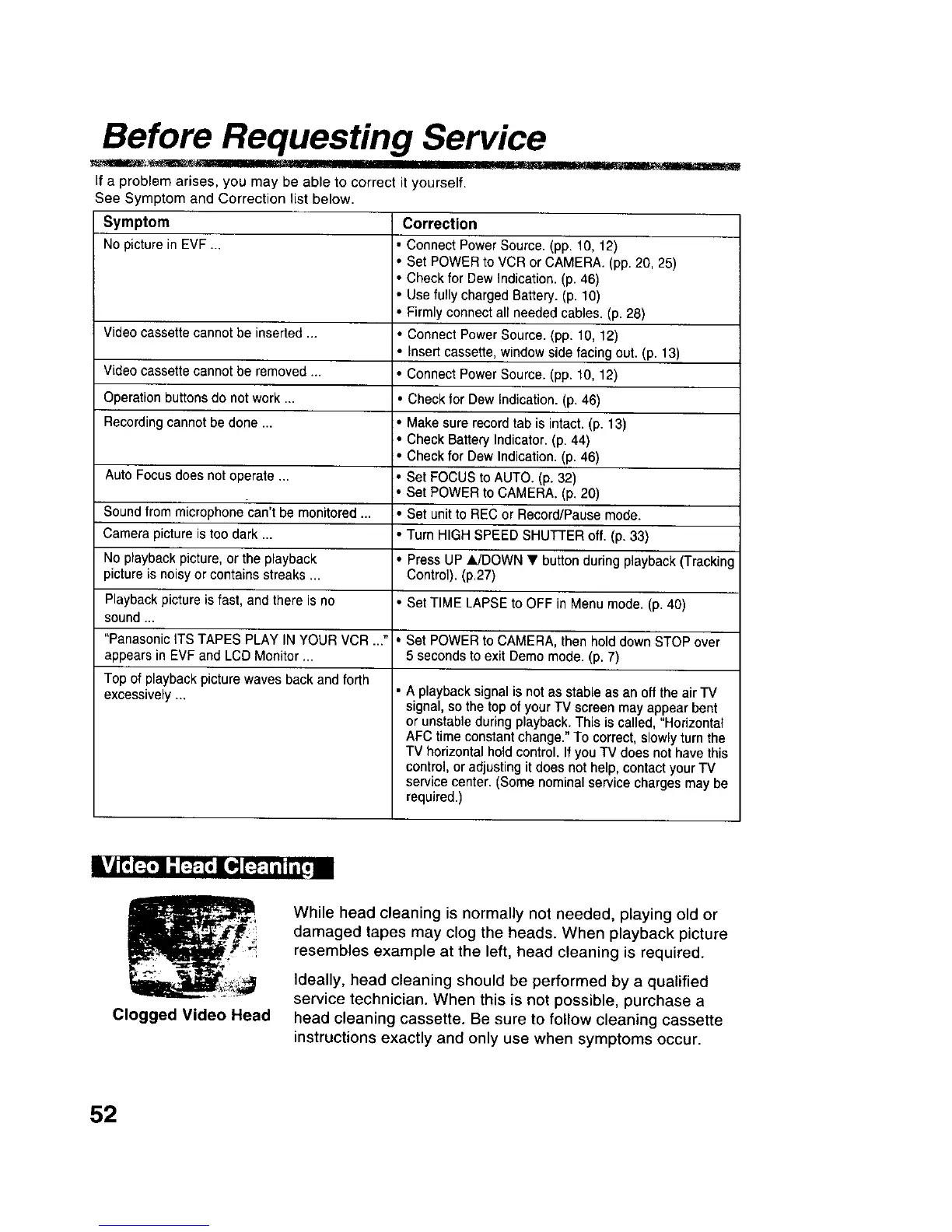
Clogged Video Head
While head cleaning is normally not needed, playing old or
damaged tapes may clog the heads. When playback picture
resembles example at the left, head cleaning is required.
Ideally, head cleaning should be performed by a qualified
service technician. When this is not possible, purchase a
head cleaning cassette. Be sure to follow cleaning cassette
instructions exactly and only use when symptoms occur.
52











 To Next Page