Quick Operation Guide
,lllll ¸ i II ' S
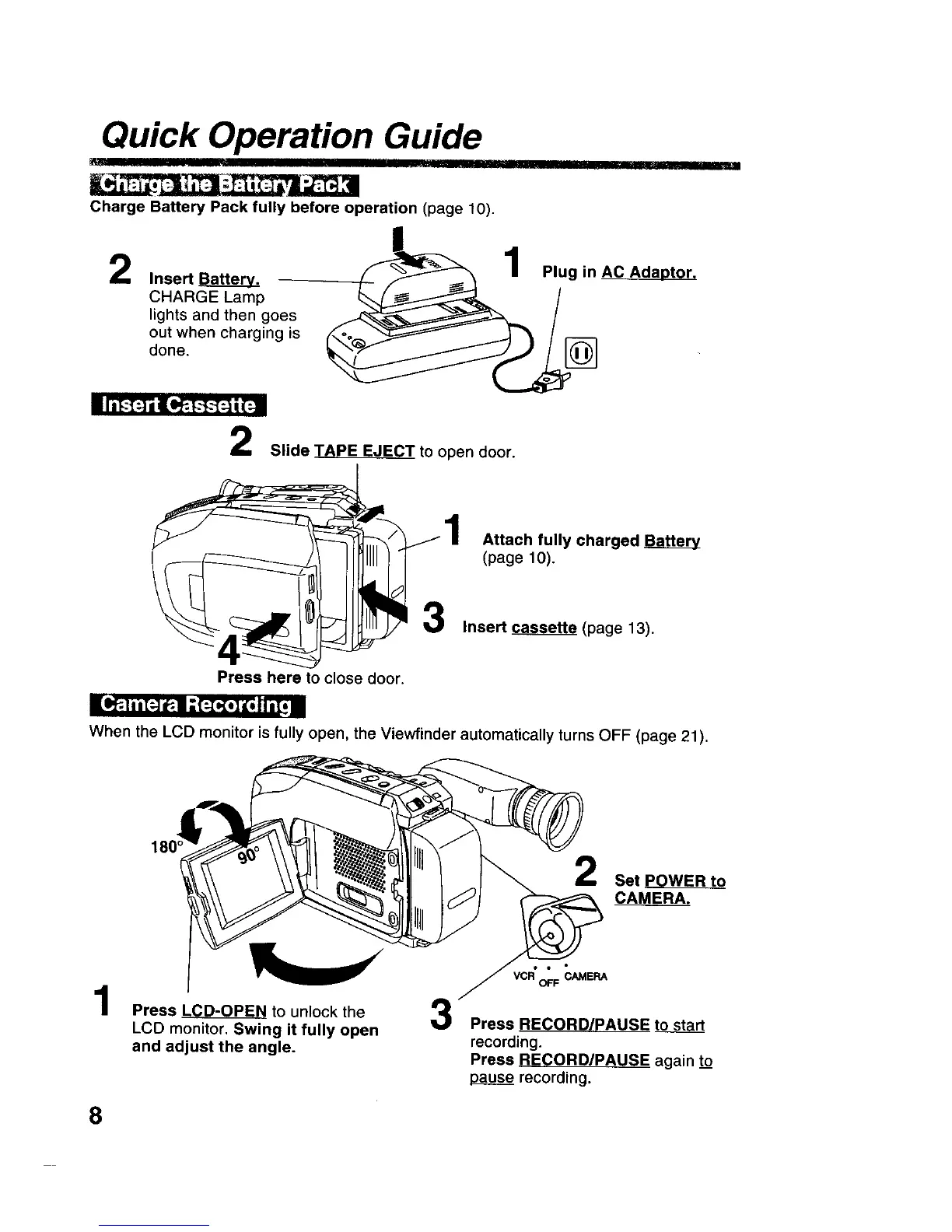
Charge Battery Pack fully before operation (page 10).
2
Insert Batter_
CHARGE Lamp
lights and then goes
out when charging is
done.
Plug in AC Adaptor.
Slide TAPE EJECT to open door.
Attach fully charged
(page 10).
Insert _ (page 13).
Press here to close door.
E I.P,,t |hi=-]_,11-'[_o] i[oJIi[_ i
When the LCD monitor is fully open, the Viewfinder automatically turns OFF (page 21).
Press LCD-OPEN to unlock the 3
LCD monitor. Swing it fully open
and adjust the angle.
2
Set POWER to
CAMERA.
Press RECORD/PAUSE to start
recording.
Press RECORD/PAUSE again to
ap3g_ recording.
8











 To Next Page