Time Lapse
This feature reduces tape speed to 1/3 SLP for long term period recording (up to 6 hours
with TC-40 tape).
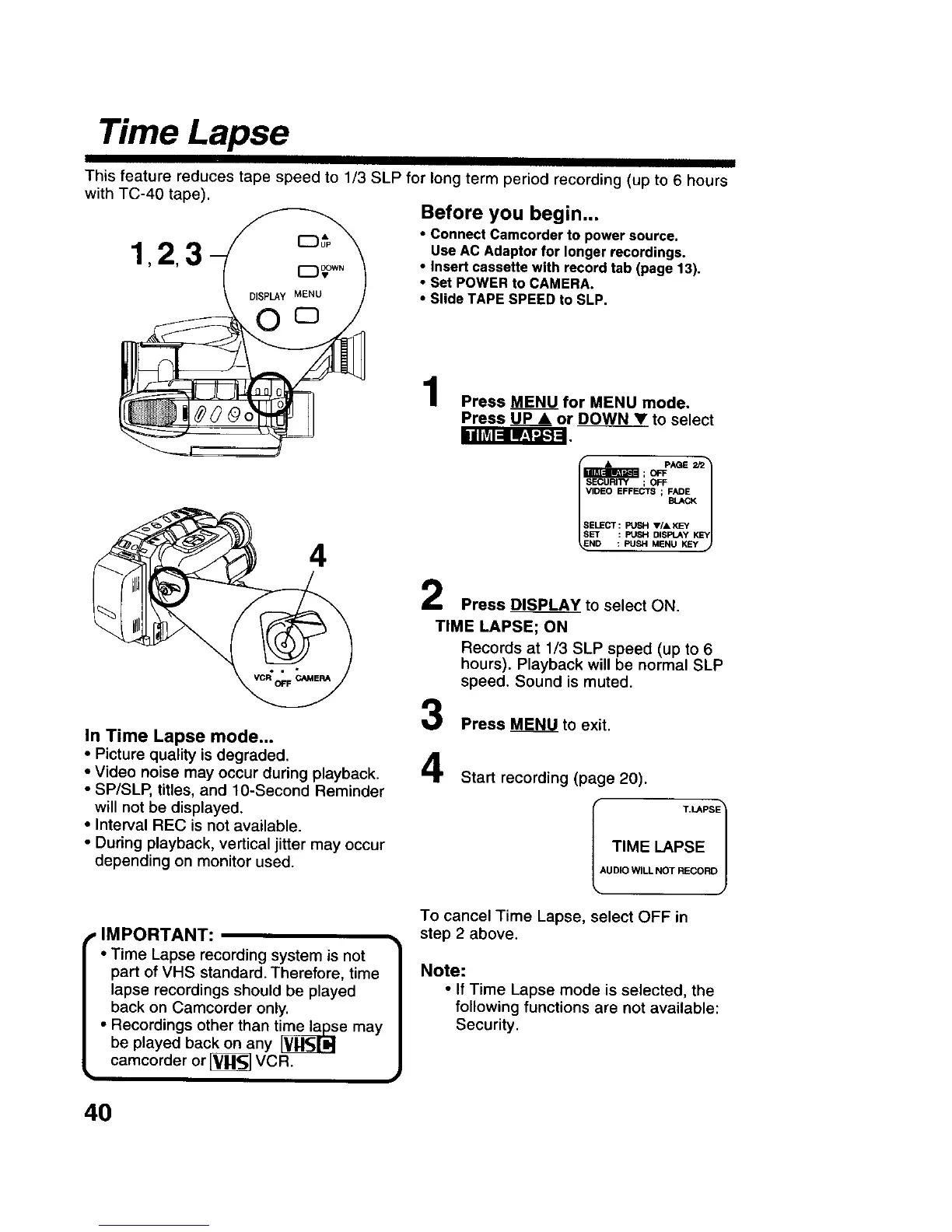
Before you begin...
• Connect Camcorder to power source.
1,2 3 use AC Adaptor for longer recordings.
• Insert cassette with record tab (page 13),
• Set POWER to CAMERA.
• Slide TAPE SPEED to SLP.
0 °
iihV_l_ _-_'_
4
In Time Lapse mode...
• Picture quality is degraded.
• Video noise may occur during playback.
• SP/SLP, titles, and 10-Second Reminder
will not be displayed.
• Interval REC is not available.
• During playback, vertical jitter may occur
depending on monitor used.
Press MENU for MENU mode.
Press UP • or DOWN____V_Vto select
foo-o j
SELECT : PUSH V/A KEY
% __ _'_"
Press DISPLAY to select ON.
TIME LAPSE; ON
Records at 1/3 SLP speed (up to 6
hours). Playback will be normal SLP
speed. Sound is muted.
Press MENU to exit.
4
Start recording (page 20).
TIME LAPSE
kUDIO WILL NOT RECORD/
, IMPORTANT:
• Time Lapse recording system is not
part of VHS standard. Therefore, time
lapse recordings should be played
back on Camcorder only.
• Recordings other than time_e may
be played back on any
camcorder or [_ VCR.
i
To cancel Time Lapse, select OFF in
step 2 above.
Note:
• If Time Lapse mode is selected, the
following functions are not available:
Security.
4O











 To Next Page