W
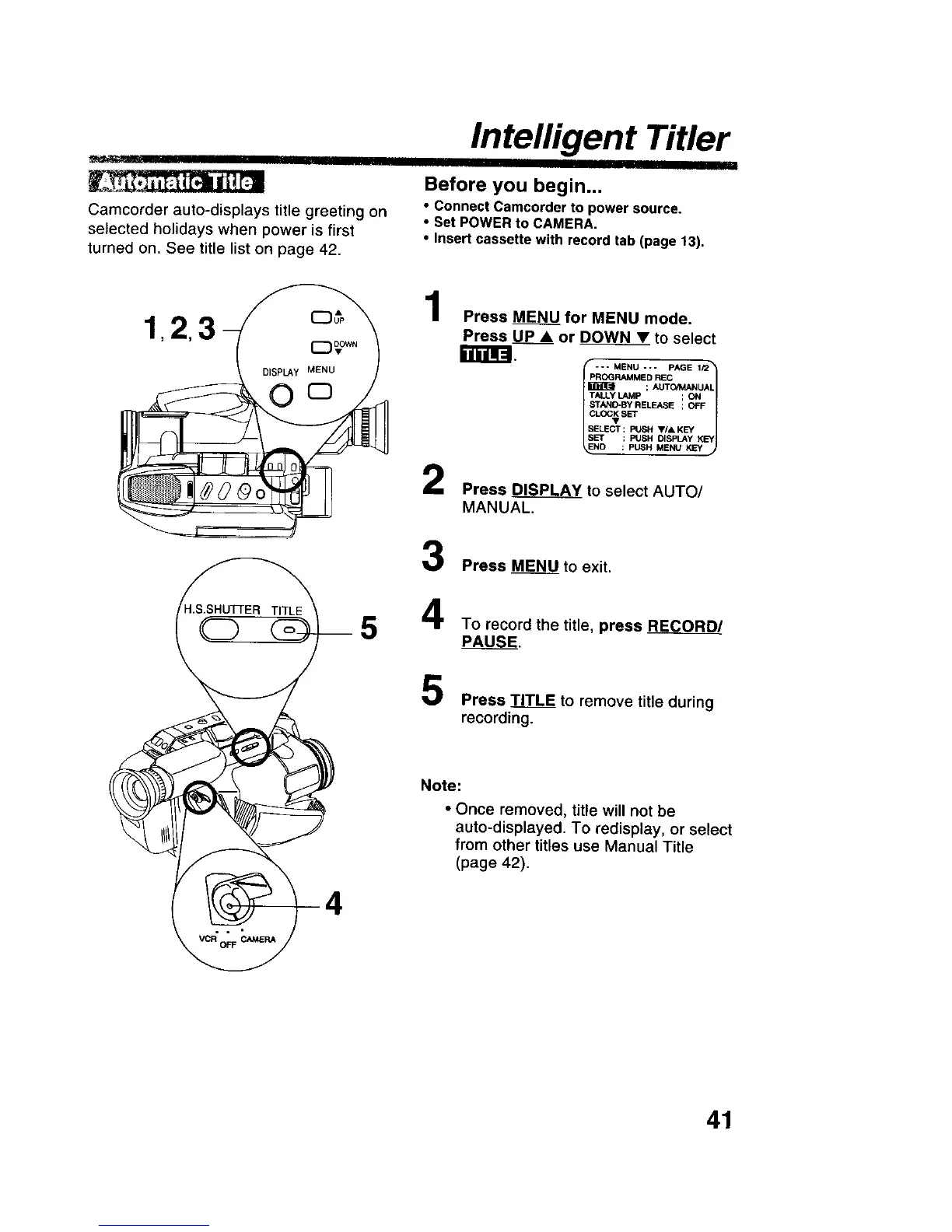
Camcorder auto-displays title greeting on
selected holidays when power is first
turned on. See title list on page 42.
Intelligent Titler
Before you begin...
• connect Camcorder to power source.
• Set POWER to CAMERA.
• Insert cassette with record tab (page 13).
1
2
Press _ for MENU mode.
Press UP • or DOWN_ to select
PROGRAMMED REC
; AUTO/MANUAL
TALLY LAMp ; ON
_rAND*BY RELEASE ; OFF
SELECT : PUSH V/& KEY
SET : PUSH DISPLAY KEY
NO : PUSH MENU KEY
Press _ to select AUTO/
MANUAL.
Press M_to exit.
To record the title, press RC_
PAUSE.
Press TITLE to remove title during
recording.
Note:
• Once removed, title will not be
auto-displayed. To redisplay, or select
from other titles use Manual Title
(page 42).
41











 To Next Page