Fade In/Out
An interesting way to open and close
scenes.
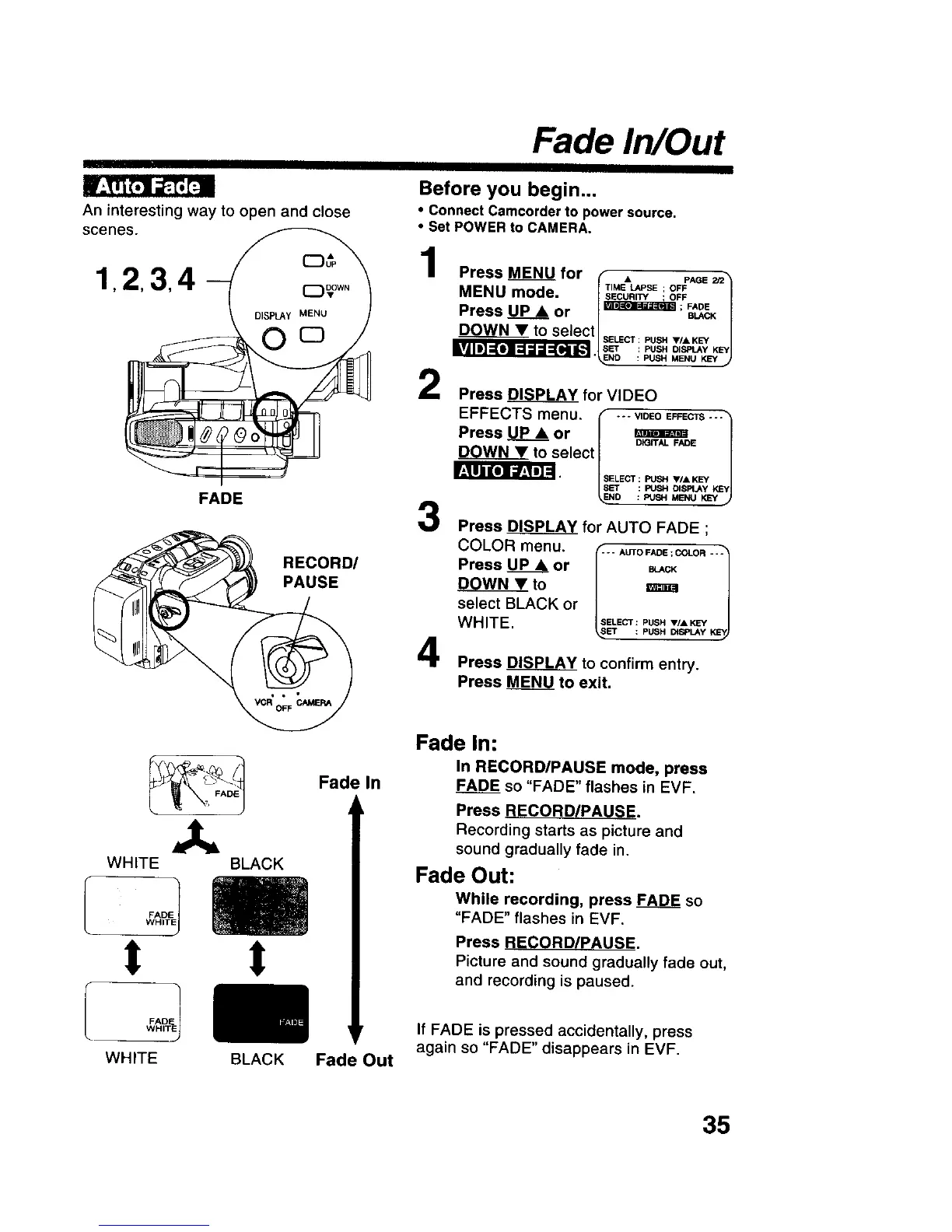
1,2,3,4- )
FADE 3
RECORD/
PAUSE
Before you begin...
• Connect Camcorder to power source.
• Set POWER to CAMERA.
Press_ for I • PA_s_
MENU mode. I _'_EUn,_SE! OOF_ |
Press_ or I_; _ |
DOWN______V_Vto seleCtlsE_cT PUSHV/,_K_ |
I_ ::PUSHo,_,Y_1
"_ND : PUSH MENU KEY J
Press _ for VIDEO
EFFECTS menu. _ .-- vloEo_scTs ''1
Press _ or | _ |
DOWNY to select | /
4
Press DISPLAY for AUTO FADE ;
COLOR menu. _-_.AUTOFAOE=COLO,---_
Press UP& or _,c_
DOWN • to
n
select BLACK or
WHITE.
SELECT : PUSH V/• KEY
_,SlET : PUSH _SPLAY K_
Press DISPLAY to confirm entry.
Press _ to exit.
Fade In:
In RECORD/PAUSE mode, press
Fade In FADE so "FADE" flashes in EVF.
Press RECORD/PAUSE.
Recording starts as picture and
sound gradually fade in.
Fade Out:
While recording, press FADE so
"FADE" flashes in EVF.
Press RECORD/PAUSE.
Picture and sound gradually fade out,
and recording is paused.
If FADE is pressed accidentally, press
Fa Out again so "FADE" disappears in EVF.
35











 To Next Page