EasyManua.ls Logo

Panasonic PT-EW640 - Page 142

Panasonic PT-EW640
155 pages
Print Icon
To Next Page IconTo Next Page
To Previous Page IconTo Previous Page
Loading...
Chapter 6Appendix — Technical information


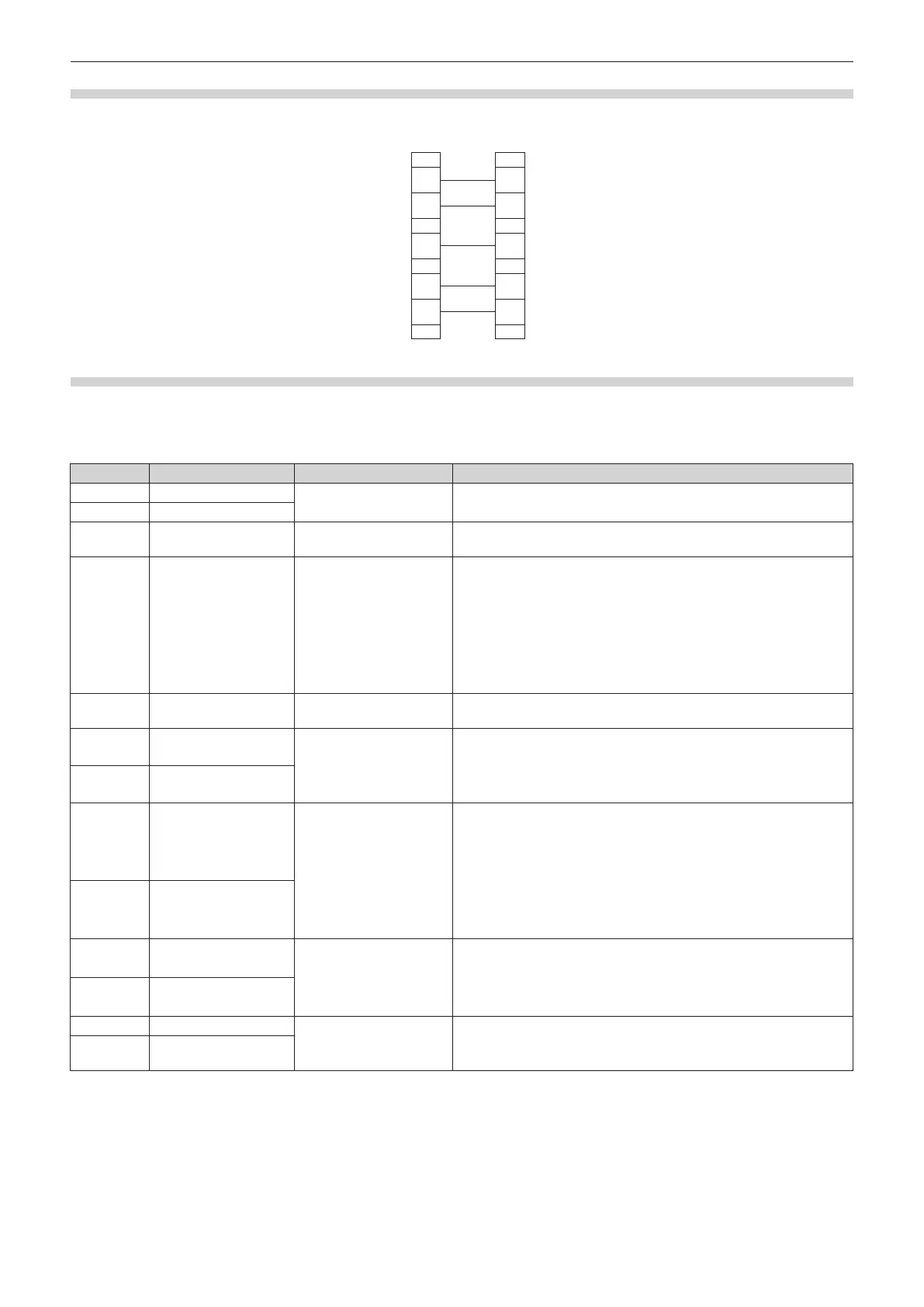
1 NC NC 1
2 2
3 3
4 NC NC 4
5 5
6 NC NC 6
7 7
8 8
9 NC NC 9
When connected to a computer
Projector
(<SERIAL IN> terminal)
Computer
(DTE specifications)
Control command
The following table lists the commands that can be used to control the projector using a computer.
r Projector control command
Command Details Parameter/return string Remark (parameter)
 Power on
To check if the power is on, use the  command.
 Power standby
QPW Power query
000
001

Power on


signal
 
 
 
 
 


*1


*1
Q$L
Lamp cumulative
runtime query
1 


*2*4

mute control
*3*4
0 


*2

*3
1 
 
0 
1 4:3
2 



query
6 

10 
 
0 
1 
QPP 
2 
3 
 
 


query
*1 
*2 
*3 
*4 


Table of Contents