EasyManua.ls Logo

Panasonic PT-EW640 - Page 26

Panasonic PT-EW640
155 pages
Print Icon
To Next Page IconTo Next Page
To Previous Page IconTo Previous Page
Loading...
Chapter 1

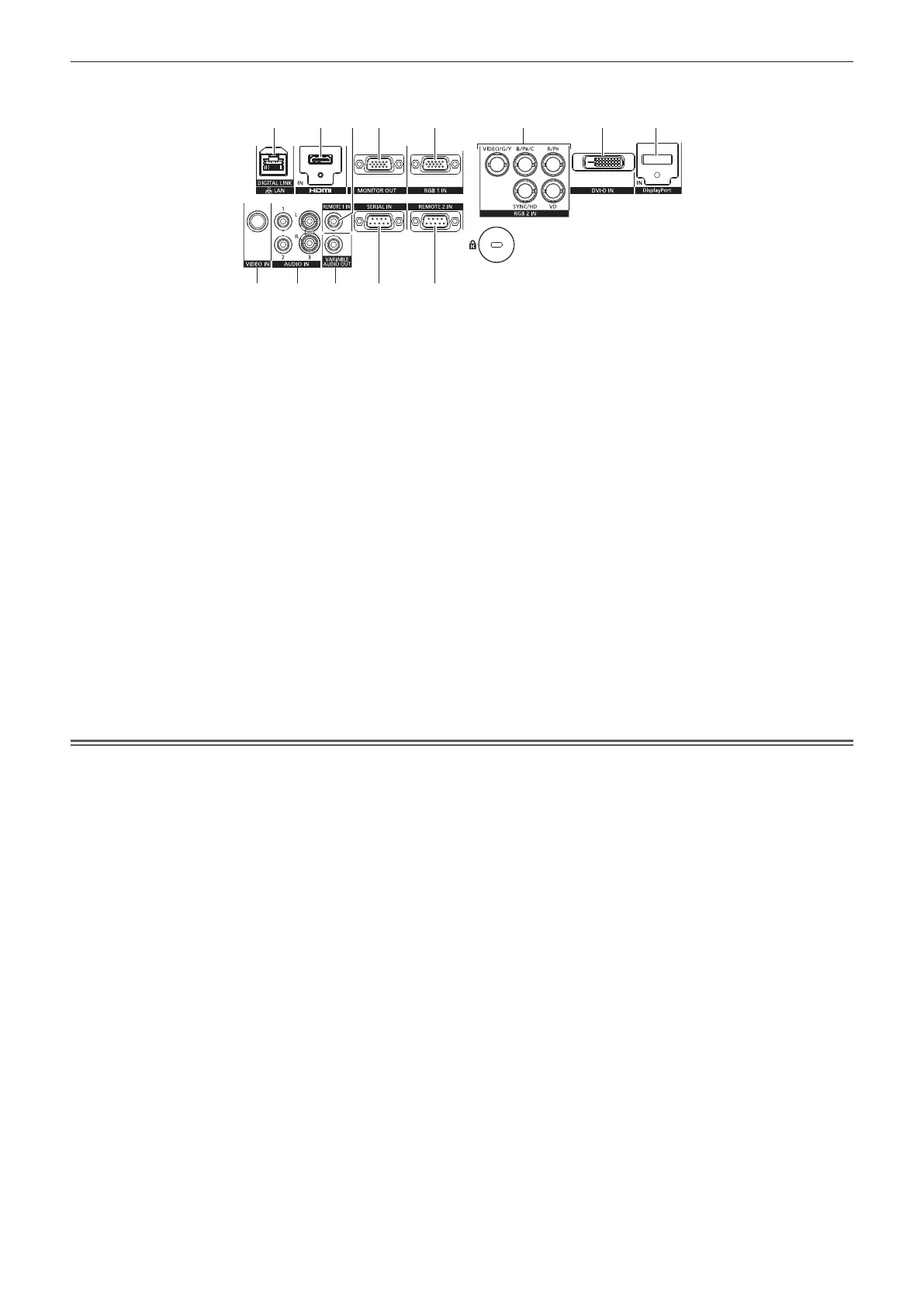
r Connecting terminals
1 2 3 4 5 6 7 8
9 1110 12 13
1 <DIGITAL LINK/LAN> terminal/<LAN> terminal


used when connecting a device for transmitting video and audio




 <HDMI IN> terminal

3 <REMOTE 1 IN> terminal
This is the terminal to connect to the remote control by cable
when controlling the projector by wired remote control.
4 <MONITOR OUT> terminal

B
R
YP
B
P
R



 <RGB 1 IN> terminal

B
R

B
P
R
signals.
6 
R

B

<VD>) terminal

B
R

B
P
R

7 <DVI-D IN> terminal

8 <DisplayPort IN> terminal


9 <VIDEO IN> terminal
This is the terminal to input video signals.
10 
3> terminal


11 <VARIABLE AUDIO OUT> terminal
This is the terminal to output the input audio signal to the
projector.
 <SERIAL IN> terminal

the projector by connecting a computer.
13 
This is the terminal to remotely control the projector using the

Attention
f 

Table of Contents