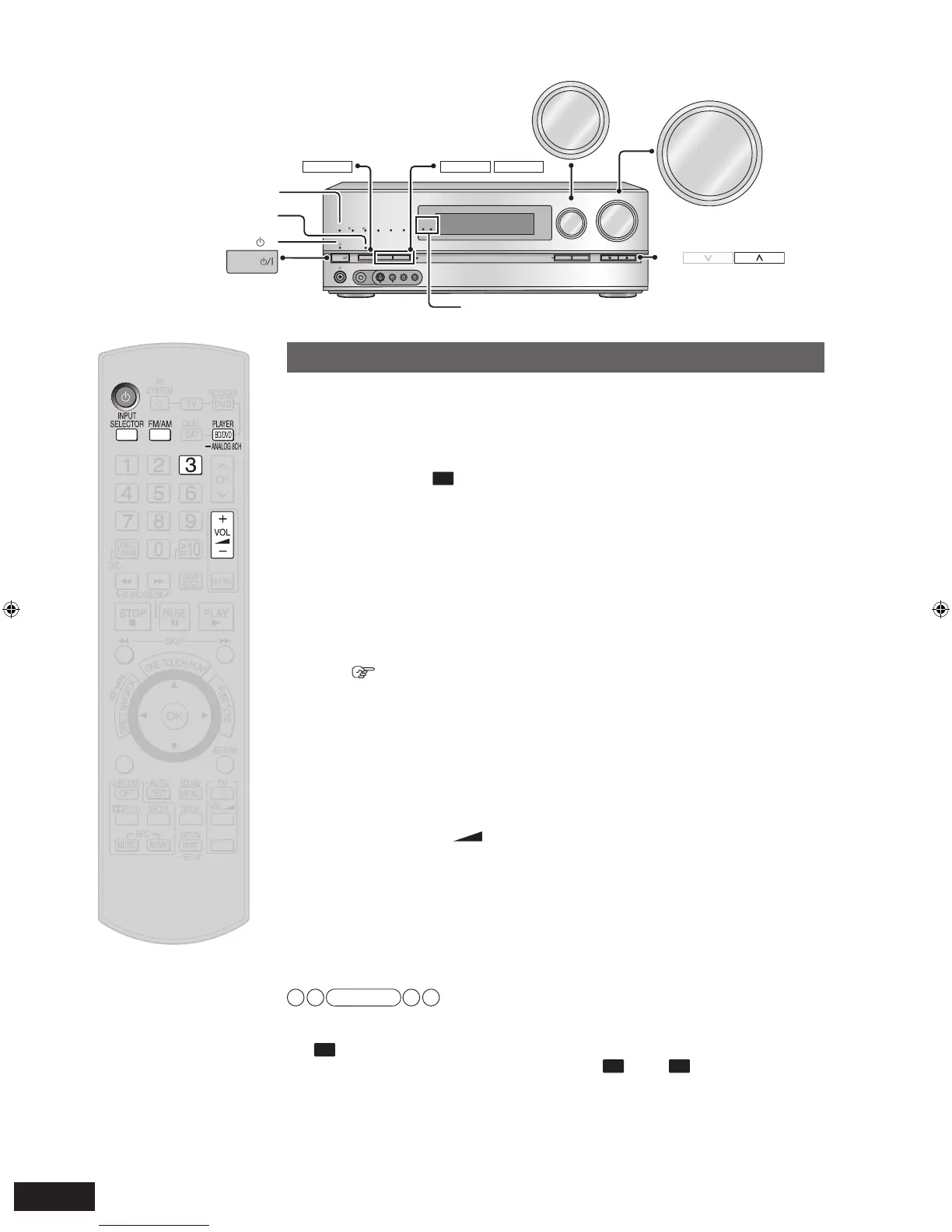
Basic playback
1
To turn the unit on
Press [
^
].
• The standby indicator “
^
”
goes off when you turn the unit on.
• You can also turn this unit on by pressing [POWER
8
] on the unit.
2
Confirm “
” is displayed on the unit’s display.
• Check the “SURROUND” indicator is lighting up. If not, press [SURROUND] on
the unit to set surround playback (
➔
pages 13 and 29).
3
To switch input sources
Press [INPUT SELECTOR] repeatedy.
FM
AM
CD
TV
CABLE/SA
T
BD/DVD P. (Blu-ray Disc/DVD player)
GAME
OPTION P.
AUX
VCR
D
VD R. (DVD recorder)
•
You can also switch input sources using [INPUT SELECTOR] on the unit.
To play a DVD recorder with built-in VCR
(If the equipment has the output terminal specifically for DVD/VHS.)
(
➔
page 17)
• To play a DVD: select “DVD R. ”.
• To play a video cassette: select “VCR ”.
4
Play the selected input source.
5
To adjust the volume
Press
[
VOL +, –
].
Volume range: – – dB (minimum), –79dB to 0dB (maximum)
• You can also adjust the volume using [VOLUME +, –] on the unit.
• You can change dB value display to numeric value display (
➔
page 40).
To finish the Home Theater
Be sure to reduce the volume and press [
^
] to tur
n the unit to standby.
Note
• See page 50 for digital signals that can be played on this unit.
• Images recorded with x.v.Color or Deep Color (
➔
page 52) are also suppor
ted.
• If “
” is not displayed in step 2, press [SPEAKERS A].
• Press [SPEAKERS A] or [SPEAKERS B] to switch “







 To Next Page