Quick guide
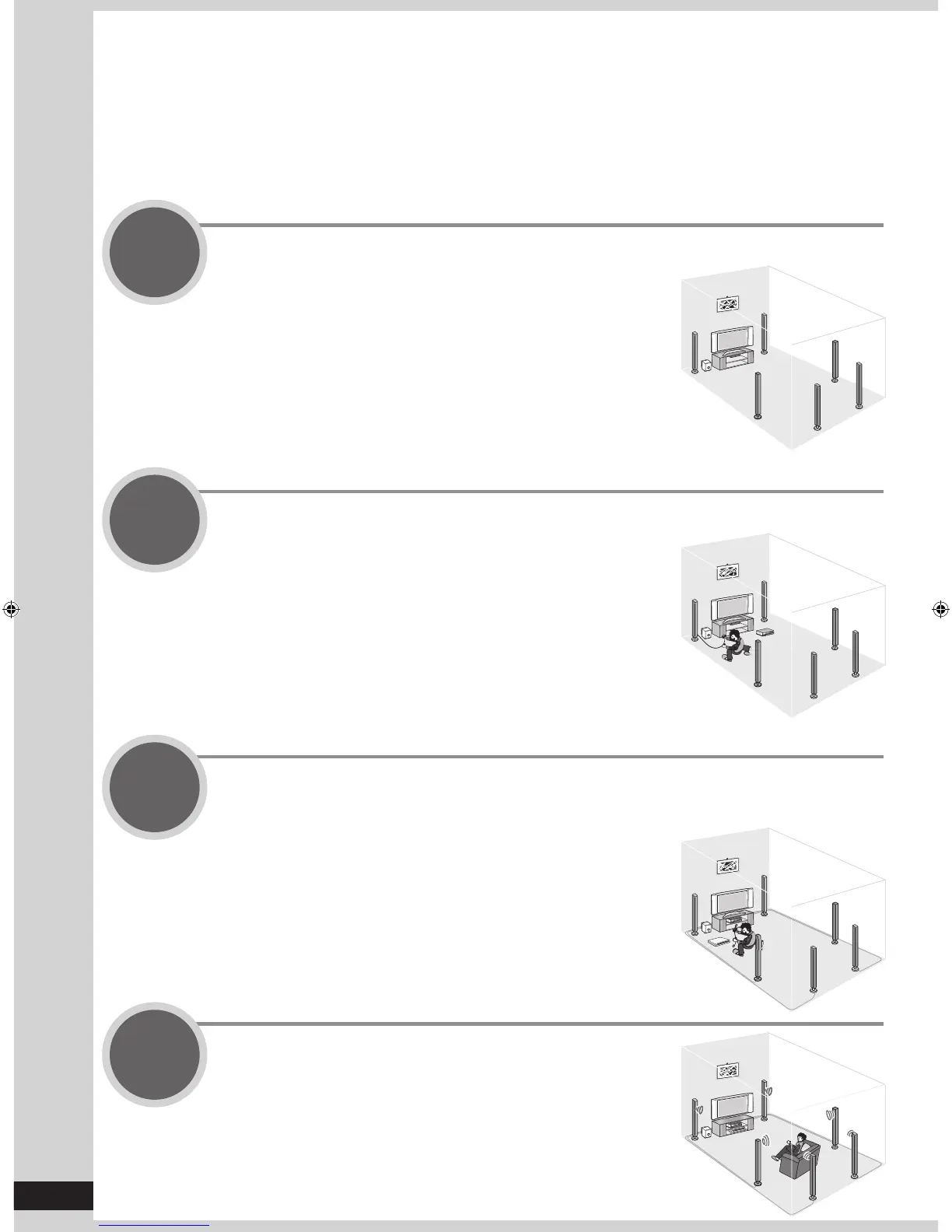
This section guides you through the easiest and simplest way to setup the Home Theater.
Refer to the steps indicated below. The steps 1 to 4 indicate the method one by one from when you purchase
the unit until you can enjoy the Home Theater.
• Turn off all equipment before making any connections.
• Peripheral equipment sold separately unless otherwise indicated.
• To connect equipment, refer to the appropriate operating instructions.
Step
1
Placing speakers
(
➔
pa
ge 9)
You can enjoy the best sound quality by
setting speakers properly.
Step
2
Connecting speakers
(
➔
pa
ges 10 and 11)
You can install and connect speakers in
7.1ch setting.
Step
3
Connecting a TV and a Blu-ray Disc/DVD player
(
➔
pa
ges 12 and 13)
You can easily enjoy high-quality pictures
and sounds.
Step
4
Watching TV or DVD
(
➔
pa
ges 14 and 15)
You can enjoy TV and DVD with surround
sound.







 To Next Page