30
RQT9223
Remote controlling sound effects
See pages 28 and 29 for information about each mode.
Adjusting Dolby Pro Logic ’s “MUSIC ” mode
You can use the following modes when the input source is 2-channel stereo.
■
Dimension Control
You can make up for differences in the output level of the front and surround speakers.
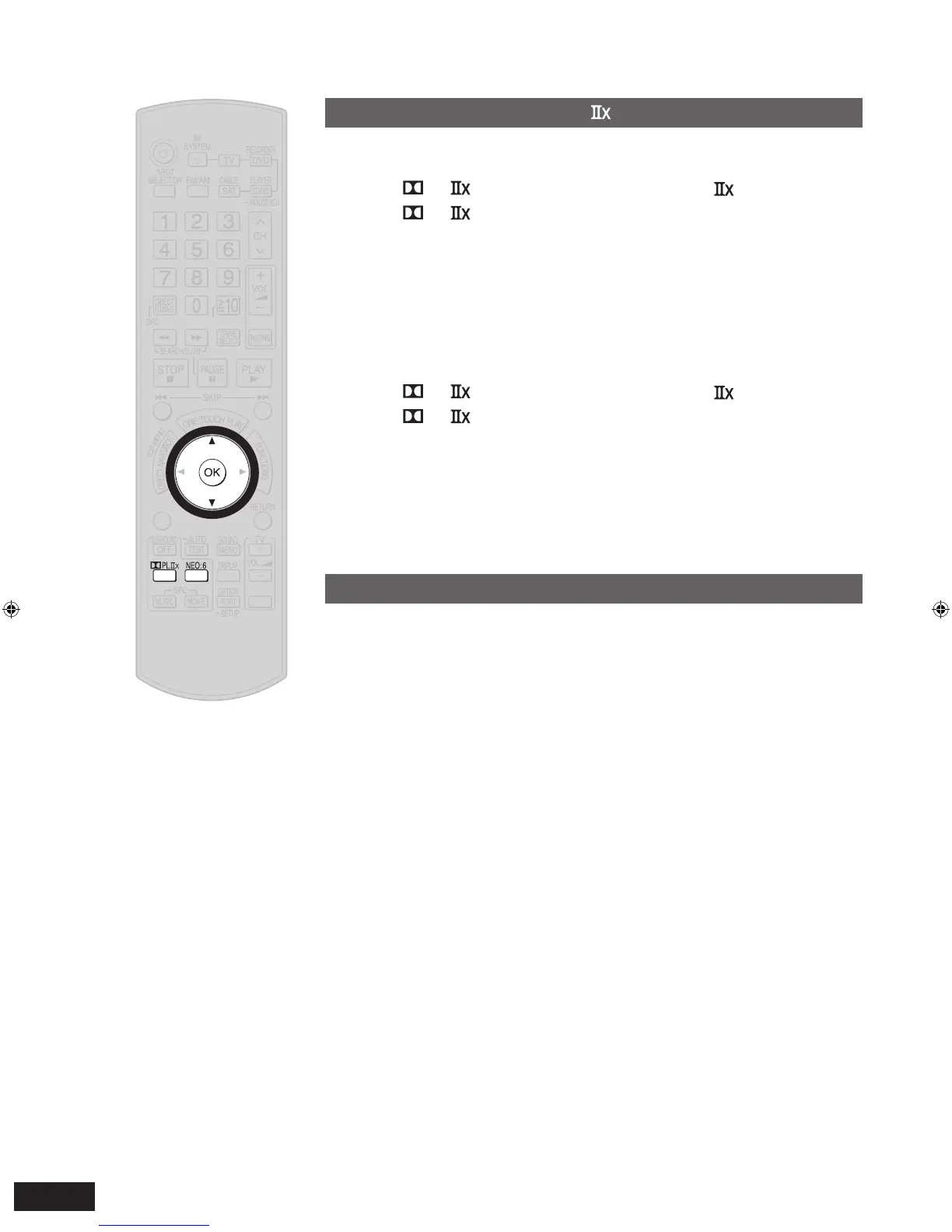
1. Press [ PL ] to activate Dolby Pro Logic .
2.
Press [ PL ], next press [
e
][
r
] to select “MUSIC ”,
and press [OK] to confirm.
3. Press [
e
][
r
] to select
“DIMEN ”, and press [OK] to confirm.
4. Press [
e
][
r
] for adjustment, and press [OK] to confirm.
Adjustment range: -3 (More surround sound) to +3 (More front sound)
Factory setting: 0
■
Center Width Control
In this mode, you can play music more naturally by adjusting sounds assigned to front and
center speakers as a whole.
1. Press [ PL ] to activate Dolby Pro Logic .
2.
Press [ PL ], next press [
e
][
r
] to select “MUSIC ”,
and press [OK] to confirm.
3. Press [
e
][
r
] to select “C-WIDTH ”, and press [OK] to
confirm.
4. Press [
e
][
r
] for adjustment, and press [OK] to confirm.
Adjustment range: 0 (Center becomes clearer) to 7 (Center becomes wider)
Factory setting: 3
Adjusting NEO:6’s “MUSIC ” mode
You can use the following mode when the input source is 2-channel stereo.
■
Center Image Control
In this mode, you can play music more naturally by adjusting sounds assigned to front and
center speakers as a whole.
1. Press [NEO:6] to activate NEO:6.
2. Press [NEO:6], next press [
e
][
r
] to select
“MUSIC ”, and
press [OK] to confirm.
3.
Press [
e
]
[
r
] to select “C-IMAGE ”, and press [OK] to confirm.
4. Press [
e
][
r
] f
or adjustment, and press [OK] to confirm.
Adjustment range: 0 (Center becomes clearer) to 5 (Center becomes wider)
Factory setting: 2







 To Next Page