48
RQT9223
Listening to the Radio
Preset tuning
Auto presetting
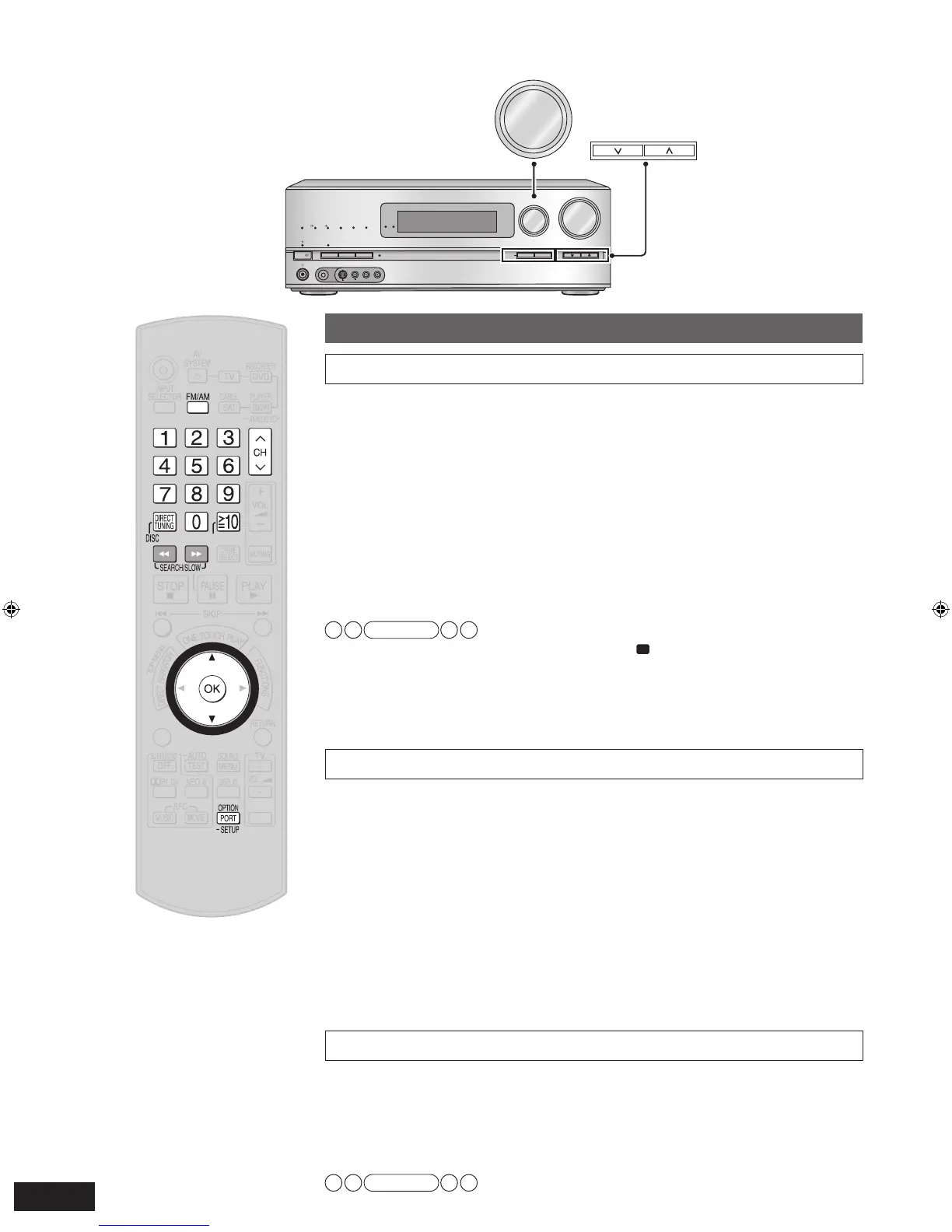
1. Set the channel reception to FM 87.9 MHz (200 kHz steps) /
FM 87.5 MHz (100 kHz steps) or AM 520 kHz (
➔
page 49).
• You can start with the frequency you like. In that case, stations with frequencies before
the starting point cannot be memorized.
• Up to 30 stations can be set in each band, FM and AM.
2. To enter the SETUP (
➔
pa
ge 36)
3. Press [
e
][
r
] to select
“TUNER ”, and press [OK] to confirm.
4.
Press [
e
][
r
] to select
“AUTO MEMO ”, and press [OK] to
confirm.
5. Press [
e
][
r
] to select
“START ”, and press [OK] to confirm.
• Select “CANCEL ” to cancel.
Note
• During automatic presetting, the memory indicator “
” lights up.
• “SET OK ” is displayed when automatic presetting is finished. Then, the previously tuned
station is displa
yed.
• Frequencies ma
y not be preset correctly when broadcast waves are too strong or too
weak. In such cases, carry out presetting manually.
• To cancel during automatic presetting, press [OK].
Manual presetting
1. Tune to the station you want to preset (
➔
pa
ge 49).
2. To enter the SETUP (
➔
pa
ge 36)
3. Press [
e
][
r
] to select
“TUNER ”, and press [OK] to confirm.
4.
Press [
e
][
r
] to select
“MEMORY ”, and press [OK] to
confirm.
5. Press [
e
][
r
] to select a c
hannel to memorize, and press [OK]
to confirm.
• “STORED ” is displayed.
• To continue presetting, repeat the procedure from step 1.
6. To finish the setting (
➔
pa
ge 36)
• FM stations can also be preset in the “MONO ” mode (
➔
page 49).
Listening to preset stations (using the remote control)
1. Press [FM/AM] to select “FM ” or “AM ”.
2.
Press [CH
1
,
2
] to select a channel.
■
Entering the channel number directly using the numbered buttons
To select a two digit channel number
e.g. 21: [
≧
10, ENTER]
→
[2]
→
[1]
Note
• You cannot operate this function on the unit.







 To Next Page