41
RQT9223
Using headphones
Using the setup menu / Using headphones / Recording
Operations
Recording
1.
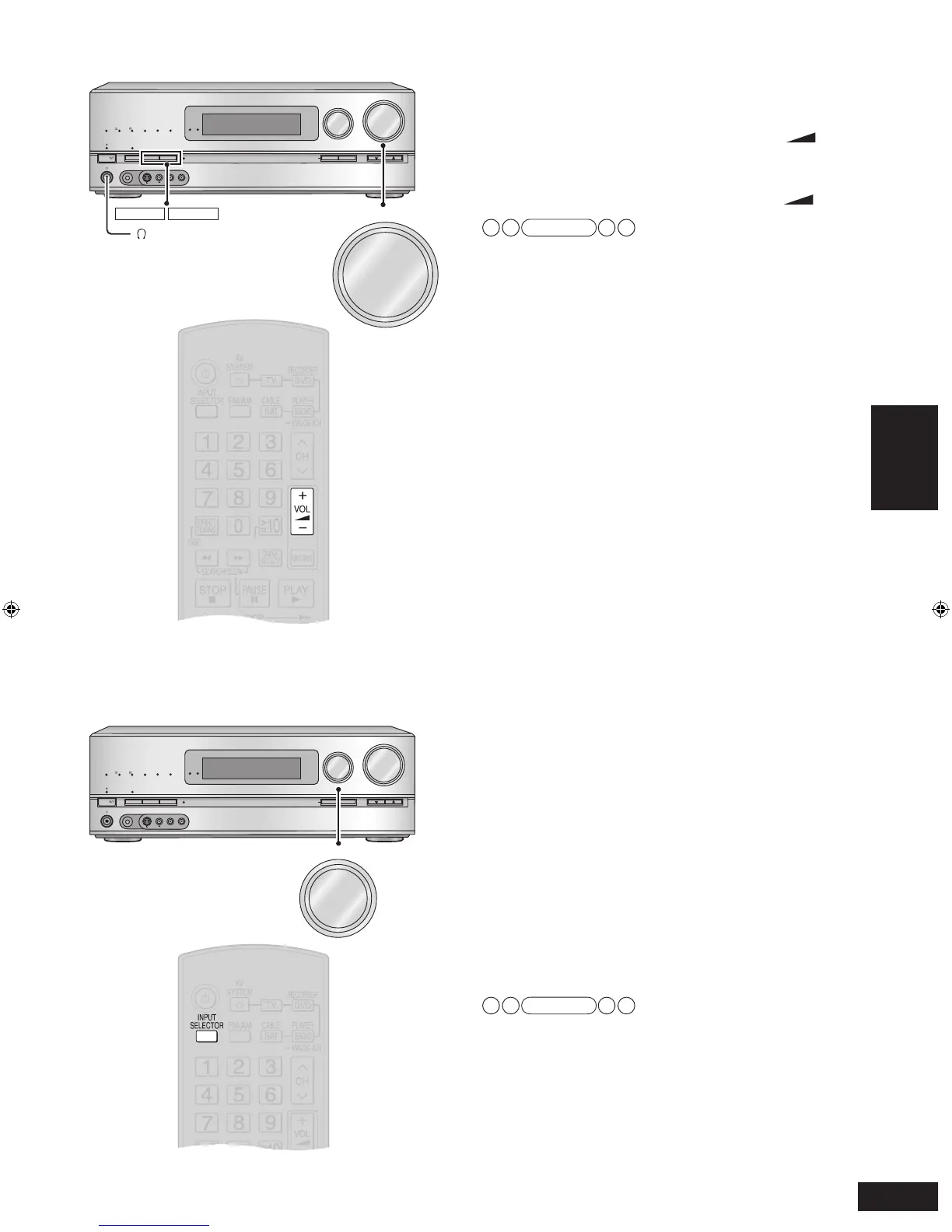
Press [SPEAKERS A] and [SPEAKERS B] to
switch all speakers off.
2.
Lower the volume by pressing [VOL +, –]
and connect headphones to the unit.
Plug type: ø 6.3 mm stereo standard plug
3.
Adjust the volume by pressing [VOL +, –].
Note
• Avoid listening for prolonged periods of time to prevent
hearing damage.
• Playback channels become two when you switch all
speakers off. The 2-channel mix (2CH MIX) function activates
automatically when you play a surround source. (Excluding
DVD-Audio sources that do not allow down-mixing)
• The ANALOG 8CH (
➔
page 27) goes off and front tw
o
channels make audio output when you play sources through
analog 8-channel connections (
➔
page 20).
• Excessiv
e sound pressure from earphones and headphones
can cause hearing loss.
You can record to a DVD recorder connected to DVD
RECORDER OUT terminal (AUDIO, VIDEO, S VIDEO)
(
➔
page 21).
See the recording unit’
s operating instructions for details on
how to prepare it for recording.
1. Press [INPUT SELECTOR] to select the
source to be recorded.
• You can also switch input sources using [INPUT
SELECTOR] on this unit.
2. Start recording sounds and images for
the recording destination (equipment).
3. Start playing back the recording
source (sound source) of the recording
destination (equipment).
Note
• Sounds coming into the input terminal of DVD recorder are
not produced from the output terminal of DVD recorder.
• When recording from a Blu-ray Disc/DVD player, DVD
recorder, VCR, Cable box, Satellite receiver, CD player, Video
game or TV ensure the source is connected through the
analog input terminals and “ANLG ” input is selected
(
➔
page 39).
•
When you select ANALOG 8CH mode, only sound from the
front left and right channels is recorded.
• Do not turn the unit off during operation.








 To Next Page