(
➔
belo
w) (
➔
below) (
➔
below) (
➔
page 35)
(
➔
page 35) (
➔
page 35) (
➔
page 35)
Adjusting the speaker level
You can adjust the speaker levels of the center speaker, surround speakers, surround back
speakers and the subwoofer respectively.
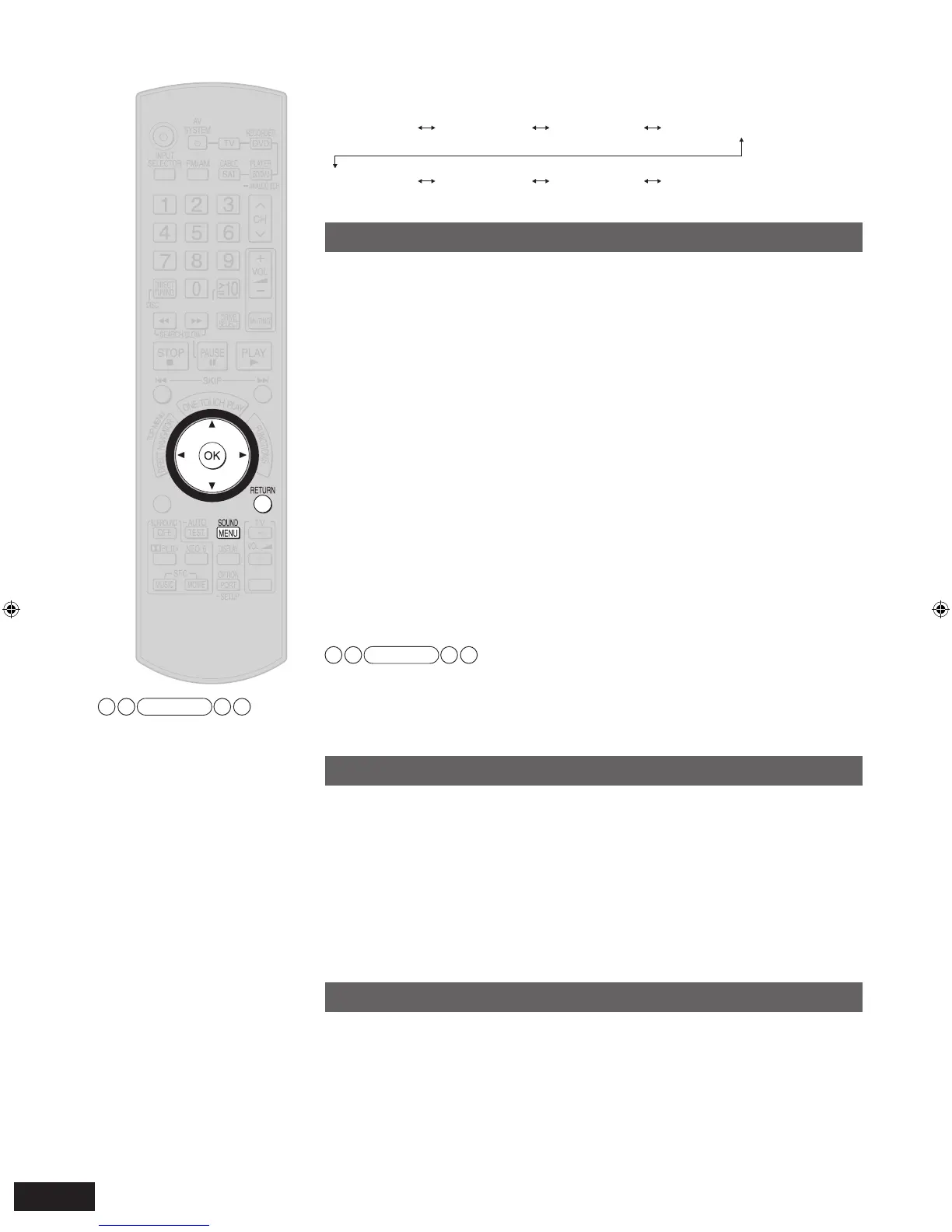
1. Press [SOUND MENU] to enter the sound menu.
2.
Press [
e
][
r
] to select “CH LEVEL ”, and press [OK] to confirm.
3. Press [
e
][
r
] to select a speaker to adjust,
and press [OK] to
confirm.
How speakers are displayed
C : Center, LS : Surround left, RS : Surround right,
SBL : Surround back left, SBR : Surround back right,
SB : Surround back (If you connect one surround back speaker), SUBW : Subwoofer
4. Press [
e
][
r
] to adjust the le
vel, and press [OK] to confirm.
Adjustment range:
C, LS, RS, SBL, SBR, SB (If you connect one surround back speaker);
–20 dB to +10 dB
SUBW;
---
, MIN, 1 to 29, MAX
Factory setting:
C, LS, RS, SBL, SBR, SB (If you connect one surround back speaker); 0 dB
SUBW; 20
5. Press [SOUND MENU] to select “EXIT ”, and press [OK] to
finish the setting.
Press [RETURN] to return to the previous display or to cancel the setup in the halfway.
Note
• Select “
---
” to stop output from the subwoofer.
• Sound can be distorted if you raise the volume while the subwoofer level is high. Reduce
the subwoofer level if this occurs.
• When “MULTI CH PROCESSING” indicator is off, you cannot adjust speakers other than
the subwoofer.
Adjusting the bass
You can adjust the bass through this operation.
1. Press [SOUND MENU] to enter the sound menu.
2. Press [
e
][
r
] to select
“BASS ”, and press [OK] to confirm.
3. Press [
e
][
r
] f
or adjustment, and press [OK] to confirm.
Adjustment range: -10 dB to +10 dB
Factory setting: 0 dB
4. Press [SOUND MENU] to select “EXIT ”, and press [OK] to
finish the setting.
Press [RETURN] to return to the previous display or to cancel the setup in the halfway.
Adjusting the treble
You can adjust the treble through this operation.
1. Press [SOUND MENU] to enter the sound menu.
2. Press [
e
][
r
] to select
“TREBLE ”, and press [OK] to confirm.
3.
Press [
e
][
r
] f
or adjustment, and press [OK] to confirm.
Adjustment range: –10 dB to +10 dB
Factory setting: 0 dB
4. Press [SOUND MENU] to select “EXIT ”, and press [OK] to
finish the setting.
Press [RETURN] to return to the previous display or to cancel the setup in the halfway.







 To Next Page