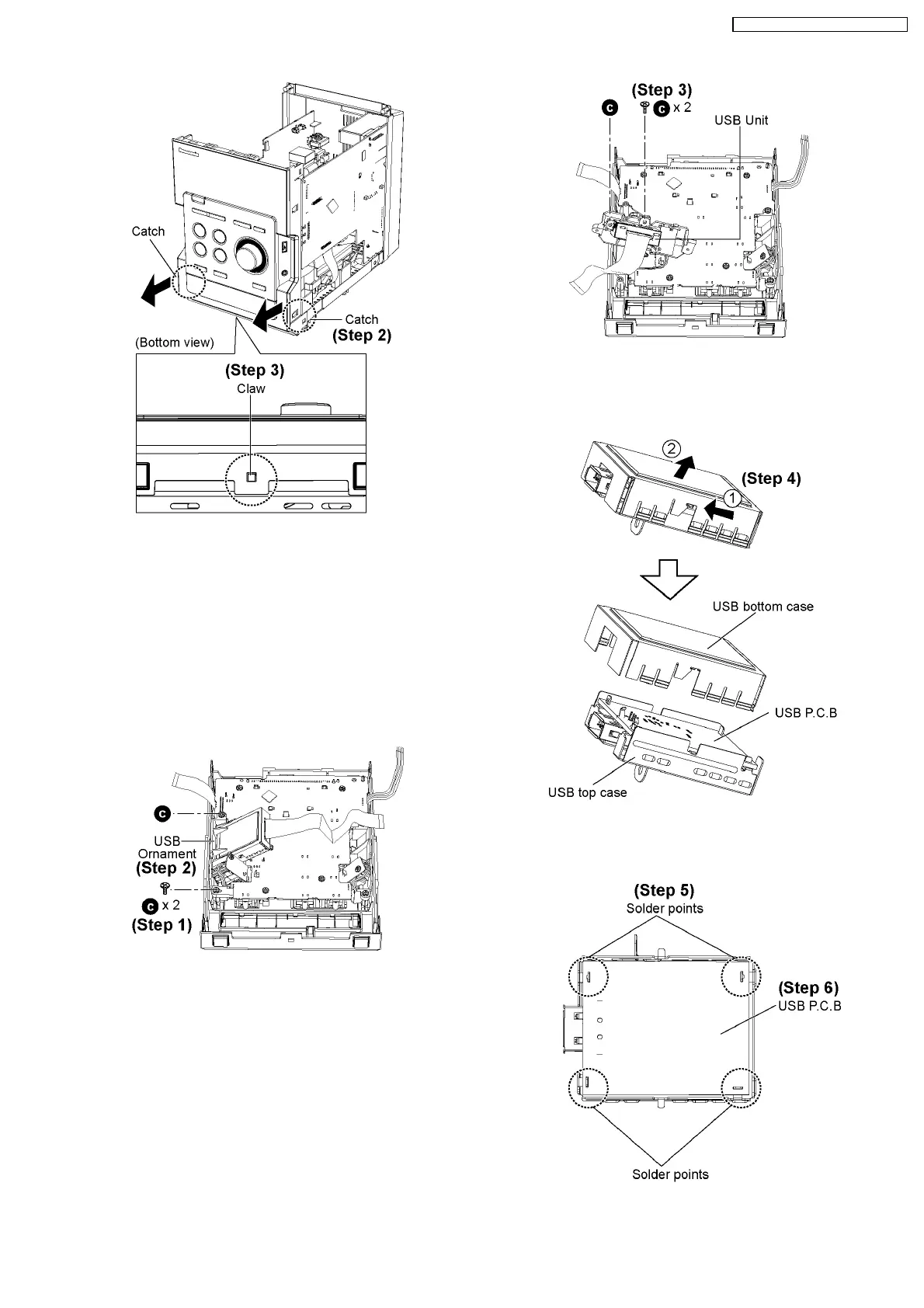
Step 2 : Release 2 catches.
Step 3 : Release the claw at the bottom cabinet and remove the
Front Panel as arrow shown.
9.9. Disassembly of USB P.C.B
·
Follow the (Step 1) - (Step 6) of Item 9.4.
·
Follow the (Step 1) - (Step 3) of Item 9.5.
·
Follow the (Step 1) - (Step 6) of Item 9.7.
·
Follow the (Step 1) - (Step 3) of Item 9.8.
Step 1 : Remove 2 screws.
Step 2 : Remove the USB Ornament.
Step 3 : Remove 2 screws and USB Unit.
Step 4 : Remove USB bottom case as arrow shown.
Step 5 : Unsolder 4 points.
27
SA-PM45E / SA-PM45EG / SA-PM45EE








 To Next Page