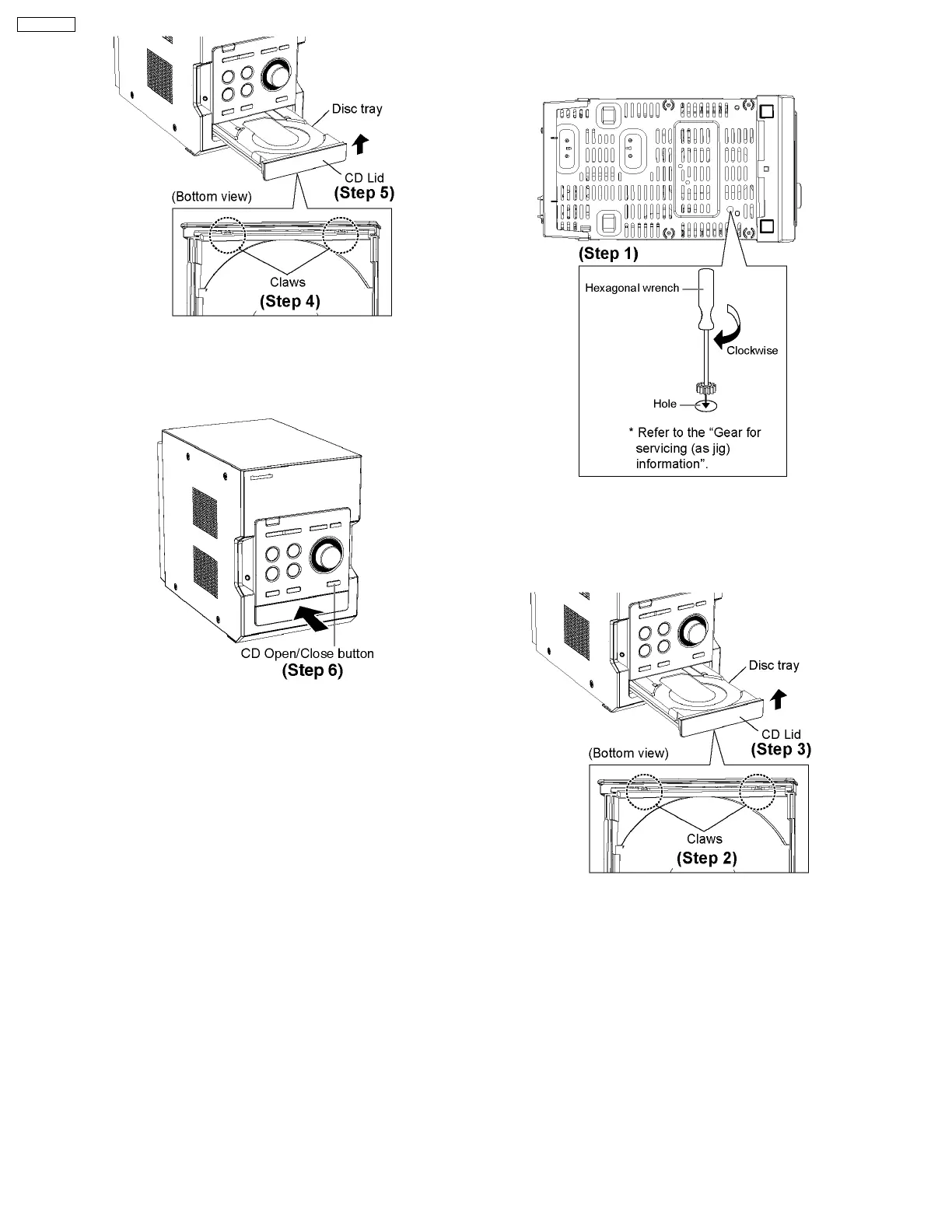
Step 4 : Release the 2 claws.
Step 5 : Remove the CD Lid as arrow shown.
Step 6 : Press the OPEN/CLOSE button, the disc tray will be
close.
[Open the disc tray manually (Using service tools)]
Note: This method applies if failure to power up the unit for
the opening of tray.
Step 1 : Insert the gear tool into the hole on the underside of
CD chassis and then rotate in the direction of arrow. The disc
tray will be open.
Step 2 : Release the 2 claws.
Step 3 : Remove the CD Lid as arrow shown.
·
To close the CD tray.
22
SA-PM45PC










 To Next Page