28
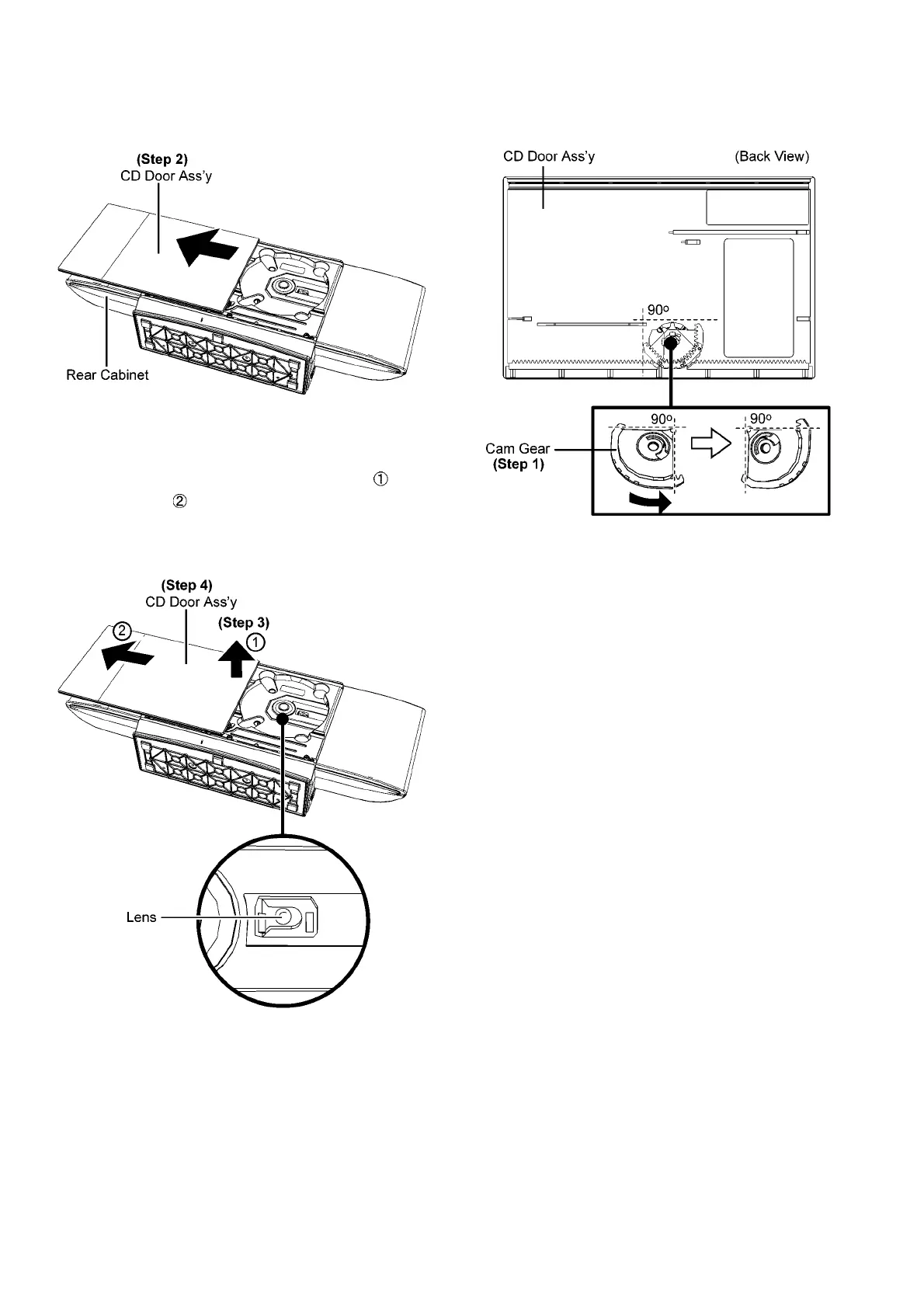
Step 2 : Gently push the CD Door Ass’y manually until it is fully
extended.
Step 3 : Lift up the CD Door Ass’y slightly as arrow shown
and push it as arrow shown.
Step 4 : Remove the CD Door Ass’y.
Caution : During assembling / disassembling, avoid touch-
ing the lens of the Traverse Unit.
9.5.2. Assembly of CD Door Ass’y
Step 1 : Turn the Cam Gear as diagram shown.



 To Next Page