Section 700-Operation Appendix B. CPC-AII/B 8.0 Feature Update
DBS-2.3/9.2-700 DBS Manual - Revised April 2000 Page B-9
• Or, to exit the directory without selecting a number to dial,
press the END key or go on-hook.
Notes
Available on small-display phones only.
This feature applies to the 44-
Series small-display phone only (i.e., phones with a 2-line LCD display).
Incompatibility with older phone versions.
Directory Mode is available
on the 44-Series phones only.
Hot Dial Pad and Directory Mode.
The Hot Dial Pad feature (FF3
ExtPort# 48#) will not work on an extension in Directory Mode.
Variable Mode
44-Series phones only
CPC-AII/B Version 8.0, CPC-S/M Version 2.0, or CPC-EX Version 1.0 only
Description
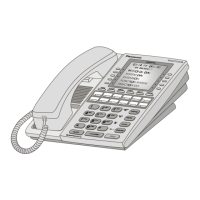
This feature applies to the 44-Series small-display phone only (i.e., phones
with a 2-line LCD display).
When the phone is in Variable Mode, the features for Flexible Function
Screen select keys 1 and 2 will display during each of the following call
states:
Call State Existing Program Address*
• During an intercom call FF3 (ExtPort)# 28# (25-39)#
• During CO dial tone FF3 (ExtPort)# 29# (25-39)#
• During a trunk call FF3 (ExtPort)# 30# (25-39)#
• After dialing a busy extension FF3 (ExtPort)# 33# (25-39)#
* In these addresses, you assign a Flexible Function Screen (25-39) to
appear on the extension while it is in the call state.
Operation
The select keys on the 44-Series small-display phone are labeled “>” and
“<“to the left and right of the display’s 2nd line. Pressing select key 1 (“>”
on the left) or select key 2 (“<“on the right) will perform the displayed
feature.
To use Variable Mode:
1. Activate Variable Mode by pressing
ON/OFF *61 ON/OFF
.
• When you dial
*61
in the above sequence, the 1st line of the
LCD will display “Variable md ON”. The display will
return to normal when you press the second
ON/OFF
.
• Use existing addresses FF1 2# 7# 2# to assign screen text.










 To Next Page