J Controller Settings
28 eFlow
®
rapid nebuliser system – Questions about your device? Contact your service partner
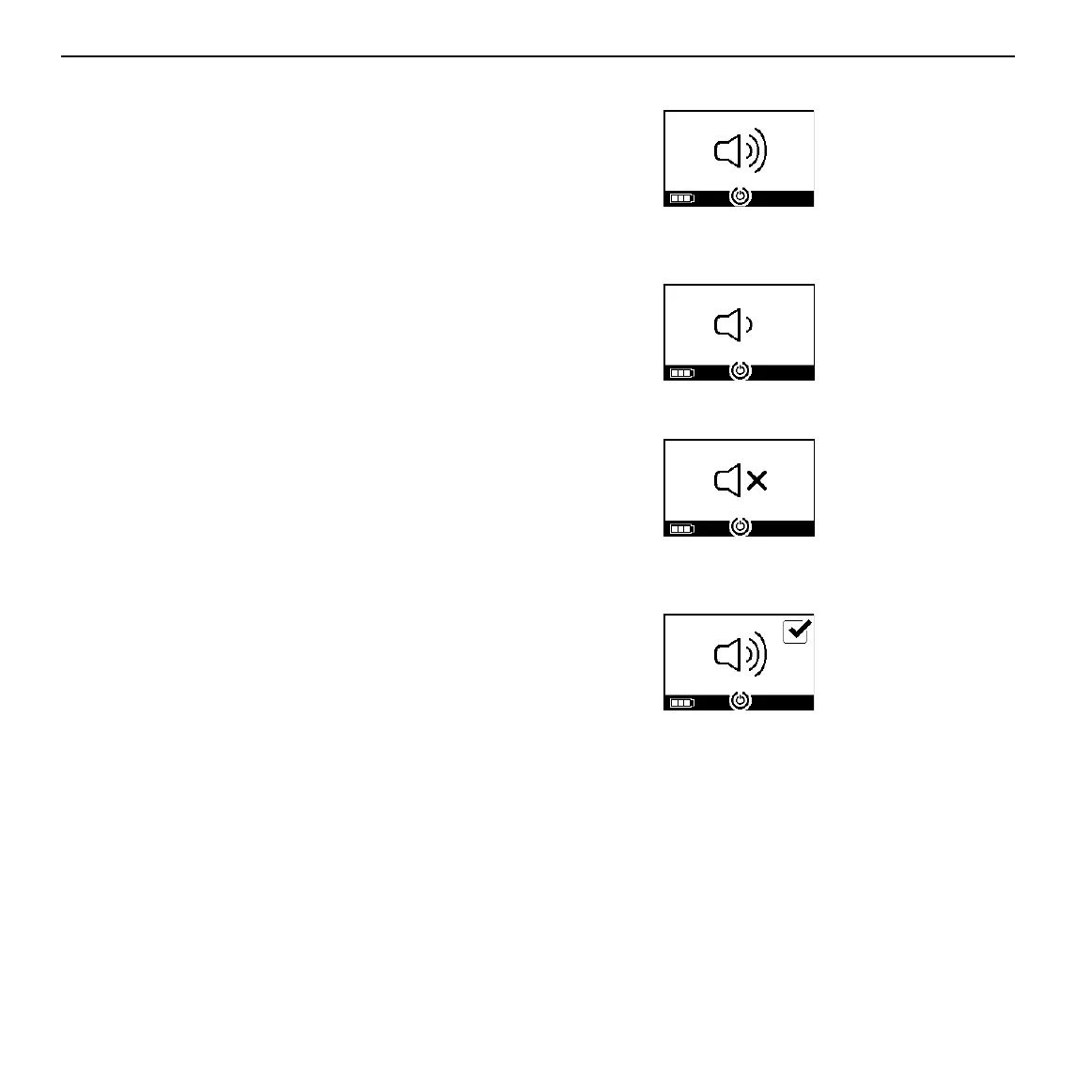
Step J4 Change sound settings. In the second step you
can change the intensity of the signal tones. By
repeated pressing the ON/OFF button you can
choose between the options: "Default" (Fig. J4a),
"Reduced signal tones" for one single beep for sta-
tus feedbacks (Fig. J4b) and "All signal tones OFF"
(Fig. J4c). In the delivered state, the option
"Default" is selected: All signal tones ON.
Fig. J4a
Default
Fig. J4b
Reduced signal tones
Fig. J4c
All signal tones OFF
Step J5 Apply preferred setting. Navigate to your pre-
ferred setting. Wait until the controller automatically
saves the selection after a few seconds. The con-
troller confirms this with a checkmark (Fig. J5).
Fig. J5
Step J6 The controller will shut off. The preferred
settings are now saved.


 To Next Page