J Controller Settings
26 eFlow
®
rapid nebuliser system – Questions about your device? Contact your service partner
J Controller Settings
You can make settings with regards to the illumination of your display as well as the sound indicators.
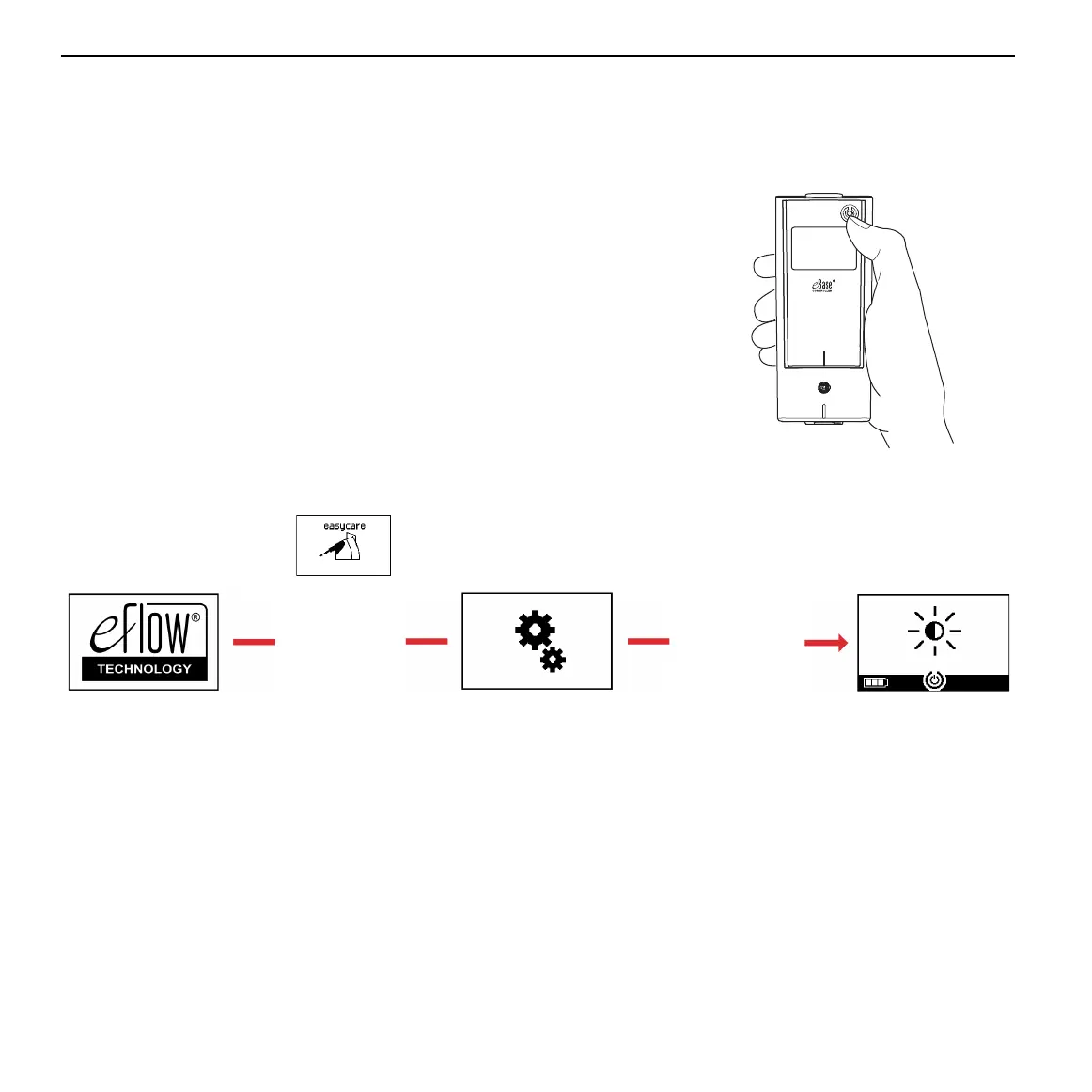
Step J1 Enter the settings mode. Press and hold-down
the ON/OFF button (Fig. J1) until you skip the
easycare screen.
When the settings screen appears (Fig. J1b),
release the ON/OFF button. You will hear one
"beep" and see the backlight default setting
screen (Fig. J1c).
Fig. J1
Fig. J1a Fig. J1b Fig. J1c
Hold ON/OFF
button until
settings screen
appears
Release
ON/OFF button


 To Next Page