Parker Hannifin S.p.A. - Divisione S.B.C. “SPD” User’s Manual
26
5 Using the keyboard
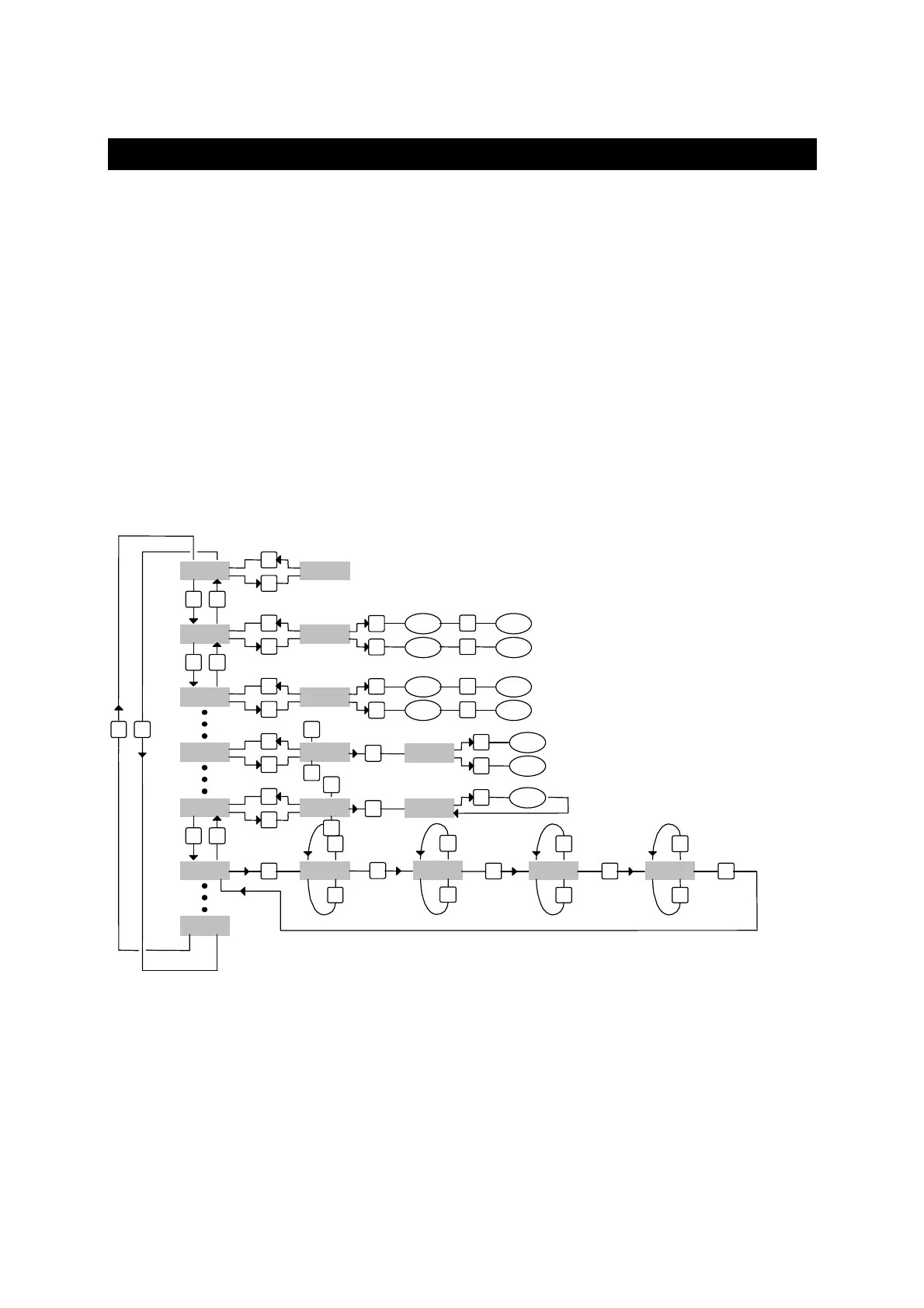
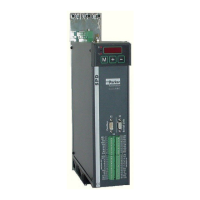
The keyboard-display module is easy to use. It is useful to program the functional data,
control the status of the converter and send commands. It consists of only three keys located
directly beneath the display. The keys are marked: [M], [+], [-].
The [M] key is use to modify the display and consequently the function of the [+] e [-] keys.
There are two types of display: parameter mode and parameter value mode.
When the converter is powered on, if there is no alarm, the user sees ‘IDLE’ or ‘RUN’ on the
screen, depending on whether the converter is on or off. This is also the position of the Pr0
parameter.
To view all the parameters, press the [+] o [-] keys. If you want to verify the value, press the
[M] key. When the value is displayed, it can be modified by using the [+] e [-] keys. To
return to parameter mode, press the [M] key again.
The type of display depends on the type of parameter displayed.
If you need to increment or decrement quickly the value of a parameter, you can do this by
pressing the [M] key while the increment [+] key or decrement [-] key is held down.
M
Pr. 01
Pb. 40
+
-
+
-
Pr. 02
+
-
In. 00
In. XX
+
-
M
XXXXX
M
M
XXXXX
+
-
+ 1
+ 9
M
- 1
- 9
M
M
M
XXXXX
+
-
+ 1
+ 9
M
- 1
- 9
M
M
M
b40.XX
+
-
1
0
M
M
XX
+
done
M
PLC inst.
M
+
-
1st oper.
M
+
-
2nd oper.
M
+
-
3rd oper.
M
+
-
Pb. 99
M
XX
+
-
b99.XX
M
+
-
IDLE
PD KeyPad




 To Next Page