1.Print Server Name is the last 6 digit of MAC ID marked on the
back of the print server and plus theņMFŇprefix.
2.Here only shows the print servers which have the same brand
and in the same LAN.
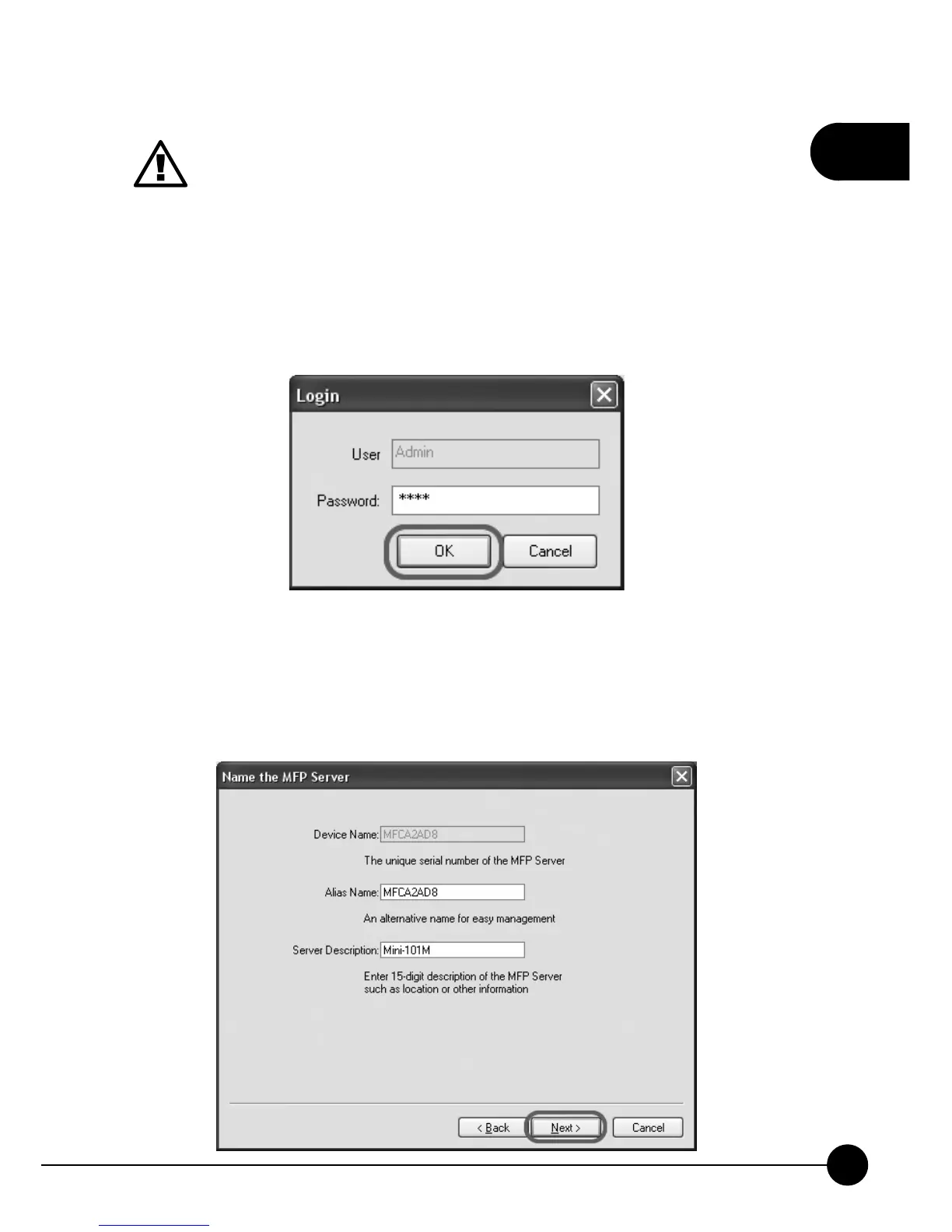
7.After clickingņNextŇon previous page, a window will pop up and ask
you to login. Please enterņ0000Ňfor the password and then clickņOK
Ňto continue configuring.
8.You may give a distinguishable alias name for Mini-101M Print Server
or you can leave the default name. Besides, you can enter a 15-digit
description for the print server or leave it blank and clickņNextŇto
continue the configuration.



 To Next Page