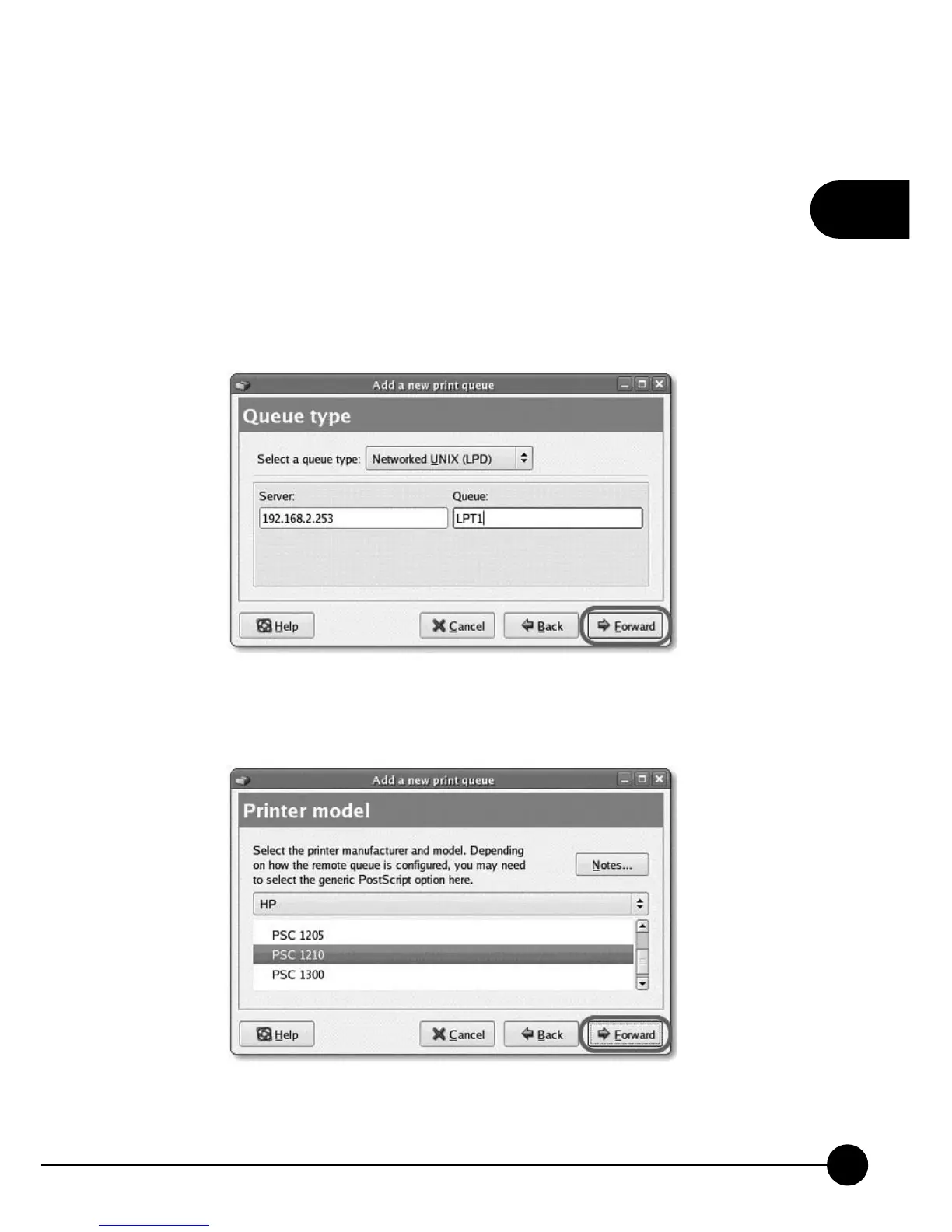
5.In the following screen, please configure as below. Then click
ņForwardŇ to continue.
Select a queue type: SelectņNetwork Unix (LPD)Ňas the queue type.
Server: Enter the IP Address of the MFP Server, for example:
192.168.2.253.
Queue: Set the queue name to lpt1.
6.Select the MFP or printer manufacturer and model and clickņForwardŇ.



 To Next Page