Peekel Instruments User manual PICAS V2.6.1
Page 26 of 59
CHANNEL + : scrolls through the 4 channels of the
Picas device selected.
ENTER : to acknowledge an edited command or to
initiate an action if <ENTER> is required.
MENU + : scrolls through the menu selected
(either SYSTEM- or CHANNEL-)
SPACE : to type a space when editing.
CANCEL : to cancel a manually edited command
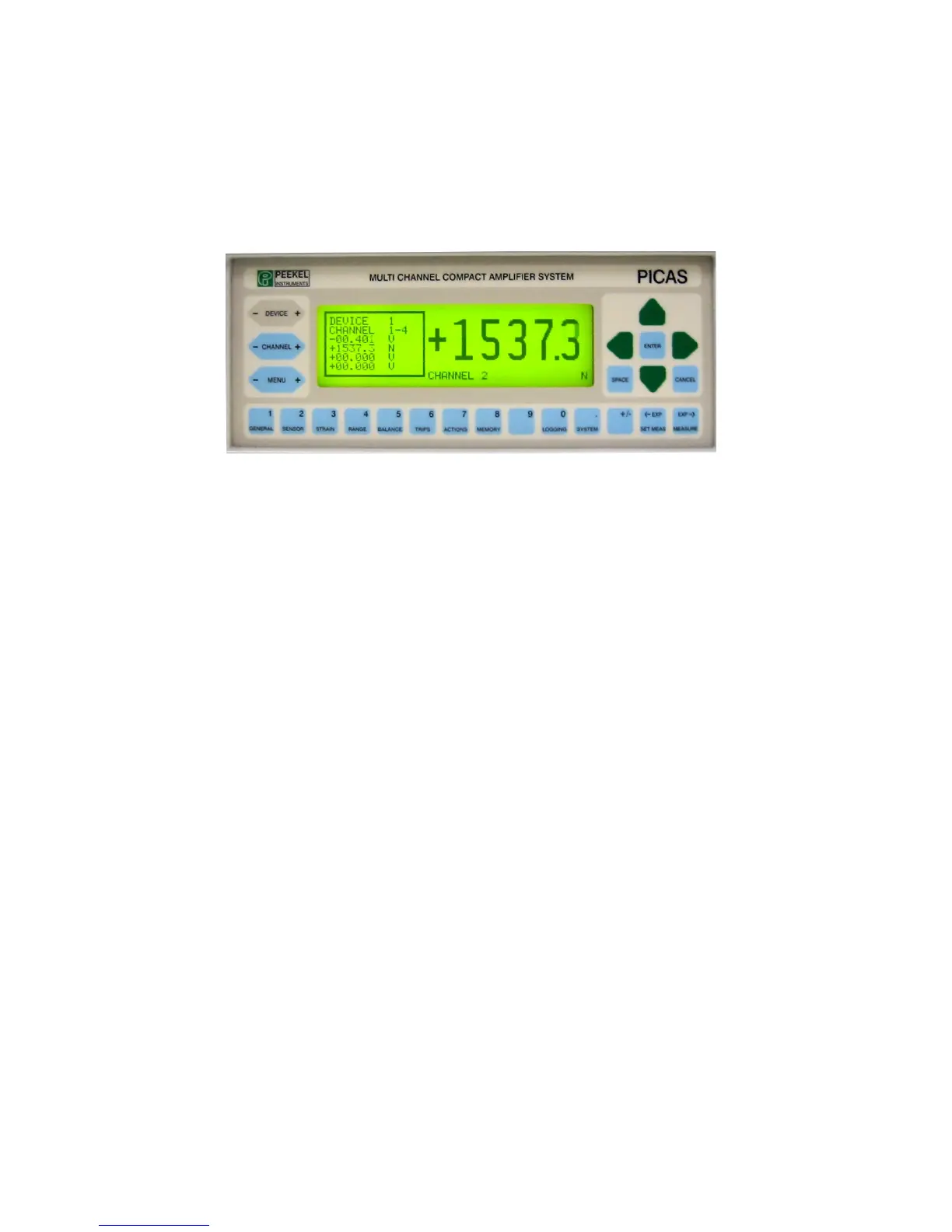
The example above shows the MEASURE display with one channel large (in engineering units)
and all 4 output-signals small in volts.
GENERAL (1) :Shortcut to Channel-menu: GENERAL; (decimal "1" when entering data)
SENSOR (2) :Shortcut to Channel-menu: SENSOR; (decimal "2" when entering data)
STRAIN (3) :Shortcut to Channel-menu: STRAIN; (decimal "3" when entering data)
RANGE (4) :Shortcut to Channel-menu: RANGE; (decimal "4" when entering data)
BALANCE (5) :Shortcut to Channel-menu: BALANCE; (decimal "5" when entering data)
TRIPS (6) :Shortcut to Channel-menu: TRIPS; (decimal "6" when entering data)
ACTIONS (7) :Shortcut to System-menu: ACTIONS; (decimal "7" when entering data)
MEMORY (8) :Shortcut to System-menu: MEMORY; (decimal "8" when entering data)
9 :decimal 9 when entering data
Logging (0) :Shortcut to System menu: Logging, (decimal 0 when entering data)
SYSTEM (.) :Shortcut to System-menu: GENERAL; (decimal dot (.) when entering data)
+ / - :plus or minus when entering data
SET MEAS (<-EXP) :Shortcut to System-menu: MEAS.PARMS; (scroll downward through exponents
or engineering unit-suffixes when entering data)
MEASURE (EXP->) :Shortcut to measuring display (large figures); (scroll upward through exponents
or engineering unit-suffixes when entering data)



 To Next Page