PRUNING SHEARS C3X
26_176804-B
5.1.2. ACTIVATION OF ACTIV' SECURITY
Warning
Activ' Security is based on electrical conduction and is only optimal with the use of PELLENC
Activ' Security gloves.
When working in wet conditions, wearing gloves PELLENC increases safety effectiveness.
If you put on gloves that you did not have at the beginning of the day or you replace your
conductive gloves during the day, make sure they are compatible with the Activ' Security by
restarting the tool and activating the safety system.
The safety system only protects the user holding the tool, any other persons is not protected.
Activ' Security and gloves PELLENCreduce the risk of cuts but this risk is still present. Always
be careful when using pruning shears.
Important
He safeties have their limits. The user of the tool will need to be vigilant to ensure that the tool works properly.
Carry out this operation without gloves and with the tool switched off.
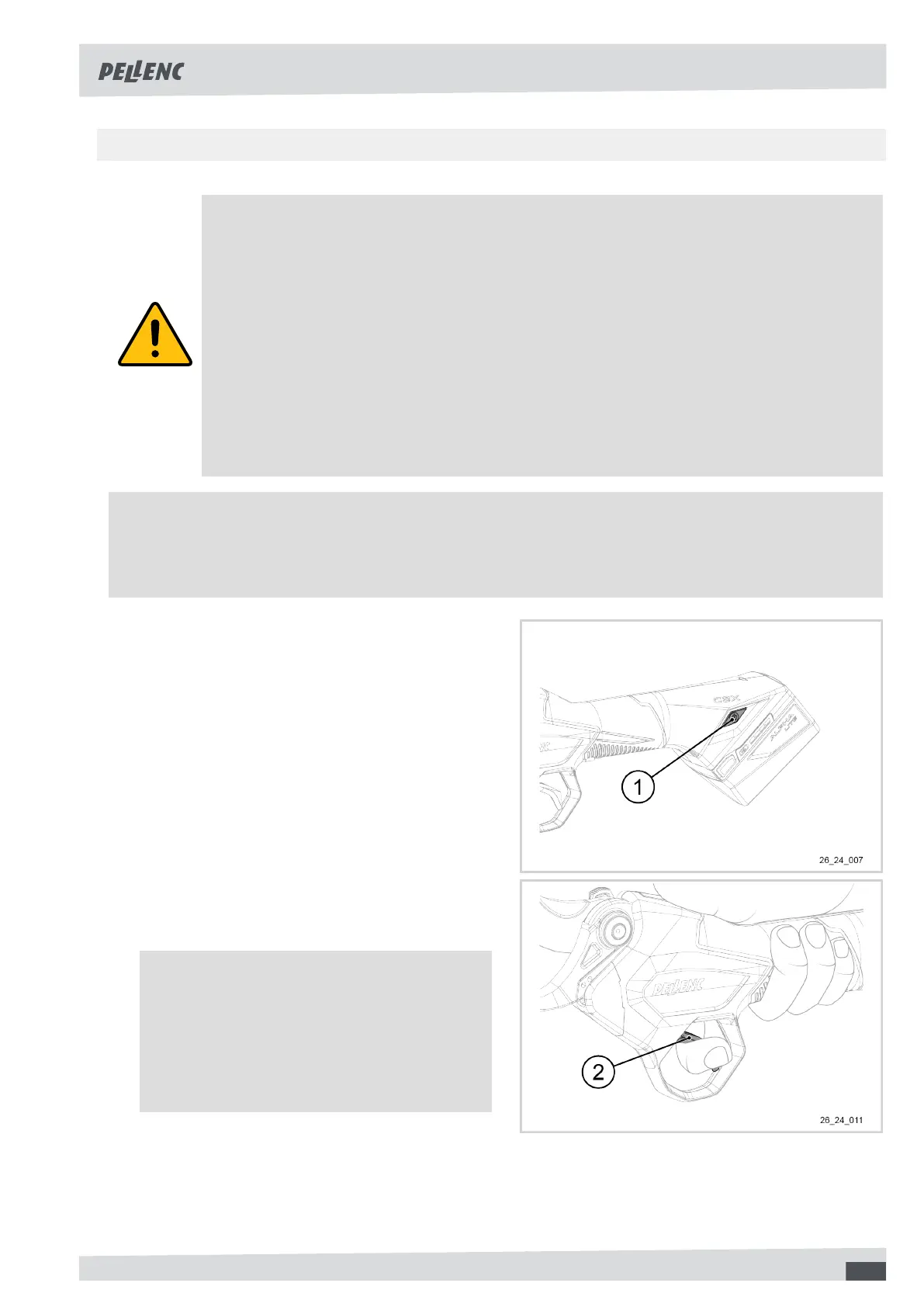
1. Press and hold down the ON/OFF button (1).
The tool will emit a series of beeps to indicate that
it is switching on.
Do not release the ON/OFF button (1).
2. Release the ON/OFF button (1) as soon as the tool
emits a new series of beeps.
3. Press the trigger (2) three times.
4. Hold down the third press until you hear a series of
beeps.
Note
The Activ' Security indicator light flashes
rapidly red and blue.
If the procedure has not been validated, the
tool emits a series of beeps. Switch off the tool
and start again from step 1.
5. Release the trigger (2).
6. Press the ON/OFF button (1) to switch off the tool.
19



 To Next Page