BRUSH CUTTER EXCELION 2 DH
53_153238-A
Note
To adjust the orientation of your handle, refer to Section 4.7.3, « Adjusting the orientation of the handle ».
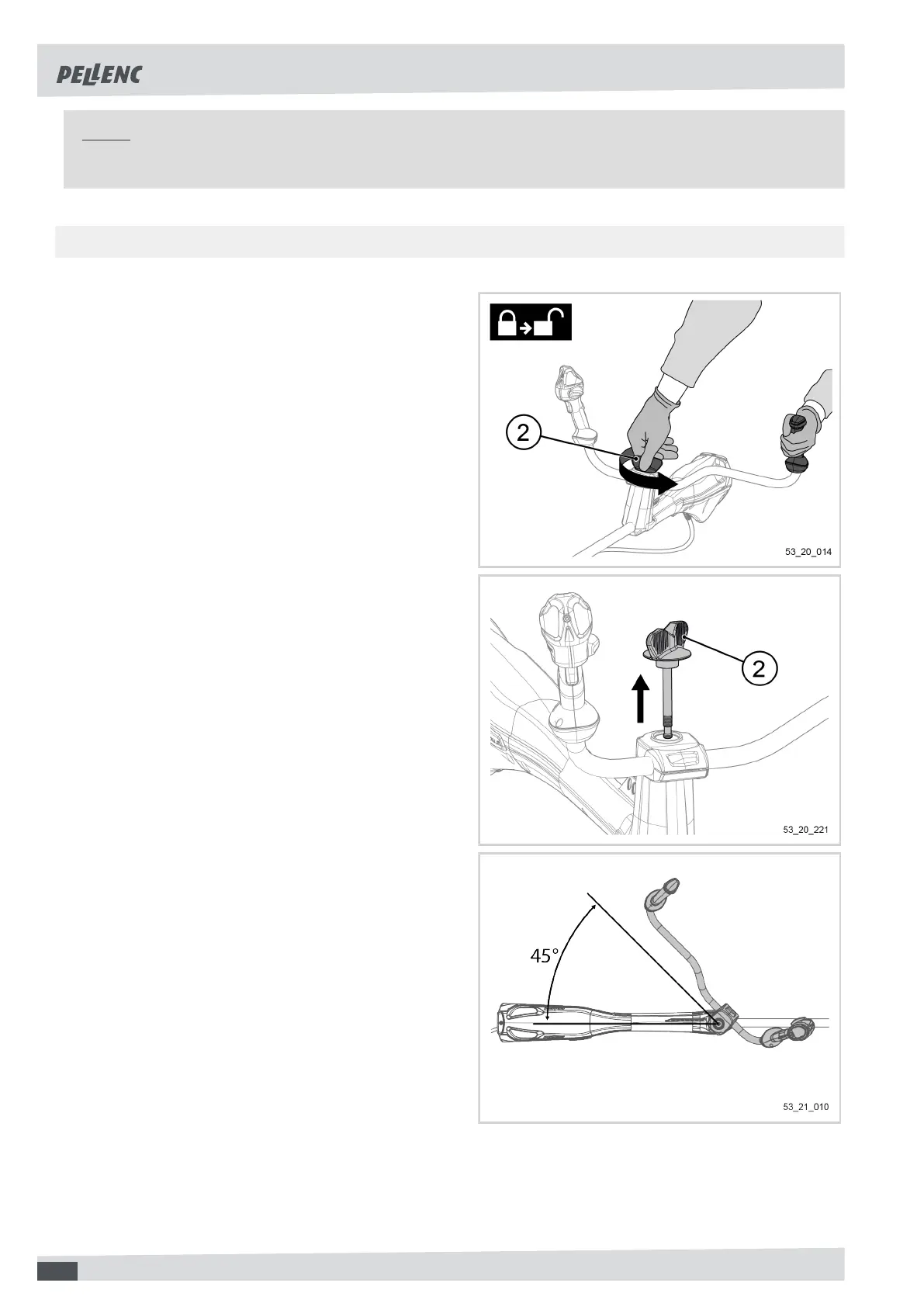
4.2.2. HANDLE DISMOUNTING
1. Unscrew the handle adjustment knob (2) until the
first "click". This means that the first thread (mark
A) is unscrewed (see Section 4.2.1, « Mounting the
handle on the tool »)
2. Pull on the adjustment knob while unscrewing. This
will allow the second thread to be unscrewed (mark
B).
3. When it is completely unscrewed, remove the
handle adjustment knob (2).
4. Turn the handle 45°.
20


 To Next Page